

can anyone tell me how to include a picture within a message?
19 years ago
Sort by:Oldest
Comments (11)
Related Stories
HOME OFFICESThe Cure for Houzz Envy: Home Office Touches Anyone Can Do
Borrow these modest design moves to make your workspace more inviting, organized and personal
Full Story
MUDROOMSThe Cure for Houzz Envy: Mudroom Touches Anyone Can Do
Make a utilitarian mudroom snazzier and better organized with these cheap and easy ideas
Full Story
LAUNDRY ROOMSThe Cure for Houzz Envy: Laundry Room Touches Anyone Can Do
Make fluffing and folding more enjoyable by borrowing these ideas from beautifully designed laundry rooms
Full Story
CLOSETSThe Cure for Houzz Envy: Closet Touches Anyone Can Do
These easy and inexpensive moves for more space and better organization are right in fashion
Full Story
KITCHEN DESIGNThe Cure for Houzz Envy: Kitchen Touches Anyone Can Do
Take your kitchen up a notch even if it will never reach top-of-the-line, with these cheap and easy decorating ideas
Full Story
BUDGET DECORATINGThe Cure for Houzz Envy: Living Room Touches Anyone Can Do
Spiff up your living room with very little effort or expense, using ideas borrowed from covetable ones
Full Story
DECORATING GUIDES7 Bedroom Styling Tricks Anyone Can Do
Short on time or money? You can spruce up your bedroom quickly and easily with these tips
Full Story
BATHROOM DESIGNThe Cure for Houzz Envy: Bathroom Touches Anyone Can Do
Take your bath from blah to ‘ahhhh’ with just a few easy and inexpensive moves
Full Story
BUDGET DECORATINGThe Cure for Houzz Envy: Entryway Touches Anyone Can Do
Make a smashing first impression with just one or two affordable design moves
Full Story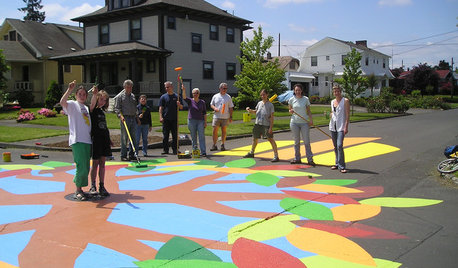
COMMUNITYCommunity Building Just About Anyone Can Do
Strengthen neighborhoods and pride of place by setting up more public spaces — even small, temporary ones can make a big difference
Full Story


zone_8grandma
texasgirl_06
Related Professionals
Cumberland Architects & Building Designers · Enid Architects & Building Designers · Tulsa Architects & Building Designers · Manhattan Design-Build Firms · Monroe Design-Build Firms · Plainfield Design-Build Firms · Poughkeepsie Design-Build Firms · Huron Design-Build Firms · Bozeman Design-Build Firms · Missoula Design-Build Firms · Emporia Home Builders · Cedar Rapids Home Builders · Bloomington Home Builders · Lafayette Home Builders · Billings Home Builderszone_8grandma
allison0704
allison0704
claireplymouth z6b coastal MA
springbabesOriginal Author
zone_8grandma
texasgirl_06
mightyanvil
springbabesOriginal Author