
Search results for "Data visualization" in Home Design Ideas

 DECOR landscape
Design ideas for a contemporary backyard outdoor basketball/tennis/multi-game court in Salt Lake City.
 jobalckwelljo
Bytes Online Training is the chosen option of professionals as well as corporate. Bytes Online Training provides wide-ranging training to prepare students to gather their job necessities.
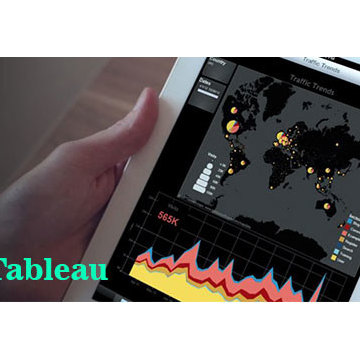
Be the leader of next technology revolution by learning visual analytics for huge data sets and generate useful business insights. Tableau Training course is a visual learning package covering concepts of data visualization through Tableau. It provides a deeper understanding of Tableau Architecture and concepts of Filters, Parameters, Graphs, Maps, Table Calculation and Dashboards. The course further trains you on Aggregating data, Data Blending, and R Connectivity with Tableau. Tableau Desktop 9 associate training provided by Bytes Online Training is to ensure you are ready to take up a job assignment requiring Tableau Desktop expertise. The course has been specifically designed to give your Tableau career a strong boost. The focus of the course is to help you learn Tableau Desktop 9 skills, such as visualization building, analytics and dashboards.
Please call us for the Demo Classes we have regular batches and weekend batches.
Bytes Online Training
Contact Number: USA : +1 732-475-4280, +1 732-593-8417.
Mail: contact@bytesonlinetraining.com
Visit us: http://www.bytesonlinetraining.com/product/tableau/

 Andrea Swan - Swan Architecture
Example of a transitional built-in desk dark wood floor home office design in Minneapolis with no fireplace and gray walls
Find the right local pro for your project


 Relax Audio Visual
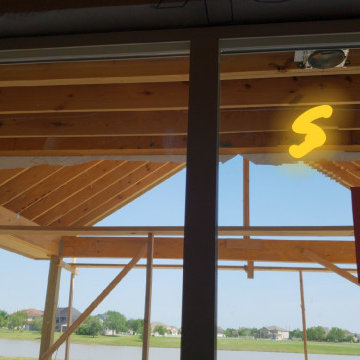
This patio is for a country home. We had to mark the speaker locations on the image. This makes it easier for the home owner to understand the future sound field of his/her area, and make changes before the house is covered.
 Audio Visual Design Group
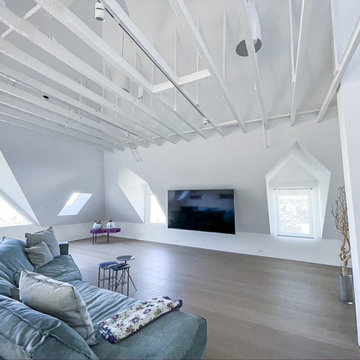
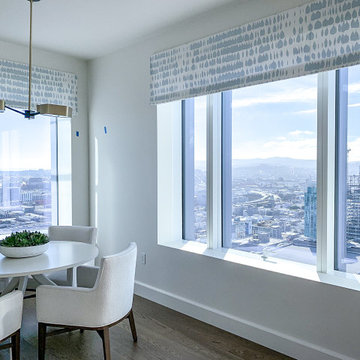
Located in the San Francisco’s South of Market District, Four Seasons is a 43-story skyscraper consisting of more than 140 luxury private residences. AVDG deployed an array of audiovisual and automation systems in several residences and shared spaces throughout the tower. Integrated systems, designed and installed by AVDG, included distributed audio solutions, video, data & voice systems, lighting, window treatments and control systems.
 Audio Visual Design Group
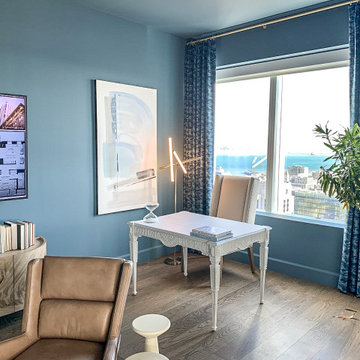
Located in the San Francisco’s South of Market District, Four Seasons is a 43-story skyscraper consisting of more than 140 luxury private residences. AVDG deployed an array of audiovisual and automation systems in several residences and shared spaces throughout the tower. Integrated systems, designed and installed by AVDG, included distributed audio solutions, video, data & voice systems, lighting, window treatments and control systems.
Sponsored
Columbus, OH

Snider & Metcalf Interior Design, LTD
Leading Interior Designers in Columbus, Ohio & Ponte Vedra, Florida
 Audio Visual Design Group
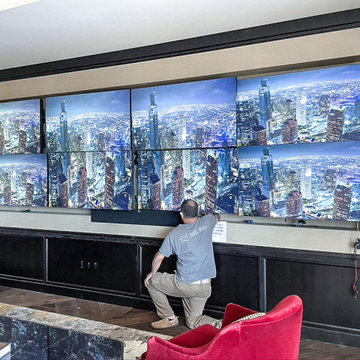
Located in the San Francisco’s South of Market District, Four Seasons is a 43-story skyscraper consisting of more than 140 luxury private residences. AVDG deployed an array of audiovisual and automation systems in several residences and shared spaces throughout the tower. Integrated systems, designed and installed by AVDG, included distributed audio solutions, video, data & voice systems, lighting, window treatments and control systems.
 Audio Visual Design Group
Located in the San Francisco’s South of Market District, Four Seasons is a 43-story skyscraper consisting of more than 140 luxury private residences. AVDG deployed an array of audiovisual and automation systems in several residences and shared spaces throughout the tower. Integrated systems, designed and installed by AVDG, included distributed audio solutions, video, data & voice systems, lighting, window treatments and control systems.
 Audio Visual Design Group
Located in the San Francisco’s South of Market District, Four Seasons is a 43-story skyscraper consisting of more than 140 luxury private residences. AVDG deployed an array of audiovisual and automation systems in several residences and shared spaces throughout the tower. Integrated systems, designed and installed by AVDG, included distributed audio solutions, video, data & voice systems, lighting, window treatments and control systems.
 Audio Visual Design Group
Located in the San Francisco’s South of Market District, Four Seasons is a 43-story skyscraper consisting of more than 140 luxury private residences. AVDG deployed an array of audiovisual and automation systems in several residences and shared spaces throughout the tower. Integrated systems, designed and installed by AVDG, included distributed audio solutions, video, data & voice systems, lighting, window treatments and control systems.

 safe ZOnea
If you’re active on GardenWeb sharing plant photos, asking for advice, tracking seasonal progress you already understand how much detail goes into gardening. Soil pH, rainfall, emerging leaves, bloom counts, fertilizer schedules it adds up fast. But all that rich information often remains buried in posts, lists or memory. What if you could visualize that data and turn it into clear quick insights? That’s where a graph maker becomes a game-changer for your gardening workflow.
1. Why garden data belongs on a graph
On GardenWeb, you’ll find forums for everything from perennial care, vegetable gardening, patios, herbs, even cooking and craft projects. While plant lovers share observations and ask questions, many track progress manually in spreadsheets or memory. A graph maker flips that around:
Instead of a list of numbers (e.g., “Soil test: pH 6.4 in May, 6.1 in October”), you get a line graph showing the decline over time.
Instead of guessing which plant bloomed most, you see a bar chart comparing counts across plants.
Instead of manually calculating average rainfall effect, you plot scatter points of bloom count vs. rainfall.
By turning your data into visuals, you’re not just recording—you’re analysing, learning and improving. For GardenWeb users this means smarter decisions: Which fertilizer actually improves bloom count? Which shady spot recovers slower? A graph maker gives clarity.
2. What is a graph maker and how to use one
A graph maker is a web tool or software that lets you input raw data (numbers, dates, categories) and output visual charts like line graphs, bar charts, scatter plots, etc. It might allow you to import a spreadsheet, select chart type, customize colours, label axes, and export the image for your blog, forum post or personal log.
Here’s how you could apply it for gardening:
Log blooms per week for each rose plant.
Using the graph maker, choose line graph to track changes over weeks.
Label your y-axis “Number of Blooms”, x-axis “Week of Year”.
Add colour lines for each plant for easy comparison.
Export as PNG and embed it in a GardenWeb forum post: “See bloom trend for my ‘Peace’ vs ‘Knock Out’ roses”.
This isn’t just pretty-to-look-at: it makes the trend obvious, invites discussion (“Hey, your ‘Knock Out’ line dips after week 28—what changed?”) and helps you refine your routine.
3. Use these specific scenarios on GardenWeb
A. Soil pH and plant health tracking
After multiple tests you have pH values over time and bloom results. Upload both datasets into the graph maker, produce a dual-axis line graph: soil pH on one axis, bloom count on the other. Post your findings in the “Soil, Fertility & Nutrients” forum and get feedback.
B. Seasonal pest or disease appearance
Record number of aphids spotted each month and whether you used treatment. A bar chart via the graph maker can show pre- and post-treatment figures. Then ask the “Insect & Disease Control” forum for advice based on your visual data.
C. Yield comparison between varieties
You grow two zucchini varieties. You keep weekly yield in pounds. Use the graph maker for a side-by-side bar chart. Share in the “Vegetable Gardening” forum: “Which was better this year? See the chart”.
D. Rainfall vs growth rate
You log weekly rainfall and growth (in cm) of your tomato plants. Use scatter plot in graph maker. If a pattern emerges, you’re ready to post: “Is my growth plateau due to drought? Chart shows a clear correlation.”
4. Why this elevates your GardenWeb contributions
When you post with a chart made by a graph maker, you’re doing more than asking or showing off. You’re investigating. You’re analysing. You invite the community to give feedback on data, not just anecdotes. That elevates the discussion. Instead of “My plant died, any ideas?” you post “See this graph of pH drop and bloom count—what might be the limiting factor?” High-quality visuals raise your post’s value and garner more thoughtful responses.
Plus, your posts become useful references for others: someone else can say, “Cool graphic, can you share your data sheet?” You build credibility and help the forum become a learning hub—not just a Q&A board.
5. Tips for using a graph maker effectively in the GardenWeb context
Keep it simple: One chart, one insight. Don’t overcrowd.
Label clearly: Titles, axis labels, units (e.g., cm/week, mg/L, °F).
Use readable colours: Avoid faint tones that vanish on mobile.
Annotate when needed: Add notes like “Fertiliser switched week 12” or “Shade cloth added”.
Provide context in your post: Don’t leave the chart alone—write a few sentences explaining what it shows and what you’re seeking.
Embed carefully: Make sure your image displays properly in GardenWeb; check mobile view.
Share raw data: If possible link to your spreadsheet so others can replicate or comment.
Be open to feedback: The chart invites questions; embrace them.
6. Possible pitfalls and how to avoid them
Bad data = bad chart: If your measurements aren’t consistent, your graph will mislead. Use standardized data collection.
Too much complexity: Multi-axis charts, too many variables—confusing. Stick to one or two variables.
Overlooking mobile viewers: Many GardenWeb users browse via phones. Use large fonts and simple visuals.
Ignoring the narrative: Chart alone won’t answer. Explain what it means and what you need.
Outdated charts: If you update your data annually, keep your visuals current or label them clearly as “2024 data”.
7. Final thoughts
On GardenWeb you’ll find a vibrant community of gardeners, DIYers, cooks and design lovers.Using a graph maker for your posts and progress turns your experience from casual hobby-logging into smart data-driven gardening. You’ll not only learn more—your peers will learn more, too.
So next time you log your plant growth, record your yield, test your soil or track pests—don’t just note it. Plot it. Use a graph maker. Share it in the forum. Let your garden tell the story, and let the community help you write the next chapter.

 Prime 1 Builders
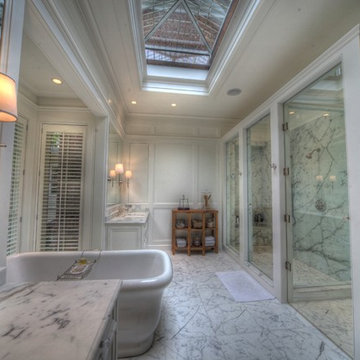
This project won in the 2013 Builders Association of Metropolitan Pittsburgh Housing Excellence Award for Best Urban Renewal Renovation Project. The glass bowl was made in the glass studio owned by the owner which is adjacent to the residence. The mirror is a repurposed window. The door is repurposed from a boarding house.
George Mendel
Sponsored
Columbus, OH
Snider & Metcalf Interior Design, LTD
Leading Interior Designers in Columbus, Ohio & Ponte Vedra, Florida

 Elizabeth Eason Architecture LLC
Bruce Cole Photography
Example of a small farmhouse white gable roof design with a shingle roof
Example of a small farmhouse white gable roof design with a shingle roof
 Wwave Pty Ltd
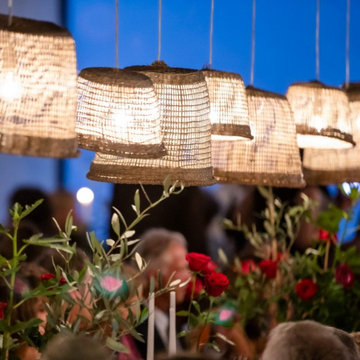
We are one of a leading supplier of audio visual equipment in Melbourne. We offer a wide range of sound equipment for hire and sale. Visit our website today for more information.
 andisonresidentialdesign
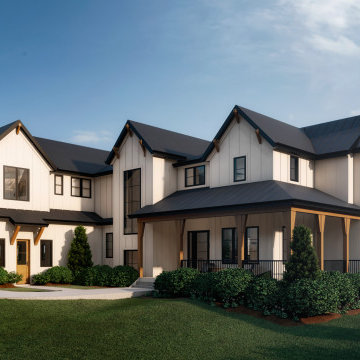
Modern Farmhouse architecture is all about putting a contemporary twist on a warm, welcoming traditional style. This spacious two-story custom design is a fresh, modern take on a traditional-style home. Clean, simple lines repeat throughout the design with classic gabled roofs, vertical cladding, and contrasting windows. Rustic details like the wrap around porch and timber supports make this home fit in perfectly to its Rocky Mountain setting. While the black and white color scheme keeps things simple, a variety of materials bring visual depth for a cozy feel.

 True Carpentry and Cabinetry
Largely designed by the homeowners, with adjustments by me for functionality and appearance, this home office built-in features a large hidden storage capacity with 18" deep doored upper cabinets. It also has a visible pencil drawer in the desk section, and four pullouts in the base units that are all custom sized for specific purposes, and include a letter-size file drawer. There are even doors covering a 3" deep space underneath the desk area to cover up the electrical and data cables. Existing crown molding is run across the top to tie it in visually with the room. There is vertical "fluted" trim, but without the flutes.

 True Carpentry and Cabinetry
Largely designed by the homeowners, with adjustments by me for functionality and appearance, this home office built-in features a large hidden storage capacity with 18" deep doored upper cabinets. It also has a visible pencil drawer in the desk section, and four pullouts in the base units that are all custom sized for specific purposes, and include a letter-size file drawer. There are even doors covering a 3" deep space underneath the desk area to cover up the electrical and data cables. Existing crown molding is run across the top to tie it in visually with the room. There is vertical "fluted" trim, but without the flutes.
 True Carpentry and Cabinetry
Largely designed by the homeowners, with adjustments by me for functionality and appearance, this home office built-in features a large hidden storage capacity with 18" deep doored upper cabinets. It also has a visible pencil drawer in the desk section, and four pullouts in the base units that are all custom sized for specific purposes, and include a letter-size file drawer. There are even doors covering a 3" deep space underneath the desk area to cover up the electrical and data cables. Existing crown molding is run across the top to tie it in visually with the room. There is vertical "fluted" trim, but without the flutes.

 Nest Builders LLC
Family Room features 7" Crown molding, 8x42 Porcelain Plank-style Flooring, LED Square Panel Recessed Lights, Custom Matte Gold Haiku (Big Ass Brand) Ceiling Fan with Remote and Built-in Wall Switching, Custom Audio/Visual and Wifi Home-Run Cat6 Wiring for Wall Hung TV here and and throughout home with Data Ports and Cable Outlets installed at select areas. Custom Interior Paint pallet Clients selected .
1