Software
Houzz Logo Print
shadowgarden

Landscape design progam

19 years ago

I am starting to think about landscaping our new home. I would like to use a computer program where you can move pictures of plants around to make a plan. Keep in mind that I am not to technological and would rather not have to type in a bunch of commands. Is there a free program that I could use to do this. If not what progam should I buy.

Thanks.

Comments (11)

  • 19 years ago

    There have been a lot of discussions about software, a search of this forum will turn them up.

    The feeling is that pictures of plants on a photo of your home will not tell you if the plants will actually fit in the space you're pasting them on. You can do the same thing with pencil and paper, or paper cutouts from a plant catalog.

    They will, however, give you some idea of how the plants MIGHT look in one spot or another if you are unable to visualize it in your head. Designers sometimes use it as a sales tool for clients who can't "see" where their design is going, but it won't actually help you create a good design.

    Designers do their planning in "plan view" which is an overhead view like a map, drawn to scale.

    You can cut out and paste pictures with photoshop or other photo editing software. You can doodle on a photo of your house with MS Paint.

    Previous threads include some links to sites that sell or review software.

  • 19 years ago

    A good quality lanscape program could be usefull but would cost at least $500.00 dollars. The cheap ones leave way too much to be desired and fall very short of being useful for anything but the most basic designs.

  • 19 years ago

    I used a simple program that came bundled with my MS Office package, called MS paint. I tood a picture of my yard with a digital camera, and then used the "paint" tool to draw on shapes of plants. Does not give details of what the actual plants will look like, just general ideas of whether this or that color would look good, and this or that shaped plant, bush or tree. You could also use Photoshop and cut and paste pictures of plants that you snag off of the Web. Use the Google "Images" search engine to find pictures of plants. Right click on the images and you can copy them as .jpg file onto your computer. Bear in mind that you can only use copied stuff for doodling around at home. You can also use MS PowerPoint as a graphics software, I do it all the time. Just work with one slide and paste a photo down over the top of your house, and then cut and paste and add the other pictures you want. You will have to learn how to cut and paste, crop, draw lines and shapes, use Google image search, and use the "Bring to front/Send to back" menu. If you don't know how to do any of this, corral the closest teenager.

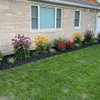
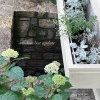
    Here's some examples of me trying to decide about a border. They're not the greatest but I include them to give you an idea of what I'm talking about.

    {{gwi:34589}}
    {{gwi:34590}}

  • 19 years ago

    Here are a couple of photo mockups I did with Designware software for a design class a while back. The plant library is not huge but you can import and crop photos of plants to use. The hardscape and texture library are OK.

    The problem is, unless you work out the plant positions first on paper in plan view, there is no way to know if these plants will actually fit in the space the way the photo shows them. It will also be no help if you don't know which plants will thrive in your conditions, and will allow you to show roses blooming at the same time as witchhazel, while the sugar maples color up and the red twig dogwood and winterberry holly are at their peaks.

    It costs about $500 or so and is fairly easy to use.

    Here is a link that might be useful: link

  • 19 years ago

    I'm so glad I came to this site and this forum. I'm planning a small (40'x40') cutting garden and was considering using landscape software. The choices, reviews and prices are somewhat daunting! After reading the posts here, however, I'm going to take a crack at it without the software. (I particularly liked the post form lpinkmountain. Fortunately, I have a 15-year-old son I can use as a tutor.) Having worked with an excellent landscape designer on other projects around our home, collected numerous plant anthologies and being familiar with the plants that I like, I think I can put together a plan view and virtual image that, together, should give me a pretty good blueprint for planting. Thank you, fellow gardners!

  • 19 years ago

    shadowgarden,

    I was in the same situation as you about a month ago. But what I did is, I went to images.google.com and searched for garden designs, garden plans, landscape plans. I couldn't remember what I put but those keywords should help.

    So, I saw about 10 to 15 really nice designs in gif and jpeg image format. What I just did is that, I used those pictures as my reference. I drew on a piece of paper how my property looks like(top view), where the house sits, and all the things you to put in your house. It worked for me and my wife very well. I only spent a paper and a pen and some time googling. :)

    Look at my other thread at Trees forum, the first post contains my drawing and at the bottomost part of the thread contains the plants that we have planted. The picture isn't update since I just finished today planting all the lilacs. Hopefully this week, I will be able to finish all the 3 viburnums!

    My other thread

  • 19 years ago

    Nice job. One of the hardest parts of doing this kind of plan is measuring everything and drawing a plan to scale. Knowing *exactly* how much space you have will make it much easier to position specific plants where you want them, and have them actually fit when you go to plant.

    Graph paper can make it easier to see distances at a glance, but you can use an architect's or engineer's rule (any office supply store will carry them) to measure to scale accurately.

    Virtuosity's plan (I'm NOT typing all of those characters, LOL) also shows the position of the sun at different times of day. You can use the same method to show the position of ugly things on or off site that you want to hide from view, views that are nice so you will preserve them, and other conditions like wet areas, slopes, septic systems, underground and overhead utilities, etc.

  • 19 years ago

    I found a site called plan a garden in the better homes and garden web site. www.bhg.com It works pretty well. The nice thing is it has a plant dictionary which describes the requirements sizes etc of lots of plants. thanks for your suggestions.

  • 19 years ago

    Thus far my small forays into landscape software have been disappointing. I got the home architecture suites from Punch and Brøderbund a few years back (not the latest editions available today), and they had some nice features (like the ability to "age" trees and shrubs and the ability to view from different angles), but tended to crash a lot. (Perhaps to be blamed on my PC, which knows I'm usually a Mac user and likes to lash out at me.)

    I tried the online BHG program, but it seemed pretty minimal in terms of its library, and I don't like the java or flash implementation.

    I haven't tried the expensive ($1000) packages, but in a lot of forum searches, it sounds like people who have done a lot of experimenting have come to the conclusion that they are the only ones that are really up to the job for anything fancy. (As someone who has designed software, I suspect there are market forces at work here. There are probably a million people who are willing to plop down $50 to try out a basic software package. There are maybe a few thousand willing to pay $1000 for a really good one. There may not be that much market in-between -- i.e., the folks selling the premium packages have probably done market research that says that if they sold it for, say, $250, they would only (say) double their sales, and thus lose money.)

    For my purposes, really useful features would include
    - overview and 3D walk-around modes
    - ability to see plant sizes at different ages
    - ability to see how things look in different seasons.

    For a relatively inexperienced gardener like me, this last one would be a great help, as I'm finding that the ability to visualize how a single space will look in different seasons is coming slowly, and have a hard time designing a space so that there will be a succession of things in bloom throughout the season. (I'll probably get better at this over a couple of years, but then I'll probably want to pull out most of the perennials I've planted in the meantime!) Sizes are also something that I still misestimate. My first year gardening, things were WAY too crowded in some beds, and I had no conception of the vertical dimension. A software program where I could "grow" the plants virtually in seconds would have been a big help.

    (The lesson I've taken to heart is, "Until you understand how things are going to grow, plant annuals unless you're willing to dig your 'babies' up in a year or two.")

    If things have changed, and there are consumer-level programs that can do the job, I would be glad to hear of it. I should think there WOULD be a good market for a sub-$100 program that is actually useful for serious garden planning. It would quickly pay for itself in terms of "mistakes" avoided.

  • 19 years ago

    Shadowgarden,

    I used the Sierra/ValueSoft product at the link below for years to great effect.

    Give it a try ... the price is definitely right.

    Also at this link ...

    http://www.jr.com/JRProductPage.process?Product=4080022&JRSource=nsa&nsa=1

    Here is a link that might be useful: Sierra/Value Soft Landscaping Software

  • 19 years ago

    I also bought the Sierra software years ago, and it does work, but it's very cumbersome to use, especially if you want to add a reasonable facsimile of your house (mine has three wings, multi levels, and wierd jogs).

    I will show you how a tree or shrub might look from various angles using the walk through.