

Resizing Images
18 years ago
Sort by:Oldest
Comments (4)
Related Stories

ARTNew Digital Art Frame Gets Put to the Test
Our writer sets up the EO1 at home, then invites artist friends over for a look — at images of their own work. See what they have to say
Full Story
DECORATING PROJECTSWhat to Do With Old Family Photos
Find out how to research, share and preserve images that offer a connection to the past
Full Story
GREAT HOME PROJECTSHow to Design a Family Photo Wall
New project for a new year: Display your favorite images of loved ones for the most personal gallery wall of all
Full Story
WALL TREATMENTSCan't Find the Right Wallpaper? Make Your Own
For one-of-a-kind walls, just use your imagination. Custom wallpaper is easier and less expensive than you might expect
Full Story
WINDOW TREATMENTS9 Ideas for a Beautifully Draped Home
Go bold with your curtains and drapes for all the privacy you need and heightened drama too
Full Story
DESIGN PRACTICEDesign Practice: How to Pick the Right Drawing Software
Learn about 2D and 3D drawing tools, including pros, cons and pricing — and what to do if you’re on the fence
Full Story
MOST POPULARFalling for Color: 9 Ways With Pumpkin Orange
From racing stripes to accent walls, see how to work this vibrant hue into your home
Full Story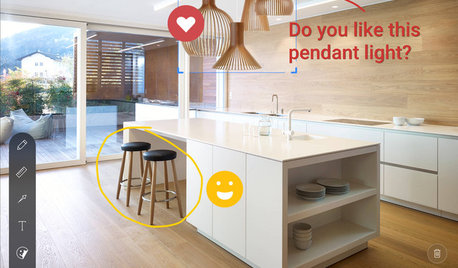
INSIDE HOUZZInside Houzz: Explore Sketch, a New Way to Bring Design Ideas to Life
Update your Houzz app to get Sketch for iOS and Android
Full Story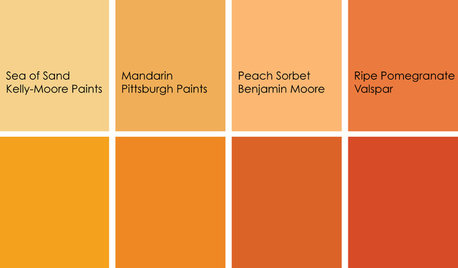
COLORColor Feast: When to Use Orange in the Dining Room
Dial up the zest at mealtimes with doses of snappy orange on dining room walls and furniture
Full Story
HOUZZ TOURSMy Houzz: Comfortable Country Style in Cincinnati
Warm colors, extra rooms and plush furniture make a couple's farmhouse-style home worth sharing with guests
Full Story


deangreen
gonegardening
Related Professionals
Panama City Landscape Architects & Landscape Designers · Fredericksburg Landscape Architects & Landscape Designers · Knoxville Landscape Contractors · Trenton Landscape Contractors · Watertown Landscape Contractors · Lake Havasu City Landscape Contractors · Cowansville Landscape Contractors · Monroe Home Builders · Frederick Home Builders · Detroit Home Builders · Superior Home Builders · Santa Maria Home Builders · Dodge City Home Builders · Bismarck Home Builders · Amherstburg Home Buildersaliska12000
mizellie