Software
Houzz Logo Print
gw_oakley

I need Browzer help - AOL

11 years ago

I admit, I'm a computer idiot. On my PC I use AOL as my homepage. I like AOL and I've had it for about 25 years. I always update AOL when they get a new version.

For the past year when I go to websites, especially those like banks and stores, there is always a little notice at the top of the page saying my browzer needs to be updated.

The messages always say I can download Chrome, I.E., Safari, and Firefox. Well, I have them but I use AOL.

Isn't AOL my web browzer? Can I use a different browzer while using AOL, and if so, how do I change it?

All transactions go through just fine, I'm just tired of getting that message!


Comments (38)

  • 11 years ago

    First, don't download anything you get like that. it's not necessarily safe. Your computer could get very sick.

    Second, AOL isn't a broswer. It's a home page. Browser is like your car -- it takes you places. Home page is like your driveway. It's where you park when you're not driving and it's the place you always come back to.

    If you have a PC you may want to switch to Firefox. You can still have AOL as the homepage. Safari is usually used by people with Apple products though it can be downloaded for PCs. Chrome will track every breath you take and try to sell you things. That, and IE, are my least favorite browsers.

    If you are going to download a new browser then go to the official site for that browser and get it there. Just type in Get Firefox or Get Safari or whatever you want in the search box. Then double check it's not some site that looks like the original, or is piggybacking on it before you download. There's a lot of that.

  • 11 years ago

    When you get a message to update your browser on a website, it is speaking about the browser you are using to reach the page-- web sites don't go and check status of browsers that are installed on your computer.

    AOLuses a scaled back version of Internet Explorer (IE) within it's application. It is recognized as an inferior browser. I don't use AOL but I do know that there is little going on in the way of development of new features so perhaps the browser isnt being updated.

    I'd strongly recommend using one of the real browsers you have downloaded-- Like Dee has said, you just need to open the browser and go.


  • 11 years ago

    You can use multiple browsers at the same time. You can download any of the other browsers and use it outside of running your AOL software. I do it all of the time.

  • 11 years ago

    I prefer Firefox myself.

  • 11 years ago

    AOL is more than my homepage, it's a downloaded program that I have to sign on to. Would that make a difference as far as AOL being or not being my browzer? I had it as my homepage on IE, but I took it off.

    If any of you are familiar with AOL's homepage, they have the latest news to click on in the middle of the page that takes you to another AOL webpage with the article on it. If I go to any of those pages now, the computer freezes.

    Also, if I go to a large website and click on a link, more than likely the computer will freeze.

    I wonder if the two problems are related or if I have a virus on my AOL. I run Norton every day.

    Diane, I have several other browzers I've used before.


  • 11 years ago

    Heck, I didn't even know aol still existed!

  • 11 years ago
    last modified: 11 years ago

    I can see why you would like to keep AOL because you are familiar with it but honestly it is filled with junk that slows down your computer. AOL wants you to sign in so it can track everything you do. If you are only using AOL because you like their news page I would just delete it. You can go directly to the AOL news page from any browser and you do not have to sign in.

    I would do my main browsing with one of the cleaner and more modern browsers. I use Chrome for work and am happy with it.

    Have you cleared your cache recently? Cache clearing is different than running antivirus software. CCleaner is a great way to clear your cache and all the old junk from your computer.

    https://www.piriform.com/products

    If you have downloaded other browsers you should have icons on your start screen. Just click the icon and you can navigate to your favorite sites.

    BTW, the word is spelled "browser" not browzer.

  • 11 years ago

    I haven't heard of AOL in a long time either. AOL is your service provider - right? It's NOT a browser.


    I'd try what Dee suggested, then if problems continue, call AOL.

  • 11 years ago

    AOL DOES have a browser-- it's a scaled back version of IE that runs within the AOL program. I am not recommending it-- just saying it exists (and is still used).

    The behavior you are describing doesn't sound like a virus-- it sounds like your browser isnt running scripts on the page.

    I strongly recommend going to one of the other browsers-- you can still get the AOL/Huffington Post page if you go to AOL.com.

    Frankly, I am shocked that AOL is still going. They have not been in decline for ages and they are not dedicating many resources to new development. Whether you choose to keep it as your ISP (I wouldn't-- but that's up to you), you should definitely use another browser-- to protect your system and to keep your browsing fun (not frustrating).


  • 11 years ago
    last modified: 11 years ago

    I like Chrome, because, yes it tracks, but that's not always a bad thing. No more frustrations when using any of my devises, desktop, little tablet, large tablet, laptop and even my cell phone. I can access all my bookmarks and photos, from any of them. Love that! And since I don't do anything questionable online, I need not worry about their tracking everything I do. Most websites one visits already does that with cookies no matter what browser you use.

  • 11 years ago

    I don't know why I added a "z" instead of an "s' to browser! lol. No, I haven't cleared my cache but will try to do it today.

    I like AOL because it's easy to organize everything. I have many folders of saved things, I love how their favorite places work, etc. I have a friend who is the most tech savvy person I know, and she refuses to give up AOL also. It's like an old worn in leather boot. :)

    Funky, I'm going to have to check out the script thing, thanks!

  • 11 years ago

    This is weird, and I remember it happening when I tried to download something similar a month ago.

    When I clicked on the download for CCleaner, it took me to My Pictures on Windows. WTH?

  • 11 years ago

    Oakley, I am sorry to be a spelling nag but when i saw you use it more than once I felt like I should say something.

    I think when you tried to download CCleaner it took you to your downloads file which probably already has some pictures in it. If you click save you should be okay.

  • 11 years ago

    It took me to my Pictures Library. I went ahead and saved it but it's not there. I don't know what's going on.


  • 11 years ago

    Oakley you should be able to look to the list on the side and find the download folder and save it there. Then there should be a notice at the bottom of the window you'll need to click on to finish the process.


  • 11 years ago

    Oakley, it will be money well spent to have a computer geek come in and clean things up and show you how the computer works and get everything clean, debugged and up to date. Do you like Buick le Sabres? Well built and worked like a horse, well loved, but it's TIME to get a new car.

  • 11 years ago

    Just, I looked at everything in the list yesterday, it's not there. The thing just vanished! lol.

    Bumble, I thought about having a geek come out and do some cleaning, but I don't need to buy a new PC just yet. Love Buicks though. :)

    Thanks for the suggestions everyone, I'll get this thing figured out. Or not.

  • 11 years ago

    I meant the browser You take cars to a mechanic when they don't work as expected yet there is a subtle mindset that we are expected to fix and know everything about a computer in order to use it. Get an expert in to fix it..

  • 11 years ago
    last modified: 11 years ago

    You may have your explorer configured to hide system files. That would explain why an .EXE file would disappear.

    I agree with Bumble.. except that I dont know that you are going to be able to fix aol. I think it's time to recognize that it's had it's time-- it's come and gone-- and they are no longer keeping the software up to date.

    Do yourself a big favor and take the step to use another browser-- really, it's not a big hurdle to start using another browser and it will serve you better for the long run. The only thing you are getting from AOL is the home page and you can set that as your browser home page.

    This isn't like using a vintage stove-- there's no honor or charm in holding onto software that is out of date.

    Edited to add the link for "unhiding" system files

  • 11 years ago

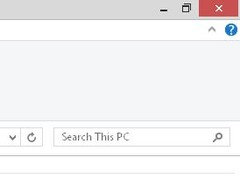
    Have you done a search on your PC? It's in the upper right corner of your files.

  • 11 years ago

    The thing is that using a version of IE as AOL does that is not fully updated including the latest security patches is asking for malware and infections. The fact that your pc is freezing up could be an indicator of such malware on it already. Any browser used should be the latest version available they are updated regularly for security reasons. I prefer Firefox and you can still get access to the AOL sites and email. AOL is very very old and outdated I can't believe it's still used. For the security of your computer get an updated browser, that's exactly why those sites are giving you that warning to let you know you are not secure. And cleaning up the computer should be routine maintenance not something done because you need a new one but tasks done to keep it running at its finest and last longer. I no longer suggest CCleaner to someone that is not familiar with the program because it contains a registry cleaner which if not used properly can cause serious problems which can be not be repaired. There are other programs that do a good clean with out the risk of a registry cleaner on board.

    I would run malwarebytes free scan on the pc and get rid of the AOL.

  • 11 years ago

    yes, dump AOL!

  • 11 years ago

    AOL does upgrade. If I dump AOL, then I'll lose years of favorite places, and very important documents I've saved. I don't know why people got rid of AOL since it's the most user friendly site there is. It's organized.

    I'll piddle around with other servers. Which one do you think is the most user friendly? I can choose from: I.E. Mozilla Firefox Chrome.

  • 11 years ago

    The favorite places can be saved and imported into other browsers. There is nothing that can't be saved. I like firefox, ie never ever, but many like Chrome.

    i have all three though and use them for various things.

  • 11 years ago

    I know nothing about AOL, but couldn't you import your Favorites/Bookmarks into a new browser's?


    I've been using Mozilla's Firefox for more than 10 years. Before that it was IE. I also have Safari and Chrome on my Dock/Desktop, but choose Firefox 95% of the time.

  • 11 years ago

    Oakley, the reason why people don't use AOL is because of the problems you are experiencing. It crashes, hogs resources that slow down your computer, hangs up, causes script errors, etc. You can keep it if you want but you don't need to sign in to it every time you get on your computer.

    I like Chrome but if you have the other browsers already downloaded on your computer you can try each one out and see which you like best. Just click the icon on your start page and start browsing.

  • 11 years ago

    AOL is only giving you a familiar way of finding your stuff. Favorite Places are called book marks in most other browsers.

    Are you paying a monthly fee to AOL?

    ML

  • 11 years ago

    Aol is barely keeping its head above water regarding updates-- it barely runs on the newer operating systems and it has lots of vulnerabilities which is why hackers are so drawn to it. Now in reality, the AOL user base is very small these days so you aren't seeing the BIG hackers going after aol.. but more the annoyance hackers. Email, IMs, Chat, Browser are all at risk.

    In a recent past life i managed a team that had to test software across all browsers. We actually pulled AOL out of the mix-- it was more likely to have issues and the user base using AOL was a very small percentage. It wasn't cost effective for us given the few number of users accessing the site via AOL. AND-- all AOL users have access to other browsers. I suspect this is what other companies have decided as well-- which is why you are locking up. The AOL browser can't handle the code and scripts on the sites' pages.

    I use both Firefox and Chrome. I prefer FF. I don't use it but Firefox has a feature to organize your bookmarks in groups on the browser desktop. You might find that useful.

    Seriously, none of us likes change-- but if you are going to spend time on the internet, you gotta be smart and protect yourself! Using AOL with very public sites like Facebook and Houzz only increases your vulnerabilities. Set aside a day and walk through the tutorials for Firefox and Chrome and choose one to move forward with-- seriously, use the tutorials because there are a lot of features that are not obvious!

    Good luck!

  • 11 years ago

    I would go with Firefox. It's very dependable. Also, if you have important documents they should not be linked or saved to an outside site. They should be on your hard drive IMO.

  • 11 years ago

    When you set up Firefox it will ask you if you want to import your favorites /bookmarks from another browser like AOL just say yes to all and it will bring over your favorites, your settings everything. You won't be losing anything it will still be there if you need to go back for it. I have never lost anything when changing browsers if I used the import features. Any thing worth saving like documents etc should definitely be saved to your hard drive so you can have full access to it no matter what browser you use.

    Websites just aren't supporting the outdated stuff AOL puts out there they can't afford to and that means you are not secure because it doesn't have the most recent security updates.

  • 11 years ago

    After you set up the new browser it will ask you what you want for your home page. If you like AOL you can keep it that way.

  • 11 years ago

    Oakley, have you tried out a new browser yet?

  • 11 years ago
    last modified: 11 years ago

    A browser is software. AOL is kind of a hybrid. It offers you a "portal" to the Internet and also I guess still provides you with Internet services. Think of it like a phone company. Your phone is like the software and then there are the lines that allow your phone to work and access other phones, and then once you get that set up, you can call anyone you like! With the Internet, your browser is software that allows your computer to access and view Web pages. How those Web pages come to your computer will depend on your Internet Provider Service (ISP). Then, once you access and view a Web page, it will most likely have gazillions of links that take you to other Web pages. All kinds of organizations sponsor Web pages, which can have all kinds of links to other Web pages, either related to the sponsoring organization, or not. AOL kind of piggybacks on all of this and puts their brand on things. It's like having a phone labeled "AOL" and every time you make a call, a recording comes on and says, "This call is being sponsored by AOL." But that doesn't mean that AOL somehow controls your call or that whomever you're calling works for AOL. So you can get a NEW BROWSER and still access all of the features of AOL on it. But getting a new browser will change the way the labels and pull-down menus and links are configured on your home page. I know, you don't like it and I don't blame you. One of the features of modern computing is software companies constantly update the "interface" of their software. That means the way their pages look and the way they organize files and windows constantly changes. You get a system you like and know, and then "splat" it is gone and you have to learn something new. That's just the way the Internet works, it's very dynamic. Find someone to talk you through the set up of a new browser and trying to organize features you like to work the way you like them. There are ways to customize your experience. But don't fight it, because you will end up with something akin to a phone patched together with duct tape and you're always going to struggle making calls on that kind of system. To use a computer, you need to know that it is designed for you to INTERACT with it, so you need to learn how it works so you can master it. It's not smart enough to be your boss, you have to boss it around!

  • 11 years ago

    Sorry I'm late in replying! Deee has convinced me I need to get off AOL. She listed all the problems I've had over the years on various computers.

    FF sounds like the winner here. I'll give it a shot when I have time. Thanks!!

  • 11 years ago

    Firefox is a great option, it has so many add on extensions which really are helpful. I have several on my desktop version. Here's a tutorial that can help you learn how to use and utilize Firefox better.


    Tutorial


  • 11 years ago

    Oakley, remember you can keep your AOL email address if you cancel the a paid account.

  • 11 years ago

    Keep us updated, it will be interesting to hear how it all pans out for you. Good luck!!