

IKEA kitchen planner questions
10 years ago
Sort by:Oldest
Comments (5)
Related Stories

KITCHEN DESIGN9 Questions to Ask When Planning a Kitchen Pantry
Avoid blunders and get the storage space and layout you need by asking these questions before you begin
Full Story
REMODELING GUIDESPlanning a Kitchen Remodel? Start With These 5 Questions
Before you consider aesthetics, make sure your new kitchen will work for your cooking and entertaining style
Full Story
LIGHTING5 Questions to Ask for the Best Room Lighting
Get your overhead, task and accent lighting right for decorative beauty, less eyestrain and a focus exactly where you want
Full Story
REMODELING GUIDES13 Essential Questions to Ask Yourself Before Tackling a Renovation
No one knows you better than yourself, so to get the remodel you truly want, consider these questions first
Full Story
FEEL-GOOD HOMEThe Question That Can Make You Love Your Home More
Change your relationship with your house for the better by focusing on the answer to something designers often ask
Full Story
WORKING WITH PROS12 Questions Your Interior Designer Should Ask You
The best decorators aren’t dictators — and they’re not mind readers either. To understand your tastes, they need this essential info
Full Story
GREEN DECORATING8 Questions to Help You See Through Green Hype
With the ecofriendly bandwagon picking up some dubious passengers, here's how to tell truly green products and services from the imposters
Full Story
ROOM OF THE DAYRoom of the Day: Custom-Kitchen Look on a Budget
An artistic New York City family enlists the help of a skillful designer to create a customized built-in appearance using Ikea cabinets
Full Story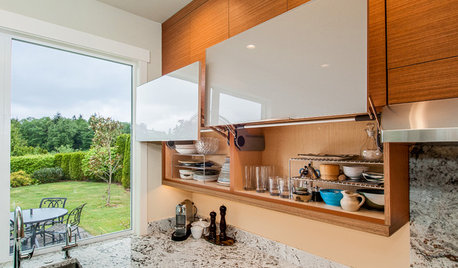
KITCHEN OF THE WEEKKitchen of the Week: Storage and Style Galore
White granite counters add modern style, while things like hidden drawers for pan lids create smart storage
Full Story
fabulatriceOriginal Author
just_janni
Related Professionals
Washington Kitchen & Bathroom Designers · Jamestown Kitchen & Bathroom Designers · Grand Junction Kitchen & Bathroom Designers · Miami Kitchen Remodelers · Orangeburg Kitchen Remodelers · Chattanooga Kitchen Remodelers · Augusta Kitchen Remodelers · Atlanta Custom Countertops · Emporia Custom Countertops · Southaven Custom Countertops · Portsmouth Custom Countertops · Rock Hill Custom Countertops · Lansing Custom Countertops · Keene Custom Countertops · Sheboygan Custom CountertopsKim Ladin
lindsaymarie79
rebunky