Software
Houzz Logo Print
edubya

Do you use the search function on Houzz?

6 years ago


Denver Modern Home · More Info


If you use the search function on Houzz, I'd love to ask for your feedback about your experience.


Are there things you like or dislike about the search functionality? If you have examples you can share that is even better. Thank you!

Comments (44)

  • 6 years ago

    When I pick a category, it doesn't stay in that category when I add the search criteria. That is frustrating. So I have to add the category to the search criteria.

  • 6 years ago

    Hi @houssaon are you using Houzz through an app or browser? When you say category, do you mean "In Photo" vs "In Product"? It would be nice you could also mention what search query you added in. Thanks!

  • 6 years ago

    I've had very poor results. Have done better using google with terms like Houzz+forum name+search term.

  • 6 years ago

    I haven't tried in a long time.

  • 6 years ago

    I am usually looking for a photo. When I say category, I mean exterior, bedroom, living room, landscape, and so on. So if I want to see photos of glass doors on the exterior, I can't just select exterior and search by glass door, I have to input "exterior glass door".

  • 6 years ago

    Yes.

  • 6 years ago

    It works fairly well for me, as long as I remember to stay in the forum in which I am searching - I never want to search the entire Houzz site.

  • PRO
    6 years ago

    I rather use google than Houzz. Here is not good search option.

  • PRO
    6 years ago

    Search on any place needs specifics I don’t see why that is an issue but honestly I just use google.IMO Houzz needs to clean house and get rid of ancient posts that are always popping up years later because someone forgets to read the date I also think after the first 100 answers move on .

  • 6 years ago

    Hi @salonva, could you explain more about "If I do the filter for latest or most recent, it loses the original filter."? Do you mean it will not be the original query if you switch the tabs (e.g. from relevance to latest)?

  • 6 years ago

    When I search for a conversation in the discussion boards, it usually defaults to searching the discussion forum you are starting from ("in Kitchens" if you start from the Kitchens forum, for example). But not always, and I haven't figured out why not always. You can always add it, or choose the right "in" from the drop down, but sometimes I forget. I'm on a Windows laptop, on the website, FWIW.


    I have noticed that when I filter for "most recent" conversation, the first page is sorted that way, but if I go to page 2 of the search results it is back to being sorted by relevance. So basically, unless you are searching for something super recent, it isn't helpful.


    It also isn't clear when I'm sorting for most recent whether it is sorting by the date of the original post, or the date of the most recent response. I would like it to be the former, but I think it is the latter. Since I usually have a good idea when the original post was, but have no idea when the last comment was (could be the 10 year old thread I am looking for was bumped two years ago), sorting by latest response date is unhelpful. Or at least, sorting by original date should be an option, preferably the primary option.


    I generally have pretty good luck searching for photos within the limits of how they are tagged. That is, I think the issue is with the way the photos are described rather than with the search itself. Garbage in, garbage out. I was searching for kitchens with oak slab door cabinets today, and got lots of Shaker doors, and some cherry.


    One thing I don't like in the photo search is that I often scan through a bunch of photos and open the ones I am interested in in separate tabs, pulling up a bunch before I go look at them. But when I right-click to open the photo in another tab, it takes me to that tab rather than leaving me on the photo search results. Drives me crazy. As if I only wanted to look at one of the 5000 photos the search returned.


  • PRO
    6 years ago

    " Houzz needs to clean house and get rid of ancient posts that are always popping up years later because someone forgets to read the date I also think after the first 100 answers move on."


    This would be a terrible mistake. There's a reason the same things keep popping up, because like subway tile and Glacier White Corian, some problems/questions are timeless.


    There would be a loss of perspective and context that only older posts can provide. There's enough drive-through-throw-away internet these days. I'd like to believe we're doing something a little more worthwhile here. And Patricia, your participation is particularly valuable.

  • 6 years ago

    I use the photo search pretty regularly. I use the filters as well for closer room sizes to mine and sometimes try to narrow down colors. The improvement I would suggest is that photos have dates. Sometimes the only way to tell when a photo was posted is by the comments. And I'd like to be able to search by a time frame like the last 2 years, so I can get an idea of current trends.

  • 6 years ago

    I hate that I can't pick the room for my search. Used to search, say, "white cabinets" and then if I got too weird a mix of rooms, I could narrow it down to kitchen or bath, etc. Now I occasionally see those categories, but not reliably or reproducably, and they are not among the filters -- seems one of the most obvious ones to have! I'm often looking for examples of combinations of elements, and the results are a bit of a mess.


    It also won't let you parse things -- if you put in "light cabinets and dark counters" you get all combinations of light and dark, and "light cabinets" and "dark counters" doesn't really improve matters. That's not super hard tech...

  • 6 years ago

    @Haoyu Chen what I was referring toI "f I do the filter for latest or most recent, it loses the original filter."? Do you mean it will not be the original query if you switch the tabs (e.g. from relevance to latest)? YES.

    Previously, if I searched for turquoise for example, and then selected latest, it would bring up all sorts of random posts that did not even have a reference to turnquoise........ I just tried it to give an example and it seems to be working way better. So I guess thank you?!!!

  • 6 years ago

    @salonva Sounds great, again, thanks for your feedback!

  • 6 years ago

    Hi @cawaps, thanks for the detailed and informative feedback! Here are some clarifications and my action items.

    • For "In kitchen", I was trying to replicate the issue but didn't get lucky either. Is it possible for you to let me what topic you came across this issue often?
    • For missing query after clicking to the next page, that's a bug and will let our team know and fix it!
    • For the tab option, do you mean by having a new tab for the creation date rather than just the most recent response date?
    • Thanks for providing the search query example - "kitchens with oak slab door cabinets".
    • For allowing a new tab for clicking photo, I will also pass the feedback to the team.
  • 6 years ago

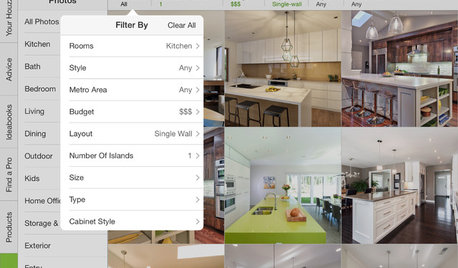
    Hi @kayozzy, it's true we haven't shown the date for each photo. But one thing you could do to get the trending is to use our sort-by option, It allows you to get trending or newly-featured items. (Here is the screenshot on the browser and should also have the option in the app), thanks!


  • 6 years ago

    Hi @acm, thanks for presenting the real use cases! We will look into the ways of improving those scenarios. Thanks!

  • 6 years ago
    • For "In kitchen", I was trying to replicate the issue but didn't get lucky either. Is it possible for you to let me what topic you came across this issue often?

    I just tried to reproduce this problem on the three discussion boards I frequent (Kitchens, Home Decorating, and Home Decorating Conversations), and it autofilled "in <board name>" each time. But when I searched kitchens, it didn't autofill immediately; it took a couple seconds. It's possible that the problem is just me hitting return too quickly before it autofills. I don't think the problem is specific to Kitchens, and probably reflects latency in the system, which would explain why the variability.

    • For the tab option, do you mean by having a new tab for the creation date rather than just the most recent response date?

    Either a new tab or replace the old version. I can't imagine when I would ever want to search by most recent response, but I do frequently have some idea when something was originally posted (last year, five years ago). You could also do a more complex set of filters to help narrow down. Posts from 2010-2012 with "Hollywood Regency" in the thread title. Original poster would be another useful thing to filter by. "Hah, hah, remember Marcolo's Ice-Water-Stone-Fire post?" Since Ice-water-stone-fire has become an oft-repeated rule, searching for the phrase turns up a lot of more recent posts, and it's hard to find the original.


  • 6 years ago

    I've tried and find it completely useless.

  • 6 years ago
    last modified: 6 years ago

    @acm If you want to search by room, click "get ideas", then pick the room first and then use the filters. Hope that helps!


    @Haoyu Chen Thank you, I'll start using that!

  • 6 years ago

    @kayozzy That's great! Also, thanks for sharing your tips on clicking "get ideas"!


    @Olychick Do you still remember what search term you were using and what results that you were looking for but can't see? Those details would really help us find the directions to improve it, thanks!

  • 6 years ago

    I search for photos all the time. Works pretty well. In general terms. The more specific you get, the less accurate it is. Search for "non white kitchen cabinets", you get all sorts of things, including white cabinets in bathrooms.

  • 6 years ago

    @kayozzy the "get ideas" approach doesn't help. let's say that I'd like to see long console tables used in front entries -- how do you suggest I do that? I can start in Entry, but as soon as I type in my search term, I've lost the room. and the filters are for things like style or colors, which are going to be a complete dart toss as to whether I see a long console table! or I can start with the search, but I'm as likely to get sofa tables as entry tables, and on and on.


    being able to do a search from whatever starting point and then click to limit the results to a room is far superior. this last change to how the searches work was a major step backward. I'm sure it addressed something for someone, but it's honestly been 100% worse for any of the things I use it for, whether finding examples for a discussion or exploring more broadly.

  • 6 years ago

    @acm That is pretty specific, but I searched "narrow console table entry" in photos and was getting a lot of results. Tried narrowing down by style, didn't work. Narrowed by size and that worked pretty well. I get what you mean though, could definitely be better.

  • 6 years ago

    I search for very recent threads all the time and know I have some critical element (word), participant name, even a year included in my search terms and I get a random list of threads from long ago and even though I've chosen to filter by "most recent", the results seemingly have nothing to do with my search. Google works much better, usually.

  • 6 years ago

    @Olychick thanks for your feedback! "the most recent" (the latest) is ordered by the response date, but not the discussion creation date. Other users mentioned that. It's definitely things that we could improve on.

  • 6 years ago

    Circling back here with a question and hoping for some good guidance.

    Every month, there is a "What are we reading? " thread with the month .

    "What are we reading? October 2020" for example.

    I thought I should be able to put in the search bar

    "What are we reading?" and that It would bring up the list of those threads.

    Not happening. Is there a way that it can be done? The thread is in both home decorating conversations and kitchen table.this is the link to the September thread.

  • PRO
    6 years ago

    All the house design is nice from space and total land

  • 6 years ago
    last modified: 6 years ago

    No, never. Well, actually I did kind-of use it once when I had a system crash and I couldn't find these forums. I was lost in HOUZZ never never land (as in "I never want to go there again") and searched for "forums" which did absolutely nothing to find these forums. I finally clicked on "discussions" and here I am.


    The non-forum portion of HOUZZ is useless to me. It's a marketing labyrinth.

  • 6 years ago
    last modified: 6 years ago

    Two issues for me: 1-The search query seems to be giving results for "OR" rather than "AND". 2-The search results cannot be sorted by date and if one uses the "latest" tab, the query is lost (i.e. it reverts to default). My example from this morning follows: I searched "small-sized living room with double-height walls" (yes that is the challenge). Results: 36,700, here below are the first five results:

    1) need help for my huge double-height living room Jun-2014 5 Comments -Large room 30ft x 51ft (not a small room). 2) Rug size for a small living room Jun-2020 21 Comments -Rug size (not double-height walls). 3) Help with small living room which has only one full wall May-2012 4 Comments TV room (not double-height walls). 4) TV Room doubling as Living room design Dilemma. Aug-2020 1 Comment -TV room (not double-height walls). 5) Small living room with no wall space Dec-2013 103 Comments -TV room (not double-height walls).

    Hope that helps to illustrate the problem.

  • 6 years ago

    I'm constantly in need of example photos and find searching on Houzz completely useless. 95% of the returned photos have absolutely *nothing* to do with my search query (and that's excluding all the paid ads that get included). I usually just go to Google and using the exact same string find exactly what I'm looking for. Houzz should buy Google search engine. Whatever they are using now for photo searches is garbage.

  • 6 years ago

    I use it to TRY to open the images I've saved in my ideabooks. When I click on my images I wait and wait and wait for it to open, then give up. I try to enter the url ID into search but I get all kinds of results, so I give up.

  • PRO
    6 years ago

    I try to inter and see the new ideas too many times but it doesn't open and show me new things but I don't succeed every time same thing happened

  • 5 years ago

    Given how much content Houzz has now, they really need to fix their search system. Even searching for their own articles (stories) is useless. I put in a search for "Heating off-grid house". The first article that showed up was "House Rule: Off With Your Shoes". Really? How exactly is that relevant? I'm sure Houzz has lots of relevant content to offer me, but if it's impossible to find, what's the point. I have much better luck searching through Google, which sometimes takes me back to Houzz, but often doesn't. Hey Houzz - you are losing your audience because of your crappy search queries.

  • 5 years ago

    I think when I wrote that it was functioning better, that might have been a special day.

    I am back to barely using it because it is so highly frustrating. Generally worthless. There are times it works, but those are so exceptional and not the norm.

    Pretty weak

  • 5 years ago

    It seems that the search function is used most often by spammers who resurrect old threads, add a line or two vague comment, and then return later to add spam. I suppose they could use a google search too.

  • 5 years ago

    Why do I constantly see repeated photos when I’m scrolling through search results? It will say there are 74538 photos that meet my search term and filters but when I scroll through after a few min I am seeing the same photos over and over again.

  • 5 years ago

    Hi @HU-716976746, to help us better understand the issue, could you mind share what search query you used when seeing the duplicate photos? Thanks a lot!

  • PRO
    5 years ago

    Is there a way to search for "contemporary recliners, no sectionals"? I'd like to search for modern and contemporary recliners but leave out recliners within sectionals. Is this possible?

  • 5 years ago

    FWIW, my original comments about using the search function hold true.

    It used to work; it really does not any more for me.