

How do I save photos from posts?
yesterday
Featured Answer
Sort by:Oldest
Comments (11)
Related Professionals
Cape Coral Interior Designers & Decorators · Topeka Interior Designers & Decorators · Woodward Interior Designers & Decorators · Lancaster Interior Designers & Decorators · Kissimmee Architects & Building Designers · Tupelo Architects & Building Designers · Enfield Architects & Building Designers · Peoria Architects & Building Designers · Hackettstown Architects & Building Designers · Trenton Architects & Building Designers · Potsdam Architects & Building Designers · Harrisburg Architects & Building Designers · Milwaukee Architects & Building Designers · Vancouver Architects & Building Designers · Sarasota Kitchen & Bathroom Designers yesterday
 yesterday
- yesterday
- yesterday


Related Stories
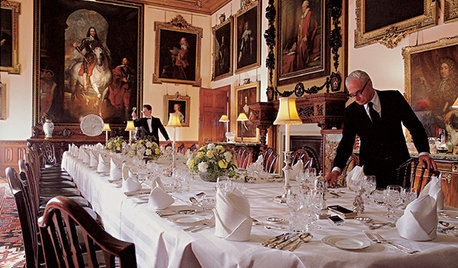
FUN HOUZZEverything I Need to Know About Decorating I Learned from Downton Abbey
Mind your manors with these 10 decorating tips from the PBS series, returning on January 5
Full Story
TRENDING NOWPractical Bathroom Design Ideas From Spring 2020’s Top Photos
Add style, storage and function with these clever ideas from some of the most-saved bathrooms on Houzz
Full Story
LANDSCAPE DESIGNThe Most Popular Outdoor Photos From Around the World
As warmer weather approaches, we get inspired by last year’s most saved garden and outdoor photos
Full Story
HOUZZ TV5 Highlights From the Most Popular Photos of Summer 2022
This short video and article detail design elements found in some of the most-saved photos recently uploaded to Houzz
Full Story
HOUZZ TV5 Design Ideas From the Most Popular Photos So Far in 2023
In this video and article, see the design details that made these some of the most-saved new spaces on Houzz
Full StoryHOUZZ TV LIVEPractical Bathroom Design Ideas From Spring 2020’s Top Photos
Add style, storage and function with these clever ideas from some of the most-saved bathrooms on Houzz
Full Story
HOUZZ TV5 Design Ideas From the Most Popular Photos So Far in 2024
In this video and article, see clever design tricks that helped make these among the most-saved new spaces on Houzz
Full Story
HOUZZ TV5 Highlights From the Most Popular Houzz Photos So Far in 2022
Get design inspiration from the most-saved living room, kitchen, bathroom, laundry room and home office this year
Full Story
HOUZZ TV5 Highlights From the Most Popular Photos Right Now
In this video and article, check out compelling design details from some of the most-saved new spaces on Houzz
Full Story
HOUZZ TV LIVE5 Highlights From the Most Popular Houzz Photos of Spring 2021
See and read about standout details from photos featured in our latest Trending Now series
Full Story
porkchop_z5b_MIOriginal Author