
Search results for "Security alarm" in Home Design Ideas
 Scout
ScoutScout's motion sensor can be placed on a shelf or adhered to any wall or structure. The Scout access sensor can be placed on any door, window or cabinet that open and closes to track open and closes.
 Lori Dennis, ASID, LEED AP
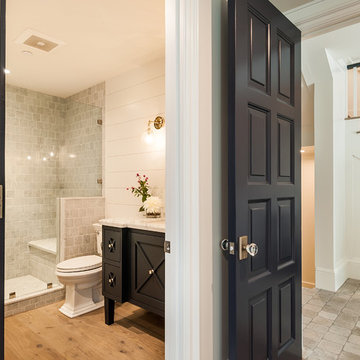
Inspiration for a mid-sized farmhouse 3/4 white tile and marble tile light wood floor alcove shower remodel in Los Angeles with furniture-like cabinets, black cabinets, white walls, an undermount sink, marble countertops, a hinged shower door and white countertops
 Alair Homes Plano
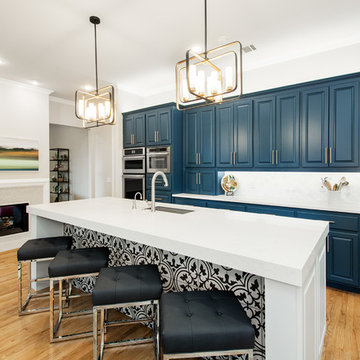
This house was built in 1994 and our clients have been there since day one. They wanted a complete refresh in their kitchen and living areas and a few other changes here and there; now that the kids were all off to college! They wanted to replace some things, redesign some things and just repaint others. They didn’t like the heavy textured walls, so those were sanded down, re-textured and painted throughout all of the remodeled areas.
The kitchen change was the most dramatic by painting the original cabinets a beautiful bluish-gray color; which is Benjamin Moore Gentleman’s Gray. The ends and cook side of the island are painted SW Reflection but on the front is a gorgeous Merola “Arte’ white accent tile. Two Island Pendant Lights ‘Aideen 8-light Geometric Pendant’ in a bronze gold finish hung above the island. White Carrara Quartz countertops were installed below the Viviano Marmo Dolomite Arabesque Honed Marble Mosaic tile backsplash. Our clients wanted to be able to watch TV from the kitchen as well as from the family room but since the door to the powder bath was on the wall of breakfast area (no to mention opening up into the room), it took up good wall space. Our designers rearranged the powder bath, moving the door into the laundry room and closing off the laundry room with a pocket door, so they can now hang their TV/artwork on the wall facing the kitchen, as well as another one in the family room!
We squared off the arch in the doorway between the kitchen and bar/pantry area, giving them a more updated look. The bar was also painted the same blue as the kitchen but a cool Moondrop Water Jet Cut Glass Mosaic tile was installed on the backsplash, which added a beautiful accent! All kitchen cabinet hardware is ‘Amerock’ in a champagne finish.
In the family room, we redesigned the cabinets to the right of the fireplace to match the other side. The homeowners had invested in two new TV’s that would hang on the wall and display artwork when not in use, so the TV cabinet wasn’t needed. The cabinets were painted a crisp white which made all of their decor really stand out. The fireplace in the family room was originally red brick with a hearth for seating. The brick was removed and the hearth was lowered to the floor and replaced with E-Stone White 12x24” tile and the fireplace surround is tiled with Heirloom Pewter 6x6” tile.
The formal living room used to be closed off on one side of the fireplace, which was a desk area in the kitchen. The homeowners felt that it was an eye sore and it was unnecessary, so we removed that wall, opening up both sides of the fireplace into the formal living room. Pietra Tiles Aria Crystals Beach Sand tiles were installed on the kitchen side of the fireplace and the hearth was leveled with the floor and tiled with E-Stone White 12x24” tile.
The laundry room was redesigned, adding the powder bath door but also creating more storage space. Waypoint flat front maple cabinets in painted linen were installed above the appliances, with Top Knobs “Hopewell” polished chrome pulls. Elements Carrara Quartz countertops were installed above the appliances, creating that added space. 3x6” white ceramic subway tile was used as the backsplash, creating a clean and crisp laundry room! The same tile on the hearths of both fireplaces (E-Stone White 12x24”) was installed on the floor.
The powder bath was painted and 12x36” Ash Fiber Ceramic tile was installed vertically on the wall behind the sink. All hardware was updated with the Signature Hardware “Ultra”Collection and Shades of Light “Sleekly Modern” new vanity lights were installed.
All new wood flooring was installed throughout all of the remodeled rooms making all of the rooms seamlessly flow into each other. The homeowners love their updated home!
Design/Remodel by Hatfield Builders & Remodelers | Photography by Versatile Imaging
Find the right local pro for your project

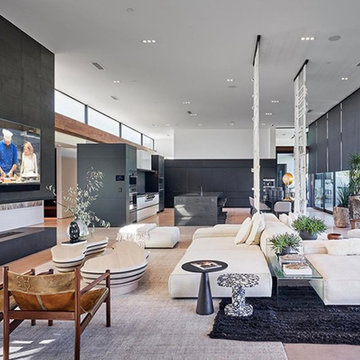
 Electronic Design & Consulting, Inc.
This article is posted here with the consent of the author. The views and opinions expressed in this article are those of the author and do not necessarily reflect the official policy, position, view, or opinion of Crestron Electronics, Inc., or of any of its employees. Crestron Electronics is not responsible for, and does not verify the accuracy of, any of the information contained in this article.
By Jeff Singer
The “smart” revolution began several years ago with smartphones (a.k.a phones) and has extended in recent years to thermostats, doorbells, alarm systems, and kitchen appliances. Smart devices are so ubiquitous that the term “smart” is overused to the point that it is almost meaningless. Companies are eager to jump on the bandwagon and claim their products are “smart,” and consumers proudly claim they have a smart home because they have lighting control. Misconceptions about smart homes are prevalent and create confusion in the marketplace. This can have deleterious effects on businesses and underserve consumers. Here are seven of the most popular misconceptions about smart homes:
1. Apps are smart
Apps are convenient and easy to use. Yes, it seems there’s an app for everything. People expect to be able to download an app and do just about anything. App developers and many companies do not disavow consumers of this myth. On the contrary, they promote this idea with carefully worded descriptions. The promise of having the world at your fingertips for $1.99 is very enticing. Although it sounds too good to be true, it is also too good to pass up for many people. This leads to undervaluing home control and disappointment when the apps don’t work, which undermines confidence in our industry. The fact is that apps are not smart. They do not control anything. They must connect to and communicate with a control system or cloud service that processes, prioritizes, and executes commands. That’s the real magic and what most people do not understand.
2. Smart devices work together
With so many smart appliances and devices on the market today, it’s understandable that the average consumer might think that they actually communicate and work together. This is simply not the case. Smart devices are not that smart. They are designed and manufactured by different, often competing, companies. There are no national or industry standards governing these products. Even if they all operate using Wi-Fi® communications, that doesn’t mean they work together. Some companies promote a home control platform, which unites different devices from different companies – in theory. The platform is yet another third-party software totally dependent on other companies developing APIs and writing control modules for their hardware to run on that piece of software. The devices are not independently compatible. Also, when updates are made to either the hardware or the software, functionality may be affected for some period. That’s a nice way of saying the device or system won’t work and there’s no way of knowing for how long.
3. It’s a DIY project
Which brings us to the next myth, which is that the average person can do it themselves. Unless you are a skilled professional, I would not advise taking on a smart home project. You want to make a light turn on and off with your Alexa® or Google Assistant™ virtual assistant software, go for it. A smart home takes much more planning and expertise. I have no problem changing a light bulb or hanging a light fixture in my dining room; however, I am not going to rewire my house. I may change the flush valve in my toilet, but I’m not going to replace the pipes in my house. You get it. Integrating devices and systems, establishing different zones, creating scenes, designing the UI with a balance between control, feedback, and simplicity – all takes experience and skill.
4. Need a programmer to make changes
Early adopters may have experienced the pain of trying to make a simple change or update to their home control system. Years ago, if the cable provider changed the channel line-up, the homeowner would have to call the dealer or programmer to make an appointment for them to come out to the house to reprogram the system. The system wouldn’t work as expected until it was updated, which often took several days and beaucoup bucks. Not anymore. Technology has evolved so now it’s easy for system owners to change favorite channels, create scenes, rename buttons, update images, and more. While a professional is needed for the initial installation and setup, the system is easy to manage once it’s up and running. This makes life so much easier for both dealer and customer.
5. Tech becomes obsolete quickly
Similar to updating the UI, updating firmware or hardware used to be a stressful process. A smart home should be intelligent enough to update itself. Apps don’t become obsolete. Updates are constantly pushed out from the cloud, making them better all the time. The same is true for a good smart home system. New features, functions, and device support gets added in the background consistently, so the system you installed (or purchased) yesterday gets better over time. Swapping out decorative elements, such as keypads, dimmers, and touch screens is also seamless. When a new device is added, all the settings are pulled down from the cloud and it just works. No system interruptions. No sunk costs. No imposing house calls. No surprise bills.
6. Lighting control saves energy and money
Lighting control is one of the most popular smart systems, but it takes more than just one system to make a home smart. On the surface, it makes sense that if you dim the lights ten percent, then you save ten percent of energy costs. If the shades are raised during the day to take advantage of sunlight so the lights don’t need to be on (or at least not 100%), but that causes the room temperature to rise a few degrees, which triggers the air conditioner to run longer and more often, was energy usage (or cost) reduced? A smart home integrates all the various systems and technology to optimize comfort, convenience, safety, and sometimes energy.
7. Home technology is easy to hack
Security is at the forefront of people’s minds these days. Personal identities are stolen; email accounts hacked; private photos publicized; and more. A smart home must outsmart those who don’t respect privacy. Crestron control systems adhere to the strictest security standards. The same Crestron control system that goes into a home is also installed in secure government and military facilities, global banking institutions, hospitals, and other mission critical applications. When installed correctly by a trained professional, a Crestron smart home is the gold standard for security, comfort, and convenience.
 Stealth Security & Home Theater Systems, Inc
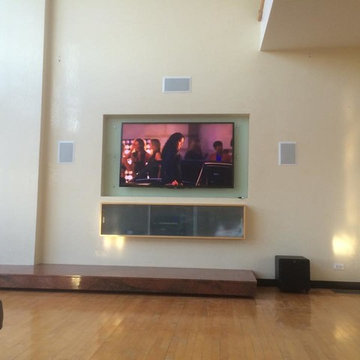
Light wood floor living room photo in Chicago with beige walls and a wall-mounted tv

 Caudill's
We took over the service and inspection of the security & fire alarm system at this home. Intrusion protection & Fire safety are both very important to the homeowner, so we set up an annual inspection. We also added IP & Cellular communications with the Central Station for reliability & redundancy.
 JK Security & Smart Home
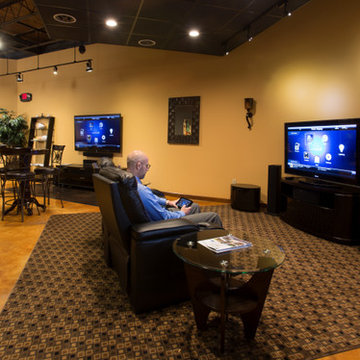
We will educate you on the options of home automation. You will be able to experience the ease of controlling a room or your whole house from a single remote control. This includes audio, video, security, temperature, lighting and much more. FEATURED IN MADISON MAGAZINE: http://www.jksecurity.com/2014/10/jk-security-smart-home-to-be-featured-in-madison-magazine/
 Stealth Security & Home Theater Systems, Inc
Inspiration for an enclosed home theater remodel in Chicago with black walls
 Smart Homes Innovations, Inc.
LA Westside's Expert Home Media and Design Studio
Home Media Design & Installation
Location: 7261 Woodley Ave
Van Nuys, CA 91406
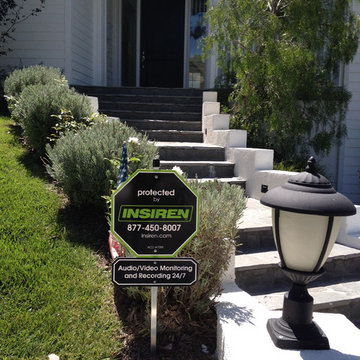
Example of a trendy exterior home design in Los Angeles
Example of a trendy exterior home design in Los Angeles
 Winn Enterprises
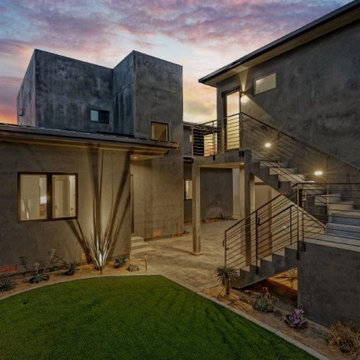
Detached granny flat/home office and garage are also completely controlled spaces with Lutron lighting and shaded control, security cameras, alarm, climate control, network audio-video, and more.
 Brilliant
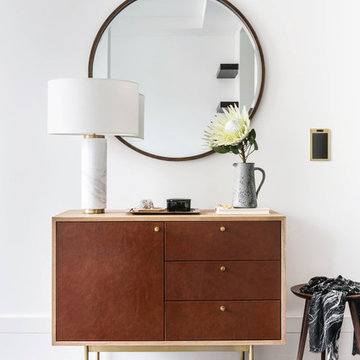
Are you really into smart home’s and are having a hard time convincing your S/O to hop on board? We’ve created this list to aid your cause.
So, what are the advantages of having a smart home?
Security
Cameras, smart locks, motion detectors are a few of the ways you can dramatically increase security in your home. Do your homework and make sure cameras are encrypted and smart locks have deadbolts. Keep those bad guys away.
Safety
Some people would argue smart homes are not a necessity, but in regards to safety, they ARE.
You can keep your family and your home safe with products that detect carbon monoxide/smoke and send you an alert right to your phone.
Have you ever left your house and had a panic attack that you left the stove or oven on? You can purchase products like smart stoves and ovens that you can control right from your smart phone! (Bonus: some even have cameras built into the oven so you can watch your food cook. No more burnt toast!)
Save $$$
If you do it right, all of those expensive smart home products you bought will end up paying themselves off. You can get a thermostat that tells you if you forgot to turn the heater or A/C off, motion sensors that turn your lights on/off, LED light bulbs that are energy efficient, and more!
Convenience
Bottom line, smart homes are just convenient. So many little annoyances that we have grown accustomed to can just go away. For example, you can use Alexa for everything. Ask her to order more dog food when you're running low, turn on alarms and timers, ask what the weather is, turn music on and so much more. Sure, you can do those things with your phone or computer, but it’s just so much FASTER!
Also, you can get some time saving products to vacuum your floors or mow your lawn on their own.
Here are some suggested brands:
Brilliant (smart light switch/unifies your devices and Alexa is built in!)
Nest (smoke & CO alarm, thermostat,
Sonos (sound system)
Ring (video doorbell)
August (locks)
Samsung (kitchen appliances)
Roomba (vacuum)
Landroid (lawn mower)
Photo Credit: Aubrie Pick (Please contact Aubrie for information on other products)
https://www.houzz.com/user/aubrie-pick
 Dream Technologies, Inc.
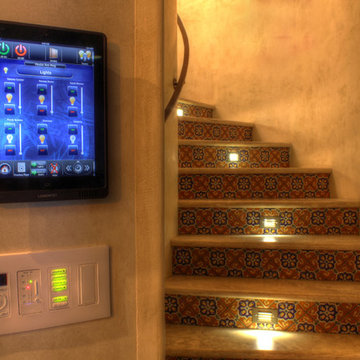
Here we see keypads and removable iPad mounted on the wall. With our iPads, you can control the lighting, shades, audio, video, look at cameras, and control other components of the house.
 JK Security & Smart Home
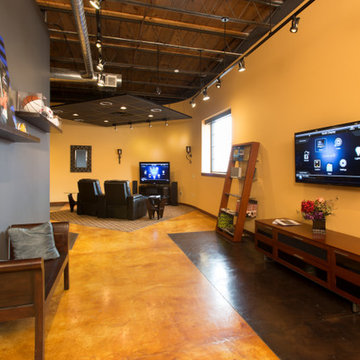
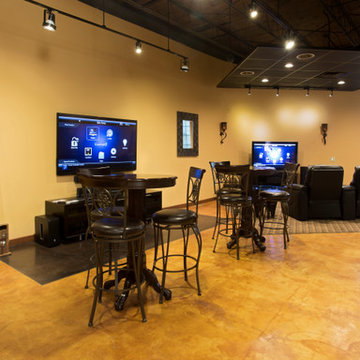
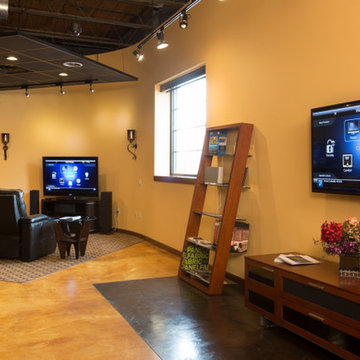
Welcome to J&K's Smart Home! Our showroom is designed to experience technology and inspire ideas for your home. Our vignette display highlights options for video, audio, and automation.

 Black Dot Media LLC
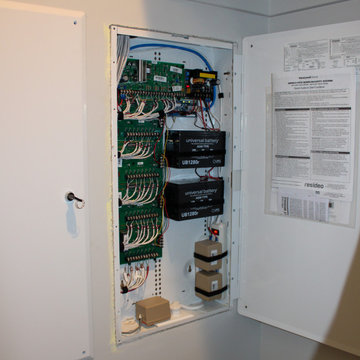
We install all smart home products cameras, thermostats, floodlights, doorbells, spotlights, Alexa, Google home, door locks, light switches, retro alarm kits, plugs and much more.
 Black Dot Media LLC
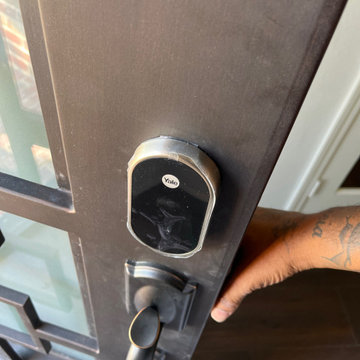
We install all smart home products cameras, thermostats, floodlights, doorbells, spotlights, Alexa, Google home, door locks, light switches, retro alarm kits, plugs and much more.
 Black Dot Media LLC
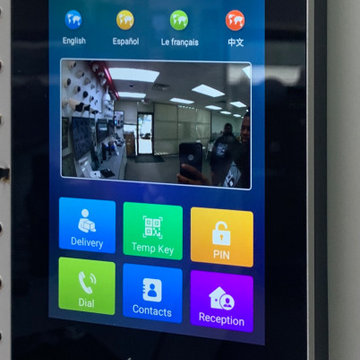
We install all smart home products cameras, thermostats, floodlights, doorbells, spotlights, Alexa, Google home, door locks, light switches, retro alarm kits, plugs and much more.
 JK Security & Smart Home
Madison Magazine
Inspiration for a mid-sized contemporary home design remodel in Other
Inspiration for a mid-sized contemporary home design remodel in Other
10