

Making multiple labels with P-touch labeler
15 years ago
Sort by:Oldest
Comments (4)

Related Stories
ARCHITECTUREThat's Interesting! 6 Designs That Defy Labels
Get inspired by the lines and textures of these homes, categorized only by the fact that they have no category
Full Story
MOST POPULAR8 Little Remodeling Touches That Make a Big Difference
Make your life easier while making your home nicer, with these design details you'll really appreciate
Full Story
DECORATING GUIDESPlease Touch: Texture Makes Rooms Spring to Life
Great design stimulates all the senses, including touch. Check out these great uses of texture, then let your fingers do the walking
Full Story
LIFE10 Smart Organizing Ideas That Make Life Easier
Rethink where and how you store household basics, from bills to baking supplies, to buy some time and save some headaches
Full Story
GREAT HOME PROJECTSHow to Make Your Garage a Storage Powerhouse
New project for a new year: Add shelving and containers to get your stuff off the garage floor — and still have room for the car
Full Story
BUDGET DECORATING14 Ways to Make More Money at a Yard Sale — and Have Fun Too
Maximize profits and have a ball selling your old stuff, with these tips to help you plan, advertise and style your yard sale effectively
Full Story
DECORATING GUIDES10 Ways to Give Your Hospitality a Tropical Touch
Treat guests to the resort treatment with blossoms, fruit and artwork that stir up an air of the exotic
Full Story
LAUNDRY ROOMS8 Ways to Make the Most of Your Laundry Room
These super-practical laundry room additions can help lighten your load
Full Story
LIFE8 Ways to Make an Extra-Full Nest Work Happily
If multiple generations or extended family shares your home, these strategies can help you keep the peace
Full Story
HOUSEKEEPINGDon't Touch Another Stain Before You Read This
Even an innocent swipe with water may cause permanent damage. Here's what to know about how rugs and fabrics react
Full Story
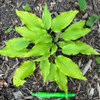
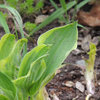
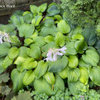
in ny zone5
ken_adrian Adrian MI cold Z5
Related Professionals
Columbia Landscape Architects & Landscape Designers · Tupelo Landscape Architects & Landscape Designers · Atlantic City Landscape Architects & Landscape Designers · Cincinnati Landscape Architects & Landscape Designers · Johnson City Landscape Architects & Landscape Designers · Burlington Landscape Architects & Landscape Designers · Baton Rouge Landscape Contractors · Enid Landscape Contractors · Orangeburg Landscape Contractors · Decatur Home Additions · Springfield Home Additions · Westminster Home Additions · Martinsburg Home Additions · Hackettstown Home Additions · Tacoma Home Additionspaul_in_mn
tepelusOriginal Author