

My Rustic Outdoor Setting
18 years ago
Sort by:Oldest
Comments (6)
Related Stories
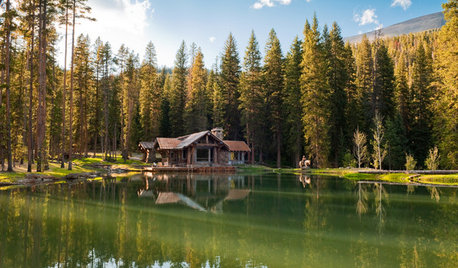
HOUZZ TOURSHouzz Tour: Rustic Cabin With Dive-In Pond
Set on 22 acres and with as many modern comforts as rugged trails, this Montana home is an outdoor lover's paradise
Full Story
GARDENING AND LANDSCAPINGSet a Gorgeous Seasonal Party Table Outdoors
Entertain guests with your tablescape as much as your party fare, layering summery plants and bright, textural accessories
Full Story
PRODUCT PICKSGuest Picks: Set Up an Outdoor Living Room
With an outdoor movie screen, a patio heater or fan, and scads of entertaining essentials, you may never want to go back inside
Full Story
PRODUCT PICKSGuest Picks: Set a Summery Table for Outdoor Entertaining
Make your soiree as colorful and bright as a summer garden with trays, glasses and serveware in vivid hues and patterns
Full Story
HOUZZ TOURSMy Houzz: Rustic Farmhouse Character for a New Dallas Home
Vintage finds and reclaimed materials set the tone for a family’s warm and personal home
Full Story
KITCHEN DESIGNKitchen of the Week: Crisp White Kitchen in a Rustic Barn Setting
This beautiful barn conversion walks the line between rustic style and contemporary edge
Full Story
KITCHEN DESIGN15 Ways to Cozy Up a Kitchen With Rustic Style
Homeyness hits the spot when fall's chill sets in. These ideas will have you roughing things up for a kitchen steeped in comfort
Full Story
PRODUCT PICKSGuest Picks: Candleholders from Rustic to Resplendent
Give your pillars, votives and tea lights a setting that casts them in the most flattering light
Full Story
GARDENING AND LANDSCAPING3-Season Rooms: Luxe Meets Rustic on an Ozarks Terrace
Fire features, nature-inspired furnishings and native plants make a large terrace in the mountains as comfortable as can be
Full Story
HOUZZ TOURSHouzz Tour: A Horse-Country Home Blends Rustic and Modern
Nestled in a pastoral setting that welcomes part-timers, this home embraces nature, versatility and history
Full Story
Sponsored
More Discussions
craftylady-2006
maddyaOriginal Author
Related Professionals
Athens Furniture & Accessories · Selma Interior Designers & Decorators · Elizabethtown Interior Designers & Decorators · Woodward Interior Designers & Decorators · New London Interior Designers & Decorators · Lebanon Interior Designers & Decorators · Olean Interior Designers & Decorators · Butte Interior Designers & Decorators · Hot Springs Flooring Contractors · Galveston Flooring Contractors · Waterloo Flooring Contractors · Saginaw Flooring Contractors · Omaha Flooring Contractors · Middletown Flooring Contractors · Vancouver Flooring Contractorsthrift_shop_romantic
Sandi_W
Cheri_C
craftylady-2006