

decal help
20 years ago
Sort by:Oldest
Comments (11)
Related Stories

SHOP HOUZZShop Houzz: Wallpaper and Wall Decal Sale
Fun graphics, contemporary prints and vibrant colors — all up to 25% off
Full Story0
STUDIOS AND WORKSHOPSYour Space Can Help You Get Down to Work. Here's How
Feed your creativity and reduce distractions with the right work surfaces, the right chair, and a good balance of sights and sounds
Full Story
PRODUCT PICKSGuest Picks: Hot Air Balloons Help Decor Soar
Flying onto wallpaper, pillows, lighting and more, hot air balloons lift rooms up, up and away
Full Story
FUN HOUZZThere's a Mouse in the House
No need for 'eek' and capture schemes. These mouse toys, decals and artistic renderings have all the trappings of cute
Full Story
ECLECTIC STYLEMy Houzz: Quirky Art and Oddities Intrigue in an Ohio Rental
What do skulls, colorful decals, fabric art and insects have in common? They make for an unforgettably artistic family home
Full Story
DECORATING GUIDESDesign Details: 12 Ways With Wall Murals
Transform a room with a remarkable scene created in paint, paper, tile or decals
Full Story
TASTEMAKERSDwell on Design 2012 Expo Debuts Inventive Designs
Dry-erase decals, adorable doorbells, mod storage and a whole lot more are hooking the crowds at this Los Angeles show
Full Story
FUN HOUZZGeek Out at Home, Comic-Con Style
Murals, decals and pop-art decor for your brony, Twihard or caped crusader in training
Full Story
PRODUCT PICKSGuest Picks: Everything Wants to Be a Cat
Coasters, bedding, decals, even a refrigerator cover ... these tasteful to over-the-top pieces let your cat-loving self run free
Full Story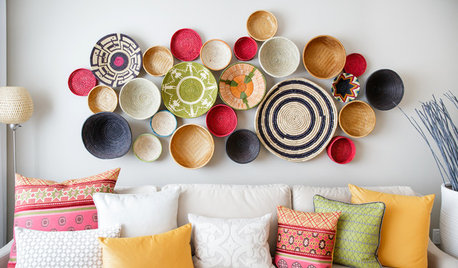
WALL TREATMENTSA Dozen Creative Ideas for Decorating Blank Walls
When you want to fill a lot of wall space in one fell swoop, these ideas will help you do it with aplomb
Full Story
Sponsored
sportsmom12
Tnflower_loverOriginal Author
Related Professionals
Jonesboro Furniture & Accessories · Elkton Furniture & Accessories · Stamford Furniture & Accessories · Fort Collins Furniture & Accessories · Idaho Falls Furniture & Accessories · Medford Furniture & Accessories · Brunswick Interior Designers & Decorators · Madison Interior Designers & Decorators · Southaven Interior Designers & Decorators · Knoxville Interior Designers & Decorators · San Antonio Interior Designers & Decorators · North Adams Interior Designers & Decorators · Plattsburgh Interior Designers & Decorators · Bismarck Interior Designers & Decorators · Palm Desert Custom Countertopsminnie_tx
Tnflower_loverOriginal Author
maryanntx
country_bumpkin_al
Tnflower_loverOriginal Author
GardenGirl_IA
Nancymcd
Tnflower_loverOriginal Author
PrimAndProper