

Email on Kindle
15 years ago
Sort by:Oldest
Comments (8)

Related Stories
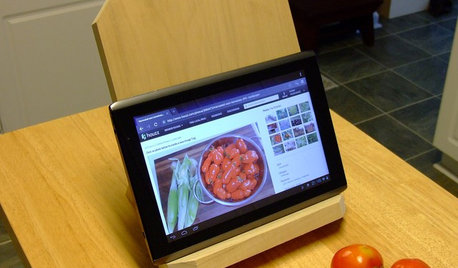
DIY PROJECTSNeat Little Project: Make a Sturdy Stand for Tablets and Books
Save your neck from straining with this handy DIY wooden stand for an iPad, a Kindle or a good old-fashioned cookbook
Full Story
LIFESimple Pleasures: Put Pen to Paper
Note writing a lost art? Not when you have a nice selection of papers, a dedicated spot and the right frame of mind
Full Story
LIFE'Not My Precious Books!' — Pain-Free Ways to Declutter Your Library
Have your books and neatness too, with these ideas for paring down and straightening up a beloved collection
Full Story
RUSTIC STYLE10 Cabin Rental Basics for City Slickers
Stay warm, dry and safe while you’re enjoying winter cabin life with this valuable advice
Full Story
LIFEHouzz Call: Where (and What) Are You Reading This Summer?
Whether you favor contemporary, classic or beach reads, do the long and lazy days of summer bring out the lit lover in you?
Full Story
HOMES AROUND THE WORLDWorld of Design: 11 Book Lovers and Where They Like to Read
Bibliophiles across the globe reveal their top books and favorite reading spots, from a 2-story library to an artfully curated book nook
Full Story
ORGANIZINGWant to Streamline Your Life? Get a System
Reduce stress and free up more time for the things that really matter by establishing specific procedures for everyday tasks
Full Story
MOST POPULAROrganizing? Don’t Forget the Essential First Step
Simplify the process of getting your home in order by taking it one step at a time. Here’s how to get on the right path
Full Story
ORGANIZINGDecluttering Ideas From Around the World
Home organizers share their tips on how to think and live more clearly
Full Story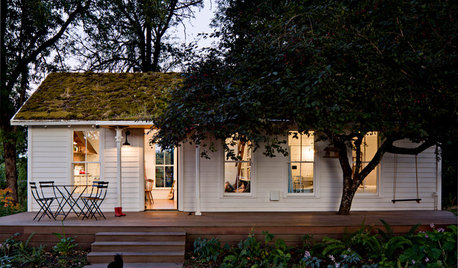
SMALL HOMESHouzz Tour: A Family of 4 Unwinds in 540 Square Feet
An extraordinarily scaled-down home and garden for a couple and their 2 kids fosters sustainability and togetherness
Full Story
yayagal
graywings123
Related Professionals
Elizabethtown Interior Designers & Decorators · Houma Interior Designers & Decorators · Spartanburg Interior Designers & Decorators · Riverside Interior Designers & Decorators · Garden City Interior Designers & Decorators · Roswell Interior Designers & Decorators · Vancouver Interior Designers & Decorators · Columbia Kitchen & Bathroom Designers · Clarksdale Kitchen & Bathroom Designers · Muskegon Kitchen & Bathroom Designers · Toms River Furniture & Accessories · Santa Barbara Furniture & Accessories · Albuquerque Furniture & Accessories · Pocatello Furniture & Accessories · London Furniture & Accessoriesmaire_cate
terezosa / terriksOriginal Author
newdawn1895
terezosa / terriksOriginal Author
newdawn1895
terezosa / terriksOriginal Author