Software
Houzz Logo Print
tsbccowboy

Trying to get a link to work

11 years ago


A link was added to this post. Let's see if it shows up.

Comments (127)

  • 11 years ago
    last modified: 11 years ago

    Is it because I'm running firefox? when I put the link url into the filename box, what do I do then? I have a button that says 'open' and oops... IT WORKED!


    Nice. Thank you! It just took a bit is all.

  • 11 years ago
    last modified: 11 years ago

    No, I am using Firefox.

    Do you see where it says "Direct" to the right of the photo in Photobucket? That is the address which gets copied into the Filename line after the photo icon was selected.

  • 11 years ago

    I'll remember to have patience from now on.


  • 11 years ago

    Way to go!

  • 11 years ago

    Thanks to deedles, found link to this thread on Kitchens. Is everyone using a computer for this to work? I'm not having any luck on my iPad.

  • 11 years ago

    You folks have all been working very hard to figure out this picture link and size issue. I am impressed. I am also still confused. I really don't care if I have to get a picture from my computer or from Flicker. I just want it to be the size it was meant to be.

    I didn't test every picture in this thread but I did save quite a few of them and see what size they were. All I tested were 500 no matter which way they got put here. The exception was the Spilt Milk which was 799. The largest I've seen so far on any thread (and the clearest) was Delaware Donna's Frozen Margarita (above) at 1024. How did you do that Donna? Which photo site do you use (if you do use one) and what was the original size on that site? I am wondering if pictures over say 1500 are reduced as a matter of course by this forum. If we reduced our pictures to 1200 first maybe they would not be reduced further once they got here. I'll have to try that out later. Keep up the good work everyone!

  • 11 years ago
    last modified: 11 years ago

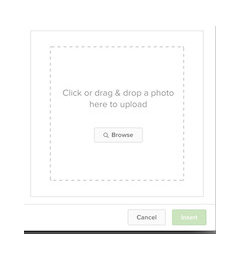
    Tsbcowboy, I don't have a filename box anywhere. When I click on the photo icon I just get an upload page. When I click on the Houzz Photo icon I get this box


  • 11 years ago
    last modified: 11 years ago

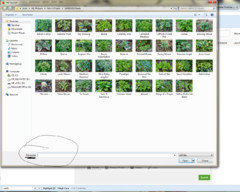
    Click on the Photo icon not the Houzz Photo icon. The upload page is the one you want. On the bottom, left of the Upload page is "File name".

  • 11 years ago

    Harumph. I still have no filename line, just another file upload page.

  • 11 years ago

    Yeah. I don't get a filebox either, Bev. It doesn't matter whether I use Photo or Houzz Photo. When I click on Photo it goes directly to my computer to upload a photo. I don't get a text box in which to put a URL.

    And I agree with Myrle that the real issue is the amount of compression that Houzz is using. Hallsons forum allows pics to be up to 8 MB in size. I don't know what the old GW forum size was for pics

    What is interesting is that now I can't post any pictures either from my computer or from Flickr. What a mess!


    Steve

  • 11 years ago
    last modified: 11 years ago

    https://flic.kr/p/qyoSS2

    If you click on that link you will see a picture on my Flickr account. When I upload to Flickr I automatically resize photos so that they can be seen on the web. It's what is referred to as web size Large. It's exactly 1024 x 683 which computes to 700 pixels or 0.7 megabytes. On my computer I store this picture in its original size at 5 Megabytes. I'm guessing that the Houzz compression software can't handle that amount of compression and thus it won't allow me to upload any pictures. All I get is a little green circle that goes round and round endlessly.

    Steve

  • 11 years ago

    On the page to upload a photo from your computer, you should see "File name:" on the bottom, left-hand part of the screen.


  • 11 years ago
    last modified: 11 years ago

    lower left hand portion of that page


  • 11 years ago

    Beverly- When I tried it on my Chromebook (Chrome OS) it didn't work either. All I got was a page of my downloads with no file box either. Then I tried it on my desktop computer running with a Windows OS. IT worked just fine there. What computer (OS) are you using? That might be why you are having difficulties. Frustrating, I know.

    -Babka

  • 11 years ago

    Meryl - So I win the prize huh. How did I do it - beats me. I uploaded the original photo from my desktop to my photobucket account. Under properties the desktop photo is 140KB. How do I find the size of my photo in my photobucket account. Don't laugh.

  • 11 years ago

    Beverly,

    That doesn't look like my upload page. When I select the photo icon, an upload page comes up with "File name:" on the bottom of the page.

    Cowboy

  • 11 years ago

    Beverly,

    Babka may have found the answer. I am using a desktop computer. I wonder if you have anything comparable to "File name:' on your page. Instead of selecting a photo off your computer, the Photobucket photo web address needs to be entered somehow/somewhere.

    Cowboy


  • 11 years ago

    I have a Macbook Air OSX. I guess I will stick with my original plan to work around it. I just thought I was looking in the wrong place.


  • 11 years ago

    Beverly,

    Can you post a photo from your computer?

    Cowboy

  • 11 years ago
    last modified: 11 years ago

    Cowboy,

    I'm using a MacBook Pro. There is no box in which you place the file name. You just select the name of the file from the list on your computer.

    Well at least I got it to upload a picture from my computer.

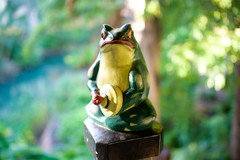
    When I download this picture after uploading it to Houzz, it shows the size as 500 x 344 or 43 Kilobytes. That's a huge difference from the size it is in Flickr. Interestingly I uploaded the same photo to Facebook from my computer. Facebook compresses pictures also. But the Facebook size was 2048 x 1365 even bigger than it was on Flickr. That's why Myrle's point about Houzz resizing photos to no wider or longer than 500 pixels a side is important. The compression is just squeezing the detail out of these photographs.

    Here's the Flickr link again so you can see the difference.

    Guardian Frog

    Steve

  • 11 years ago

    Steve,
    Can you enter a name rather than selecting a name?


  • 11 years ago

    No there's no place to do that.

  • 11 years ago
    last modified: 11 years ago

    Cowboy's picture of Lakeside Cha Cha above is 500 x 376. So it appears correct that each photo that appears on Houzz has a 500 pixel limit for either height or width. Donna's photo is clearly an exception. Not sure why. Perhaps her photo in PB was larger to begin with. In this thread it is 1024 x 907 or 0.9 Megapixels.

    Steve

  • 11 years ago

    tsugajunkie also has one that is larger. The first picture on this thread of Spilt Milk is

    799 x535. There must be some reason for this.

  • 11 years ago

    The issue that people are finding is that on Mac computers when you click the "photo" icon it only shows options to choose from something on your computer/tablet. So I couldn't do it from my ipad, but from my PC I get the "file name" box and it works fine, as long as the name ends in .jpg.

    We need another genius to figure out how to do this with Mac equipment.


  • 11 years ago

    It's gotta be a Mac thing because there is simply nowhere to enter a filename after you click Photo.

  • 11 years ago
    last modified: 11 years ago

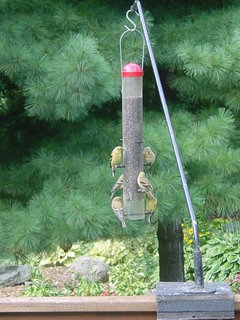
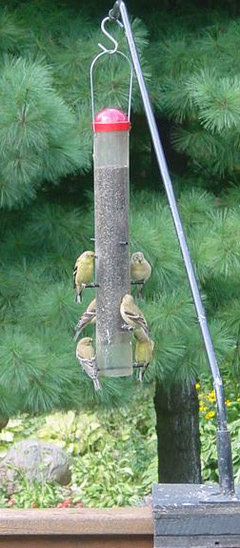
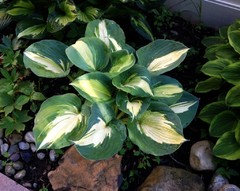
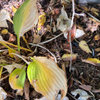
    I am trying two portrait photos.

    I cropped one to be very narrow.

    This post was edited to add a landscape photo.


    Edited again to add another portrait photo.


  • 11 years ago

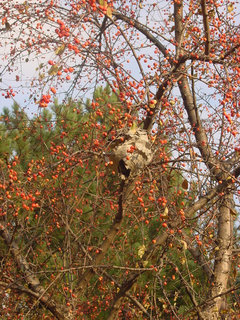
    The last one is 500 x 666. The width must be limited to 500 but the length is variable due to the aspect of the crop.

    You do know that last picture is Oriental Bittersweet (surrounding the hornet's next), a non-native invasive plant.

    Steve

  • 11 years ago
    last modified: 11 years ago

    Steve,
    I didn't know that. This picture was taken on a hike with a couple of nephews. They had to have a picture of the hive.

    I have been able to delete photos in a post on my PC, both before and after posting.

    Cowboy

  • 11 years ago

    I don't usually frequent the hosta forum, but have interest in the new photo system discussion. It does appear that as far as displaying images in the forums they are resizing them to a 500 pixel width regardless of orientation or where they are actually hosted. My photos in another forum were originally embedded from Picasa properly resampled down to 400 pixels at the longest edge. They also had a link to view them much larger on Picasa. Now the links have been stripped and the html image tags are specifying a fixed 500 pixel width. The result is some crappy looking photos. Some portrait ones are resized from 266 pixels to 500 pixels wide!

    I have been looking at the source code for some of the images above and saw two main types.

    The ones people are uploading from the Photobucket URLS do show the source of the images as Photobucket in the image tags. If you right click on them and select "view image" or "open image in new tab", it pulls them directly from Photobucket at the larger size.

    The other photos show a Houzz URL as the source. If you open them separately they are still only 500 pixels wide, so they must be resizing them before they are stored.

    The very first picture on this thread from tsugajunkie has different data in the image tag, which probably explains why it is larger than the 500 pixel width. It does show the source as Photobucket but has one attribute different than the other tags. Don't know how that happened though, maybe a temporary glitch.

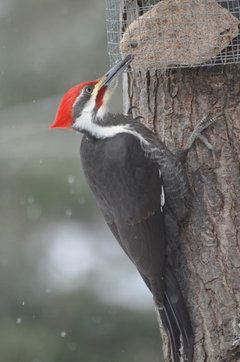
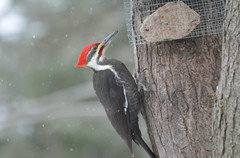
    The two birdfeeder pictures from tsbccowboy are the only ones I have seen that have a picture flyout when you hover over them. In that image tag the class says "zoomable", but the "zoomed" pictures appear to be the same size to me.

    It might be that the photos uploaded to Houzz are handled differently if they are uploaded right from the posting, or first put into an ideabook and then linked to from there. I would think the ideabooks would allow larger sizes.

    I did e-mail the admins about the photo-resizing and also truncated long posts, but have not heard back yet.


  • 11 years ago


    Oh, it works from abload.de. I have to submit to see the final resolution.
    Click!


  • 11 years ago

    The picture was uploaded to houzz with 500px. :(


  • 11 years ago

    Tammara said it is being worked on and we just have to be patient. Almost as hard to do as waiting for spring to come! ( we hope) There is hope!

  • 11 years ago

    Harry, I copied and pasted your link into the space where it says file name. You will see that at the bottom of the page when you click on the photo icon. Try that.

  • 11 years ago
    last modified: 11 years ago

    Sorry, I didn't notice the other post already has directions for you.

    Great woodpecker picture, though.

  • 11 years ago

    tsugajunkie.

    I don't understand. You wrote:

    I clicked on the photo box and instead of picking one of my pics I put the url of the PB direct url and hit "Open". It took a bit, but my PB pic appeared here.

    If I click on the "photo Box" I can find a list of every picture on my computer. I don't see any place where I can insert a url. How is this done?

    Thanks

    Harry


  • 11 years ago
    last modified: 11 years ago

    Harryshoe,

    When you click the photo icon and get the list of every picture on your computer or the list of word documents, do you see "File name:" on the bottom, left-hand side of the screen? If so, copy the Photobucket direct link into the "File name:" area and select the "Open" icon or hit the enter key.

    Cowboy

  • 11 years ago

    I have not found the field "file name" anywhere.


    Gonna have to stop soon. My head is about to explode.

  • 11 years ago

    Are you on a Mac computer?


  • 11 years ago

    Cowboy, thanks for the instructions. I don't know if I could do it again, but somehow I got my last alphabet pic for the "Y" thread to post from photobucket. I thought it didn't work at first but after some frustrated tapping, the picture showed up!

    From now on I'm bypassing PB and putting the pics directly on my computer. It's so much easier to be able to click and drag.

    I hope you will find a way to make it work soon, harryshoe. No lie, my head is hurting right now, too, lol. I may need an Excedrin. :-)


  • 11 years ago

    I'm working on my PC with Windows 8.1.

    Above the photos I have found a drop down list that gives "network" as an option. If I click on network a place appears to copy a link. However, there is no way to paste the url. In fact, the only choice of action available is cancel.


    Booooom! Ok. Now my head has exploded.

  • 11 years ago
    last modified: 11 years ago

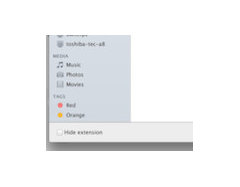
    This is what my upload screen looks like, after selecting the photo icon. It has "File name:" on the lower left.


    Link to a better quality screen print

  • 11 years ago

    Test

  • 11 years ago

    Now, if I can just remember how I did that. It was a spinning green circle for awhile. While I was working on another pic, this appeared.

    I think I just clicked on the image and hit open.

    But, this came from my computer, not Photobucket. It was easy because it was one of my most recent pictures. All of my photos for the last 12 years are organized on Photobucket. I have no way to find a particular photograph from my computer.

  • 11 years ago

    It looks like we no longer need to do the "Follow Me, Follow You" thing for messages. We can edit our profile to allow it.

    Edit Profile -> Advanced Settings -> Privacy Settings (Waaaay at the bottom) -> Who can message me -> select "Allow anyone to message me"

    tj

  • 11 years ago

    Trying photobucket direct link. Wow, thanks for the info!

  • 11 years ago

    It appears to me that if a photo you link to is more than 500 pixels in dimension that Houzz is taking a COPY of the photo, resizing it to 500 pixels or less, storing it on their site, and then showing that copy of the photo in the post. Not what I want!