

Photos won't post
11 years ago
last modified: 11 years ago
Featured Answer
Sort by:Oldest
Comments (22)
 11 years ago
 11 years ago
Related Professionals
Louisville Landscape Architects & Landscape Designers · Huntington Landscape Architects & Landscape Designers · Moline Landscape Architects & Landscape Designers · Utica Landscape Architects & Landscape Designers · Phoenix Landscape Architects & Landscape Designers · Decatur Landscape Contractors · Great Bend Landscape Contractors · Plainfield Landscape Contractors · Mission Viejo Landscape Contractors · Lagrange Landscape Contractors · Selma Home Builders · Escanaba Home Builders · Jamestown Home Builders · Portsmouth Home Builders · Fairbanks Home Builders- 11 years ago
- 11 years ago
- 11 years agolast modified: 11 years ago
 11 years ago
- 11 years agolast modified: 11 years ago
- 11 years ago
- 11 years ago
- 11 years ago
- 11 years ago
 11 years ago
- 11 years ago
 11 years ago
- 11 years ago
- 11 years ago
- 11 years ago
 11 years ago
- 11 years ago
 11 years ago
- 11 years ago







Related Stories
FURNITURE12 Sofa Colors That Won't Box You In
With any of these colors as a base, you can change your decor as often as you change your mind
Full Story
SMALL SPACES10 Tiny Kitchens Whose Usefulness You Won't Believe
Ingenious solutions from simple tricks to high design make this roundup of small kitchens an inspiring sight to see
Full Story
REMODELING GUIDESYou Won't Believe What These Homeowners Found in Their Walls
From the banal to the downright bizarre, these uncovered artifacts may get you wondering what may be hidden in your own home
Full Story
HOME TECH3 Kitchen Contraptions You Won’t Believe
Pizza hot from the printer, anyone? These cooking gadgets harness imagination and high tech — and have price tags to match
Full Story
LIFEYou Said It: ‘Put It Back’ If It Won’t Help Your House, and More Wisdom
Highlights from the week include stopping clutter from getting past the door, fall planting ideas and a grandfather’s gift of love
Full Story
KIDS’ SPACES7 Kids’ Bedroom Decor Ideas That Won’t Break the Bank
Take an economical approach to decorating your child’s room with these DIY ideas
Full Story
PATIOSPatio Details: Dog Won’t Trample the Plants With This Design
An Asian-inspired backyard redo adds clean lines, a new water feature and a sense of spaciousness — with room for a large beloved dog
Full Story
MORE ROOMSWhere to Put the TV When the Wall Won't Work
See the 3 Things You'll Need to Float Your TV Away From the Wall
Full Story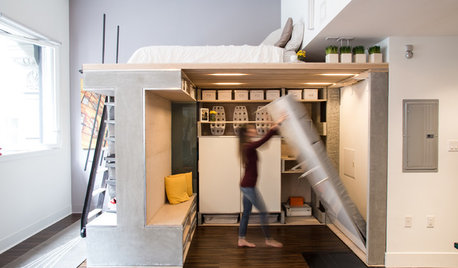
SMALL SPACESHouzz TV: You Won’t Believe Everything This Tiny Loft Can Do
Looking for more floor space, a San Francisco couple hires architects to design a unit that includes beds, storage and workspace
Full Story
BUDGET DECORATING15 Summery Decorating Ideas That Won't Break the Bank
Transport yourself seaside with a bit of paint or a few airy accessories
Full Story


Tessiess, SoCal Inland, 9b, 1272' elev