

Remedial education needed
10 years ago
Featured Answer
Sort by:Oldest
Comments (7)
 10 years agolast modified: 10 years ago
 10 years ago
Related Professionals
Sebring Landscape Architects & Landscape Designers · Athens Landscape Architects & Landscape Designers · Rockford Landscape Architects & Landscape Designers · Rochester Landscape Architects & Landscape Designers · Gary Landscape Contractors · Albert Lea Landscape Contractors · Longview Landscape Contractors · Tallahassee Stone, Pavers & Concrete · Augusta Stone, Pavers & Concrete · Winston-Salem Stone, Pavers & Concrete · Tulsa Stone, Pavers & Concrete · Davenport Stone, Pavers & Concrete · Keene Stone, Pavers & Concrete · Santa Fe Stone, Pavers & Concrete · Billings Stone, Pavers & Concrete 10 years agolast modified: 10 years ago
- 10 years ago
- 10 years agolast modified: 10 years ago
- 10 years ago


Related Stories
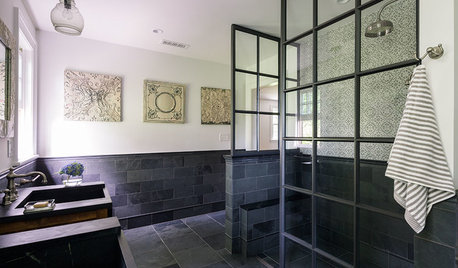
BATHROOM DESIGNRoom of the Day: Master Bath With an Educated Palette
A black and white color scheme and university-inspired decor earn high marks
Full Story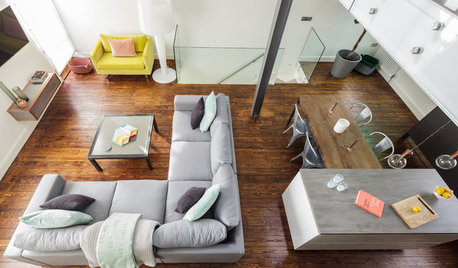
DECORATING GUIDESRoom Doctor: 10 Things to Try When Your Room Needs a Little Something
Get a fresh perspective with these tips for improving your room’s design and decor
Full Story
WORKING WITH PROSWorking With Pros: When You Just Need a Little Design Guidance
Save money with a design consultation for the big picture or specific details
Full Story
DECORATING GUIDESWhat You Need to Know Before Painting Brick
Sure, painted brick can be a great look. But you need to take some risks into account. Here's how to paint brick like a pro
Full Story
KITCHEN APPLIANCESLove to Cook? You Need a Fan. Find the Right Kind for You
Don't send budget dollars up in smoke when you need new kitchen ventilation. Here are 9 top types to consider
Full Story
FURNITUREHow to Buy a Quality Sofa That Will Last
Learn about foam versus feathers, seat depth, springs, fabric and more for a couch that will work for years to come
Full Story
FUN HOUZZEverything I Need to Know About Decorating I Learned from Downton Abbey
Mind your manors with these 10 decorating tips from the PBS series, returning on January 5
Full Story
HEALTHY HOMEWhat You Need to Know About Dust and How to Fight It
Breathe easier with these 10 tips for busting mites, dander and other microscopic undesirables
Full Story
ORGANIZINGGet the Organizing Help You Need (Finally!)
Imagine having your closet whipped into shape by someone else. That’s the power of working with a pro
Full Story
WORKING WITH AN ARCHITECTWho Needs 3D Design? 5 Reasons You Do
Whether you're remodeling or building new, 3D renderings can help you save money and get exactly what you want on your home project
Full Story
Sponsored
mindshift