

Infinity controller - puts out its own heat?
9 years ago
Featured Answer
Sort by:Oldest
Comments (8)
 9 years ago
Related Professionals
Hays General Contractors · Portland General Contractors · Kingman General Contractors · San Luis Obispo General Contractors · Bainbridge Home Remodeling · Waycross Home Remodeling · Madison Home Remodeling · San Francisco Home Remodeling · York Home Remodeling · Savannah Bathroom Remodelers · Hays Bathroom Remodelers · College Station Bathroom Remodelers · Poughkeepsie Bathroom Remodelers · Westerly Bathroom Remodelers · Amherstburg Bathroom Remodelers- 9 years ago
- 9 years ago
- 9 years ago
- 8 years ago
- 8 years ago
- 8 years ago
Related Stories
INSIDE HOUZZMoving Out vs. Staying Put for a Kitchen Remodel
The 2019 U.S. Houzz Kitchen Trends Study asked those who have renovated about their stress levels and moving regrets
Full Story
HOUSEKEEPINGHow to Relax and Put Housework in Its Place
If household disarray is making you stressed and unhappy, try approaching it with a different point of view
Full Story
HOUZZ TVHouzz TV: This Dream Midcentury Home in a Forest Even Has Its Own Train
Original wood ceilings, a cool layout and, yes, a quarter-scale train persuaded these homeowners to take a chance on a run-down property
Full Story
ARCHITECTURE'Houses of Maine' Puts Modernism in Its Place — in Nature
Set in the meadows and woods of Maine, the homes in this book give modern architecture a natural context
Full Story
LANDSCAPE DESIGNGreat Design Plant: Quaking Aspen for 3-Season Beauty — on Its Own Turf
It offers bright fall foliage, snowy winter bark and lush green leaves in summer. Just don't try to plant quaking aspen away from its home
Full Story
GARDENING AND LANDSCAPINGChill Out: 10 Cool Ways to Beat the Heat Outdoors
Step away from the A/C's artificial blast — and treat yourself to these more natural cool-down methods in the great outdoors
Full Story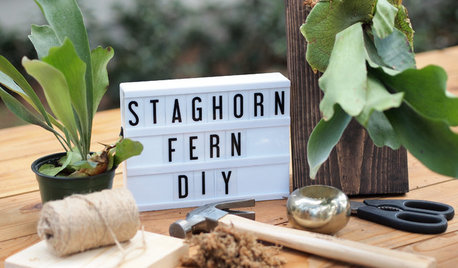
DIY PROJECTSHow to Put the New ‘It’ Plant on Display
Get a step-by-step guide to turning a shade-loving staghorn fern into a piece of living wall art
Full Story
ORGANIZINGOrganizing Secrets: It’s the Little Things
Get these 8 small areas under control for a major boost in overall tidiness at home
Full Story
DECORATING GUIDESIt’s Meant to Be: 10 Ways With Blue and White
Bring the energy and cheer of this classic duo to rooms with a splash of accessories or an all-out color wave
Full Story
GARDENING FOR BUTTERFLIESGardening for the Bees, and Why It’s a Good Thing
When you discover how hard bees work for our food supply, you may never garden without them in mind again
Full Story
mike_home