

Problem attaching a Photo
7 years ago
last modified: 7 years ago
Featured Answer
Sort by:Oldest
Comments (7)
 7 years ago
Related Professionals
Owensboro Landscape Architects & Landscape Designers · Kankakee Landscape Architects & Landscape Designers · Gloucester Landscape Architects & Landscape Designers · Oshkosh Landscape Contractors · Leamington Landscape Contractors · Rutland Tile and Stone Contractors · Spring Design-Build Firms · Elko Design-Build Firms · Greenville Landscape Architects & Landscape Designers · Cape Coral Landscape Contractors · Grand Island Landscape Contractors · Laredo Home Builders · Laconia Home Builders · Platteville Home Builders · Bronx Home Builders 7 years agogle2011 thanked deanna in ME Barely zone 6a, more like 5b
- 7 years ago






Related Stories
KITCHEN DESIGNThe Most Common Kitchen Design Problems and How to Tackle Them
Check out these frequent dilemmas and expert tips for getting your kitchen design right
Full Story
TRENDING NOWThe Top 10 Laundry Room Photos of 2018
Favorite features include drying racks and rods, folding areas and improved ergonomics to help with washday
Full Story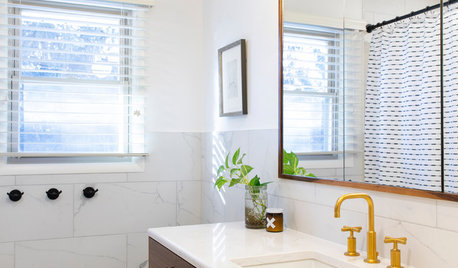
SMALL SPACES5 Solutions to Small-Bathroom Problems
Whether your room lacks a separate shower, adequate storage or a sense of spaciousness, there are remedies at hand
Full Story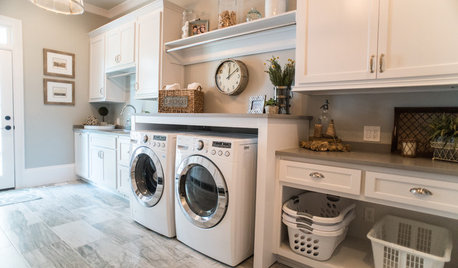
LAUNDRY ROOMSThe 20 Most Popular Laundry Room Photos of 2015
No drudgery here when it comes to laundry. High style and multifunctionality have made these rooms new favorites this year.
Full Story
PETS50 Dog Photos Worth a Wag
Design hounds: Share in the pet love with Houzzers' snapshots of their beloved dogs at home, in the workshop and at play
Full Story
FURNITURESlipcovers: Problem Solvers With Style
9 Great Ways to Change Up Your Look With the Ever-Practical Slipcover
Full Story
LIFEShare Your Winter Storm Jonas Photos and Survival Tips!
Let’s see your pictures and hear your ideas on how you’re keeping your house warm and staving off cabin fever
Full Story
TRENDING NOWThe 10 Most Popular Home Office Photos of 2020
Discover great ideas for creating a functional and stylish work area in the comfort of your home
Full Story
DECORATING GUIDESGot a Problem? 5 Design Trends That Could Help
These popular looks can help you hide your TV, find a fresh tile style and more
Full Story
GREAT HOME PROJECTSHow to Design a Family Photo Wall
New project for a new year: Display your favorite images of loved ones for the most personal gallery wall of all
Full Story


hc mcdole