

How to find other forums?
6 years ago
last modified: 6 years ago
Featured Answer
Sort by:Oldest
Comments (10)
Related Professionals
Killeen Landscape Architects & Landscape Designers · Chillicothe Landscape Architects & Landscape Designers · Keene Landscape Architects & Landscape Designers · Laconia Landscape Architects & Landscape Designers · Logan Landscape Architects & Landscape Designers · Port Saint Lucie Landscape Contractors · Houston Landscape Contractors · Kalamazoo Landscape Contractors · New York City Landscape Contractors · Toledo Landscape Contractors · Palm Desert Landscape Contractors · Ocala Stone, Pavers & Concrete · Albany Stone, Pavers & Concrete · Miami Stone, Pavers & Concrete · Medford Stone, Pavers & Concrete- 6 years ago
 6 years ago
 6 years ago
- 6 years agolast modified: 6 years ago
- 6 years agolast modified: 6 years agoroselee z8b S.W. Texas thanked bostedo: 8a tx-bp-dfw
- 6 years ago
- 6 years ago




Related Stories

LIFEYou Said It: ‘Some Ask Why, Others Why Not?’ and Other Houzz Quotables
Design advice, inspiration and observations that struck a chord this week
Full Story
PRODUCT PICKSGuest Picks: Zen Bath Finds for a More Serene You
Let tension and stress melt away as you pamper yourself with spa-worthy linens, soaps, salts and other amenities
Full Story
HOUZZ TOURSMy Houzz: Artists Find Their Dream Home in the Country
Their own and others’ creative works fill their renovated house and studio in Australia's Southern Highlands
Full Story
PRODUCT PICKSGuest Picks: Smart Finds for Homework Areas
Get a study space in shape for back-to-school time with pencils, lighting, a desk and other schoolwork essentials
Full Story
PRODUCT PICKSGuest Picks: Science-Inspired Design Finds
Look to geology, chemistry, geography and other sciences for inspiration in home decor
Full Story
ANTIQUESFlea Market Find: Vintage Portraits
Pick up some of these original selfies and other portraits on your next weekend scavenger hunt
Full Story
HOUZZ TOURSMy Houzz: An 1887 Duplex Finds the Sun
A new solarium, yellow paint and other makeover touches bring sunny cheer to a Montreal home
Full Story
SHOP HOUZZIndustrial Finds Under $199
Furniture, floor coverings, illumination solutions and other essentials
Full Story0
GARDENING GUIDESDesigning With Conifers: Finding the Right Garden Bedmates
In gardening, building on commonalities creates an enduring relationship
Full Story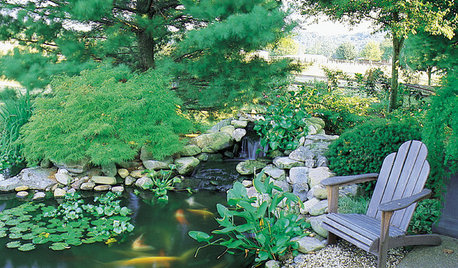
LANDSCAPE DESIGNKoi Find Friendly Shores in Any Garden Style
A pond full of colorful koi can be a delightful addition to just about any landscape or garden
Full Story
Sponsored
Dan H z8b SA, TX