Software
Houzz Logo Print
mtvhike

LG TV remote problem

5 years ago
last modified: 5 years ago

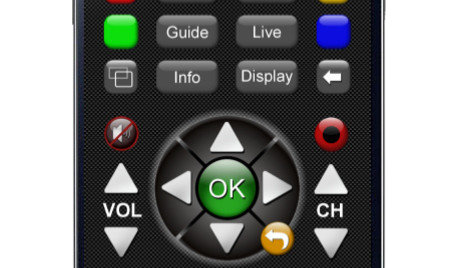
I'm posting for a friend who just purchased a new LG TV and finds that the remote control doesn't work if "it's within 20cm of a WiFi router" (quote from the manual). Is that reasonable? Anyway, without a working remote, he can't even set it up. If that's true, he could probably return it (he bought it from Costco 5 days ago).

Comments (13)

  • 5 years ago

    Batteries?

  • 5 years ago

    Just download one on his phone and see if it works. Could be a faulty remote, bad batteries - the remote is typically not using WiFi. I use my LG remote 20 feet away. If it is using WiFi the reason it says to be farther than 20cm from a WiFi router is interference in the 2.4GHz band could cause problems (both using same frequencies). And if it is WiFi check the setup with the phone app.

  • 5 years ago
    last modified: 5 years ago

    Has he tried it or did he read the booklet and stop? I agree that having a remote within 20 cm of a router should be a very simple thing to work with.

    I have an inexpensive 50 inch (I think that's the size, at a location I'm not at now) LG TV that I bought from Costco two years ago. It's sitting on the shelf of a built-in cabinet. On the shelf right below (less than 6 inches away) are the home's separate modem and Netgear router. I didn't read the instructions when setting it up but it all works fine.

    As you say, returns at Costco are no problem IF he experiences a problem. I can't imagine what the conflict could be because routers emit radio waves and maybe a very small amount of (or maybe no) EMF radiation. TV remotes work on infrared light signals - the two shouldn't interfere with one another.

  • 5 years ago

    I'll talk to him on Monday, but one of his complaints was the lack of any instruction manual. My suspicion is what Badabing2 said (I'm pretty sure he did put in the batteries). One suggestion I had is to move the TV away from his desired location and see what happens. He is currently planning to move the router, depending on how long its connected cables are. Longer ethernet cables have been offered to him.

  • 5 years ago
    last modified: 5 years ago

    "one of his complaints was the lack of any instruction manual."

    If there was no manual, then where did he read this??

    "doesn't work if "it's within 20cm of a WiFi router" (quote from the manual)"

    FWIW - There are 2 different kinds of LG remotes - standard flat ones, and one that is called a "magic remote". The usage is pretty different. All of this should be in the manual though.. And I would bet money that there IS a manual. And all manuals are available online on the LG website.


    I'm not sure why anyone would be using a tv remote within 8 inches of the wifi router anyway.

  • 5 years ago
    last modified: 5 years ago

    "I'm not sure why anyone would be using a tv remote within 8 inches of the wifi router anyway."

    There's something rotten about this thread.

  • 5 years ago

    Usually if there is a set-up routine, it gets triggered when a device is first turned on. There should be one for a smart TV, to give it wifi instructions, passwords, etc. If that doesn't happen, there surely is a menu symbol on the remote that can lead to settings.


    User manuals are ALWAYS available from the brand's site online. The absence from a box shouldn't be a show stopper.


    Stax, I don't understand your comment.


  • 5 years ago

    He received the TV Thursday afternoon and started setting it up. On our early morning Zoom Koffee Klatch, he told me that he didn't get a manual. Then he said that item about the router distance, maybe there was a quick setup instruction. I'll ask him Monday. I'll also ask him the model number of the TV and whether the remote is a "magic" one or not.

  • 5 years ago

    Well, I decided to do a little sleuthing (I can't get in touch with him right now). Knowing he got it from Costco and it's a 43" LG model, there can't be too many, so I found out that it's a UN7300 series, and it's remote IS Magic.

  • 5 years ago

    Thank you Elmer; If it were me, I'd return it. But he is adamant about a TV between 40 and 43", with a "wide field of view", up to 45 degrees. And Costco has only 4 models in that size range and he selected it based on its field of view. I hope he will try your other ideas.

  • 5 years ago
    last modified: 5 years ago

    Hmm. What it is is what it is.

    When I bought the TV at Costco first mentioned before, my priority requirements were the edge to edge width (because of a built in cabinet in a place I'd just bought), a preference for Samsung or LG, and CHEAP. The one Costco had at the time, at about $250, didn't have everything I wanted, and had one feature I didn't want, but it fit, was cheap, and was from a brand I wanted. Done.

    I suspect your friend needs to reassess priorities and possibilities Router placement can be tricky and not completely flexible and obviously is important. If it needs to stay where it is, he needs to find a TV with an IR remote.

    Good luck to him, you're a good friend to help out.

  • 5 years ago

    Press the HOME and BACK button on the magic motion remote simultaneously for 2-5 seconds until the red light blinks 3 times, then release. How to resolve error message "This function is not available now". Ensure that you are using an LG remote control to operate the telEvision.

Sponsored
More Discussions