Software
Houzz Logo Print
stoveguyy

Roku slow to change

last year

I have external roku. i use xfinity app. and navigate from station to station in the app. it is slow. and seems to freeze. i changed hdmi cable from roku to tv. helped a bit. i reloaded xfinity app. no different. whats up?

Comments (12)

  • last year
    last modified: last year

    I have several TVs with external Roku devices and find they work very well.

    I control them 95% of the time with the Roku controller and very occasionally, with the Roku app on my smartphone.

    I don't understand how an app from your internet provider Xfinity would come into play. I presume you're using a direct internet signal from your router to the Roku device and not a TV signal supplied from Xfinity?

  • last year
    last modified: last year

    Xfinity apparently is his streaming TV service, using that app installed to the Roku. What's mysterious about that?

    stoveguyy, has the Xfinity app always exhibited the behavior or is it a recent occurrence? Is your Roku an older model, perhaps a bit less speedy? Maybe your Internet service is being sluggish? Is your Roku on 2.4 or 5G WiFi? Mine is on 5G. My (not so)SmartTV itself works only 2.4 WiFi and was exhibiting slow behavior with Android-based apps before I added the Roku and stopped using the TV's native operating system for apps.

    I use DirecTV's app and some others on my Roku (Tubi, YouTube, Pandora, the local ABC, NBC, and CBS affiliates for quick news). DirecTV apparently loads and unloads more data than the others. It takes a little longer to open and a little longer to close and return to the Roku Home screen.

  • last year

    If the OP is using a Roku device as the connection to the TV, I don't understand how an Xfinity app is relevant. It's my understanding the Xfinity app is only used for direct connections to a TV, which is not his setup.

    On my Roku devices, all signals from all streaming sources are controlled by the Roku device and the Roku app.

  • last year
    last modified: last year

    I have xfinity cable. Crazy. i pay for cable. and internet too.

    and xfinity tuner on tv #1.

    i have roku on 2nd tv.

    every station i watch on xfinity tuner i can also watch on the roku.

    i can watch live programming like sports on abc and nbc and espn.

    the roku acts like a 2nd tuner. i dont understand how folks dont see this.

    xfinity says i dont even need a tuner. i can have xfintiy for programming and watching live tv but my wife likes the xfinity tuner and ch guide. yes we are not 21. older folks.

    yes, crazy, we pay for cable.

    i watch abc. then when i go into guide to watch cbs it freezes. and takes 20-30 sec to switch to cbs


  • last year

    OK, that's very helpful.

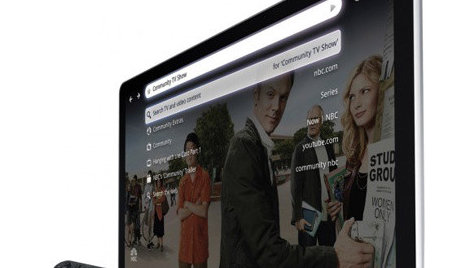
    When you're trying to watch various what I'll call "Cable" channels and local broadcast stations, are you selecting the Xfinity Stream app shown on bottom left of the first photo? That should connect you to what Comcast calls XFinity Stream, the streaming version of what on your other TV comes through the cable and cable box. If you do, your selection of what channel to watch should be done using the Roku controller.

    I personally have YoutubeTV as my TV supplier and that's how it works. It's also how it works for my sources similar to yours, Netflix as well as Prime, Peacock, Hulu, etc. Because the signal is coming through the Roku device, once you start the appropriate app, selection and program control is done using the Roku Controller.

  • last year

    stoveguyy, I understand what you've described.

    Internet download speed on my Roku is 184 Mbps, connected to my 5 Ghz Wi-Fi network (not the slower 2.4 Ghz). It's a Roku Streaming Stick 4K. Being a stick-type, it plugs directly into an HDMI port on the TV.

    Either way, the HDMI cable has no relation to the Roku response in switching streaming channels. That's a factor of the Internet service and/or the Wi-Fi speed and/or the processing speed of the Roku itself.

    I had DirecTV dish but switched it earlier this year for DirecTV streaming. DirecTV steaming and Tubi and YouTube (which is regular YouTube for which I don't pay anything, not their TV streaming service), and Pandora and the other apps I have on the Roku have no relation to my Internet service, which is via Sparklight.

    I think your problem is data sluggishness related to your Internet service/Wi-Fi speed and/or the processing speed of whichever model is your Roku and/or the Xfinity streaming app (software), possibly a combination of all those factors.

  • last year
    last modified: last year

    I had reg xfintiy internet at 400mbs prior. i have an arris router/modem and have 2.4 and 5 mghz selections. my ipad can see both. i downgraded to cheapo xfinty for $10/mo and have 50mbs service now. i dont think my older roku (non4k) 3920X can see the 2.4/5 network options. my speedtest does see 50mbs download.

  • last year

    There are some puzzle pieces missing without which I have nothing more to add.

    For normal TV content, 20 megs should be plenty. If you want to know what frequency the Roku is connected at, you need to sign on to the router. The normal TCP/IP address for these is 192.168.1.1 but it can vary. Look at the bottom of the router if it's from the cable company, you'll likely also find the password there too if you haven't previously changed it to something different.

    Another thing to keep in mind is that if other sources you use (like the Prime Video app shown) behave as you would expect, the problem isn't with the Roku device, the Wifi signal, or the internet connection.


  • last year

    stoveguyy, was the problem occurring before you downgraded your Internet service plan from 400Mbps to 50Mbps?

    My service is 300Mbps down (20Mbps up). Speedtest via Ethernet on my computer varies per the target test server, 345Mbps, 312, 296, 319, 344, Speedtest web version (I'm not installing the app) on my phone (5G Wi-Fi) is 326, 345, 345 on repeats, it auto-selects a test server, doesn't allow changing.

  • last year
    last modified: last year

    dadoes, do you know how much faster the signal speed difference is between service of 300Mbps versus 50Mbps?

  • last year

    For those who don't know, the answer is - the actual "speed" is identical. Bandwidth and what people refer to as "speed" is not speed at all but rather capacity. All signals travel at the same speed.

    Think of a flat field on which a road will be built. Every vehicle on the road must travel 35 mph, no more and no less. No exceptions. One lane can carry one car or one truck or 4 bike riders riding abreast. If the capability is needed or desired for more than one vehicle at a time, then a second lane can be built and then there can be two at a time at 35mph. More capacity needs another lane, a third one or a sixth one or whatever is desired for how much capacity is needed at the same time.

    Let's say that the home has only bike riders (people doing email, reading or interacting with websites, etc.) One 25Mb connection can probably sustain 10 users at once. Or, supply a high def signal to one TV set and one or two light traffic users at the same time. If there were two TVs watching high def, you may need 40Mb. But probably less would be fine too.

    In a household where there are only a few simultaneous high data requirement users, a 40Mb connection is likely to be more than adequate. A 300Mb connection provides no added value. Maybe if there were 10 simultaneous high demand users but for a small household with only one or two high throughput users are active, the added capacity provides no benefit.

    You can only drive 35mph and if there are only two cars, you only need two lanes. Not 10.

  • last year

    I have a Roku TV. The TV gets less and less responsive to the remote control (and sometimes doesn't respond at all) as the remote control's batteries die.

Sponsored
More Discussions