Software
Houzz Logo Print
butterflies072

hibiscus under attack! worms?? anyone know???

19 years ago

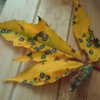
These worms are all over my hardy dinner plate hibiscus. Last year i had an uncontrollable amount of japenese beetles. I have recently sprayed with a garden safe pesticide. But now my leaves look dead, that pic to follow! (I left my camera at sisters house!) Some one PLEASE HELP if you have any advice I will greatly appreciate. Oh yah and how do I attach a pic of these worms to this post? I can't seem to figure that out.

Comments (5)

  • 19 years ago
    last modified: 11 years ago

    flutterby,
    Could those worms be slugs? I lost a small mail order hibiscus to slugs this spring. I would suggest you become diligent about hand removing them to protect what is left of your hibiscus. Check your plant and the surrounding mulch/leaf cover in early morning/evening. the following directions on how to post a photo on a forum that does not have a gallery are from the hot peppers FAQ. kt
    Adding Pictures to Messages on Forums Without Galleries (Like Hot Peppers Forum)

    Step 1: Prepare your image for uploading
    Make sure your image is in either JPG or GIF format (with .jpg, .jpeg, or .gif file extension), and is no larger than 60K. If your file is larger than 60K you will need to reduce the file in your photo editing software. The softwares help files will give specific instructions. You can also add any image copyright or text desired using image editing software. Save the file to a new name before reducing it so you retain the original version.

    Step 2: Upload the image from your computer to somewhere on the web
    Option 1: Use the free space provided by your ISP.
    Most ISPs provide free space for their subscribers. Check their support website for instructions on setting up and using your personal web site space. This is a great option because you normally have plenty of storage space and the images will always be available for viewing.

    Option 2: Use image hosting websites such as FotoTime, WebShots, PictureTrail, or Yahoo Photos.
    There are many image hosting sites on the web. Follow the uploading instructions provided for the particular image hosting website. Some services do not allow displaying images stored on their site on other pages (like GardenWeb posts), some charge an annual fee, and most limit the amount of images stored, so be sure you choose a service that fits your needs. Image hosting sites mentioned are examples of possible options, and not endorsed or recommended by GardenWeb.

    WebShots does not allow displaying images in other sites (even with a paid membership) so you are not able to show images from WebShots in GardenWeb posts. You can add a link to your WebShots page that contains the image. FotoTime allows displaying images stored on their service only for paid subscribers.

    Option 3: Use Hortiplex.
    Hortiplex is a database of plants which is part of the GardenWeb family of websites. It allows GardenWeb users to post pictures by scientific name. For specific instructions, see Hortiplex help pages.

    Option 4: Use the GardenWeb galleries available on other forums.
    You can post images to other GardenWeb forum galleries, but these images are not stored for long, so this is not always the best option. For example, your posted message on Hot Peppers forum may stick around for a couple of months, but the image on the Garden Photo Gallery may disappear after two weeks so youÂre left with a "broken" image link in your forum message.

    Always make backup copies of any images stored online!

    Step 3: Add your image into your gardenweb message
    Copy the image address (URL).

    Go to the web page displaying the image you uploaded in Step 2.
    In Internet Explorer, Right-Click on the image and select Properties to show the image address.
    Select the entire URL (including the second line if necessary), then select "Ctrl C" to copy it to the Windows clipboard for the moment. Cancel the properties window.
    Switch back to the Post New Message form.

    Paste the image address into the message as a link or a displayed image.

    Option 1: Make a link to the image using the URL space in the New Message form.

    Select "Ctrl V" to paste the URL address into the Optional Link URL space provided at the bottom of Message Preview.
    Add a Name of the Link to show a descriptive phrase for the image instead of the link address.

    Option 2: Display the image in the message itself using formatting codes (an html image "tag").

    Type in the body of the message.

    For example: If your graphic is at wherever/~smith/garden/habanero.jpg,
    you would insert {{gwi:2100714}}.
    Add an extra return above or below the image to group it with the appropriate text.


    Step 4: Submit the message

  • 19 years ago
    last modified: 11 years ago

    When you first post a message there is no place to put the link, when you preview the message or add a follow up there's a place at the bottom: "Optional link url" and "name of link". That throws me every time if I'm trying to start a thread and include a link.

    Some of Katy's instructions are not showing up, but I am a little rushed so I can't figure out what they are.

  • 19 years ago
    last modified: 11 years ago

    Monique mentioned something once about sawflies on hibiscus - do they start out as worms?

    I think the parts missing from Katy's instructions are the html code itself. Use the following code:

    (img src = wherever/~smith/garden/habanero.jpg)

    but substitute the triangle-shaped brackets for the ones I used.

    -Wendy

  • 19 years ago
    last modified: 11 years ago

    I just did a quick google search - are these the cuplrits?

  • 19 years ago
    last modified: 11 years ago

    Yes, they are Hibiscus Sawfly. Get some NEEM asap and spray weekly. I hate spraying, but I love my Hibiscus.

    Here is some info from Naturework.com website

    SAWFLIES look very much like caterpillars but are actually a group of insects related to wasps and bees. Adult sawflies are inconspicuous wasp-like insects that do not sting. The larval or immature stage of sawflies are plant feeders and look like hairless caterpillars (the immature stage of butterflies and moths). Sawflies often feed in groups and can quickly defoliate portions of their host plant. There are many different species of sawflies and each prefers specific plants or groups of related plants. Common sawflies on garden flowers include the Rose Sawfly (also called the Rose Slug) which feeds from mid-May through June, the Hibiscus Sawfly, the European Pine Sawfly (which infests Mugho pines in May and June) and the Dogwood sawfly (which defoliates Lysmachias and our native red twigged dogwoods). Bacillis thuringiensis will NOT work on sawflies! Instead, use Neem or Pyrethrum mixed with alcohol as described above under "bad bugs". Rotenenone/Pyrethrum wettable powder can be used as a last resort, but be aware that this is a botanical insecticide that is very strong and will kill honeybees. Use it only in the evening after the honeybees have returned to the hive and only as a last resort.