Software
Houzz Logo Print

How do I change the background colour, so that I can read the posts?

Daisy

Comments (21)

  • 11 years ago

    ...I don't think you can at this stage.... I find that when I read posts on a thread, apart from the first one by the thread starter which is black on white, all the rest are black with a very pale blue background, which I find quite easy on the eye..... others don't seem to like it....

    ...not a lot you can do..... make the font larger? I think you can do that....

  • 11 years ago

    Daisy, what I did was reduce the brightness of the entire screen, by using the brightness controls of my computer. Now the background is a pale grey - much better. You would need to use the HELP button on your computer, if it has one, and then look up "brightness".

    Jackie

  • 11 years ago

    I did it when I was on GW. I must have chosen a gray/blue background because now I am typing on white, but the posts above are in the muted tones.

    Sammy Tulsa zone 7

  • 11 years ago

    The colors and fonts have been driving me crazy. So I decided to look into how I might be able to change them. I knew in the back of my head something vague about style sheets for my browser (Safari)..... Multiple Google searches later and a bit of reading got me on the Apple.com site where I found an extension called Stylish for Safari--seemed safe enough, but heck I'm desperate now. Downloaded it from Apple.com and installed it on my iMac and started to explore (read more on the developer's FB page and on the userstyles.org website) this extension. Next I clicked on its "S" symbol next to the reload symbol at the top of the Safari window. Found someone has already written a stylesheet (yippee, so I don't have to learn how!) for GardenWeb post Houzz. I selected it and voila! Some of the worst Houzz design problems are gone. The background is now a sort of soft patterned grey reminiscent of parchment paper. The fonts are bigger and wider. And not all grey (Antique Roses Forum is all in red)!!!! There are wide borders down both sides in a patterned brown that looks like corkboard. A bunch of the clutter and junk at the top is gone (hurray!!). I have to drag the window wider so everything fits/nothing overlaps, but even so it is a huge improvement. The person who made the style sheet said, "Still a long way from done. I may or may not finish. Probably won't put much effort into it. Probably looks a tad bit better with this rough hurried stylesheet applied than without it." I'll say. Makes the site bearable.

  • 11 years ago

    Thanks for trying to help everyone. I have tried all your suggestions, but, the only thing I have been able to do, is to make the page so much bigger, that most of that glaring white is not seen.

    Daisy

  • 11 years ago

    On my Toshiba I hit the Function key (FN) on the bottom left and F6 in the top row simultaneously, and now the background is a nice medium gray and the type is dark enough that I can read it with a lot less eye strain. I'm sure it's somewhat different on every computer but this was so very easy (once I asked my husband what to do, that is).


    Ingrid


  • 11 years ago

    Thanks Ingrid. I have just tried that, but it didn't work on my little lap top.

    Daisy

  • 11 years ago

    I don't think you can change the background here and taking down the brightness will also darken every other site you go to as well. That may be OK for some but not all of them and I certainly don't want to have to be adjusting the brightness for every site I go to.

  • 11 years ago

    Woohoo!!! The person who developed a stylesheet called gardenweb which I described above has come out with another one. I LIKE it. It's called gardenweb (morning glory) and makes these pages look a great deal like the old gardenweb--same color themes with blues and greens, nice subdued colors on the sides (including morning glories). No more hard to read fonts or blasting white background. Now I must thank this kind (and talented) person.

  • 11 years ago

    Does anyone one know of a comparable PC thing to Tessless' MAC version?

    I use Opera as my browser and I don't see anything like that under "styles"

  • 11 years ago

    I have just noticed that "Houzz" has little colored hearts coming from thier logo on the top left of screen, so they can change the color of the screen we see.

    David.

  • 11 years ago

    Check this out Seil, Stylish for Opera. See if it will work for your operating system and version of Opera. There is a Stylish for Firefox too. I installed Stylish for Safari. Once that was installed, I had the ability to check to see if there were stylesheets already created for gardenweb. Btw, I have had Opera installed on my Mac for years (don't use it much but do have it), besides Firefox, and WhiteHat Aviator (if a site is really snoopy, this is the browser to use).


  • 11 years ago

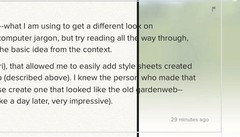
    Wikipedia entry on Cascading Style Sheets (css stylesheets--what I am using to get a different look on gardenweb): Cascading Style Sheets Yes there is plenty of computer jargon, but try reading all the way through, and even if you aren't technically inclined you may pick up the basic idea from the context.

    Once I had the software extension installed (Stylish for Safari), that allowed me to easily add style sheets created by other people. I first found a style sheet called gardenweb (described above). I knew the person who made that stylesheet knew what he was doing. So I asked him to please create one that looked like the old gardenweb--gardenweb classic if you will. He did and very quickly too (like a day later, very impressive).

  • 11 years ago

    Tessiess thanks for posting about stylish.
    I tried the original Gardenweb for stylish, but didn't like it. When I made the font bigger the text split out of the frame:


    I used another one for Houzz. It is sort of easier on the eye:


  • 11 years ago

    He hasn't spent as much time refining the morning glory one yet. So that can happen with the text overlapping. I just drag the size of the window bigger. Then no overlap.;) Regarding the 2 different stylesheets, the morning glory one appeals to me more. But it all comes down to taste, and with these stylesheets, we have the ability to choose what suits us.

  • 11 years ago

    Oh my goodness, I downloaded "Stylish" so that I could change the background of these boards and it is SO MUCH BETTER NOW. I feel like I can read for longer than five minutes without straining my eyes to the point of getting a headache. THANK YOU TESSIESS for suggesting this! It helps so much!

  • 11 years ago

    I also got the morning glories with the nice soft text background, using Stylish for Chrome - I too find it's 100% easier on the eyes/head - thank goodness! Browsing the Rose forums is once again relaxing and pleasurable. Someone called Meredith posted a link for it, somewhere... but I think you can just google Stylish for Chrome, in case anyone else with a Chrome Book or OS wants to check it out. You lose the stuff that Houzz puts on the sides of the text box, but that's no great loss really. Many thanks to all!

  • 11 years ago

    Thank-you. I am a complete moron when it comes to computers, but even I have managed to put the morning glories on. It is so much better.

    I do have the text spilling over, but it is a small thing compared to that glare.

    Daisy

  • 11 years ago

    Try here for a list of choices of stylesheets, what they look like, and descriptions at userstyles.org: Gardenweb Stylesheets You can also see how many people have installed each one (including how many for the current week).