

What am I doing wrong?
16 years ago
Sort by:Oldest
Comments (11)
Related Stories

COLOR8 Color Palettes You Can't Get Wrong
Can't decide on a color scheme? Choose one of these foolproof palettes for a room that feels both timeless and fresh
Full Story
LIFEYou Said It: ‘Every Room Should Have the Right Wrong Thing’ and More
This week on Houzz we were inspired to break out of catalog styling ruts and let our design freak flags fly
Full Story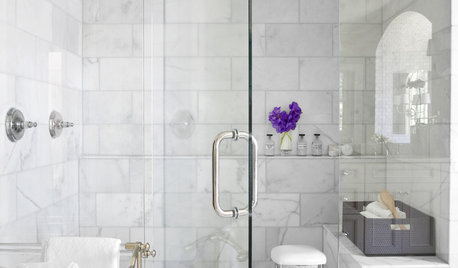
REMODELING GUIDESWhy Marble Might Be Wrong for Your Bathroom
You love its beauty and instant high-quality appeal, but bathroom marble has its drawbacks. Here's what to know before you buy
Full Story
LIFEYou Said It: ‘The Wrong Sink Can Make You Hate Your Kitchen’
Design advice, inspiration and observations that struck a chord this week
Full Story
GARDENING GUIDESWhat's Wrong With My Plant? Leaves Often Hold the Clues
Learn how to identify common plant ailments by reading their leaves
Full Story
DECORATING GUIDESSay 'I Do' to Beautiful Wedding Memory Displays
You'll love and cherish these creative vignettes, artwork and more that keep the happiness of your special day at hand
Full Story
ORGANIZINGDo It for the Kids! A Few Routines Help a Home Run More Smoothly
Not a Naturally Organized person? These tips can help you tackle the onslaught of papers, meals, laundry — and even help you find your keys
Full Story
INSIDE HOUZZUsing Houzz: Create a Home To-Do List
See how to use an ideabook to keep track of your home projects this year
Full Story
Oakley
teacats
Related Professionals
Lafayette Interior Designers & Decorators · Zanesville Interior Designers & Decorators · Miami Interior Designers & Decorators · Florence Interior Designers & Decorators · Lima Interior Designers & Decorators · Providence Interior Designers & Decorators · Pocatello Interior Designers & Decorators · Spokane Interior Designers & Decorators · Miami Kitchen & Bathroom Designers · Louisville Kitchen & Bathroom Designers · Saint Cloud Kitchen & Bathroom Designers · Toledo Kitchen & Bathroom Designers · New London Furniture & Accessories · Fall River Furniture & Accessories · Newark Furniture & Accessoriesbarb5Original Author
barb5Original Author
paint_chips
graywings123
barb5Original Author
jaybird
ttodd
User
barb5Original Author