Software
Houzz Logo Print
melissa968_gw

EQ---What are your thoughts?

19 years ago

I've been thinking about purchasing the Electric Quilt 6 Software. Would love to be able to design using scanned in fabric to see what the quilt will look like before making. Am I understanding correctly that this is possible with this software? Would love some feedback from those who have and use this software---what do you love about it? Has it made a difference in your quilts and/or your quilting experiences?

Melissa

Comments (13)

  • 19 years ago

    This is possible!

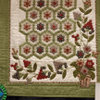
    I have EQ5, not 6. The thing I like best about EQ is that you can lay your quilt out and then with the click of a button change colors for parts of the blocks. Click the link below to see some layouts I made in EQ -- those are all pictures of layouts from EQ.

    Also, if you want to learn more, you can go here:
    http://lyris.planetpatchwork.com/scripts/lyris.pl?enter=info-eq&text_mode=0
    to join an email list where people discuss questions abut the software -- that will give you a real good idea what it's like.

    On the negative side -- it's not "user friendly" in my opinion and crashes a lot. Things that you do one way in every other software on earth, are done totally differentlyh in EQ. And some things that seem like they should take 2 or 3 logically sequenced clicks take 5 or 6 convoluted clicks. I have noticed that much of my frustration is with some of the "advanced" features that it seems 90% of the owners dont' even use.

    BTW - the reason I have not bought EQ6 is because I refuse to pay full price for a new version of a software program just so I can have all the errors in the old version fixed! That really chafes my hide!!!!

    Overall -- I would say it is worth the money and I am really glad I have it, but do expect to be annoyed from time to time if you get it! I don't know how it compares to other quilting programs. I was told it has features the others don't before I got it, but then no one ever clarified what those features are so now I'm skeptical about that.

    Here is a link that might be useful: What you can do with EQ - you'll love this!!!!

  • 19 years ago

    Oh my gosh! Those are gorgeous! I'm totally impressed! Have you made any of those layouts into quilts? I assume it gives you different ways to achieve it (i.e., template, paper piece, etc.)? Are you able to scan in your own fabrics to pick in a layout?Thank you so much for your feedback, it's greatly appreciated.
    Melissa

  • 19 years ago

    Thanks -- they were so fun to make. And once you get the layout in and fabric scanned, very fast to make alternate color schemes. I'm going to post links, not pics, here so you'll have to copy/paste into your browser, but this is an EQ layout from my own scanned fabric:
    http://i6.photobucket.com/albums/y246/LLLeader/EQ5%20Sample%20Layouts/LatestMLQuiltColors.jpg

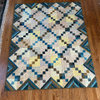
    And a pic of the finished quilt at the clickable link below. I made that for my Mother in Law and she got to help design it. (Letting recipients help design is a whole 'nuther conversation with pros and cons!!!!)

    As for the original link I posted with all the layouts -- I really PLAN to make some of the others... LOL. The top 3 rows are all scanned fabrics from my stash. When you get into the bright southwestern colors those are swatches I downloaded from online fabric stores (right click the fabric picture then choose "save picture as" -- I think EQ only takes BMP I may have had to convert some of them with the free MS Paint or similar program.)

    EQ also comes with a lot of sample fabrics and you can usually find something "close" to your stash but it's great to get the real thing in there -- a subtle difference in shade or tone can have a huge effect on the overall effect of the quilt.

    (PS The reason I'm using links not actual images is 'cause I don't want to slow down the loading of this thread for folks not expecting pics.)

    Here is a link that might be useful:

  • 19 years ago

    I just got EQ6 a couple of weeks ago...so I'm still learning how to use it. So far, I love it!!

    I purchased it online from allbrands.com - it was cheaper and shipping was free. (I've dealt with them before, and been very pleased.)

  • 19 years ago

    Wow! I just bought EQ6, but have done nothing more than load it on my laptop and watch a couple of the videos. I need to go through the lessons. Maybe that will be a little project for tonight...get through one lesson.

  • 19 years ago

    The question to ask yourself - will you use the software to design quilts you will make? Or will you design, and then never get around to making them?

    LOL, this was my trouble with the very first iteration of EQ. Damn, that was such a clumsy, clunky program. It wouldn't even take input from a mouse because the writers didn't think quilters were computer-literate enough to use one! Insulting, and I disabused them of that notion pretty quickly, LOL. I b#tched so much in my letter of disapproval that they even sent me the next generation software for free. My original was copy 127, if I remember correctly. I also gave them some input into how to make it more user-friendly.

    So I know the program is good. I also discovered I was designing more than I was quilting.

    For me the right answer is I fritter away too much time playing and never getting anything actually done in fabric.
    I still have an old EQ. And even though they quit assuming quilters were computer-illiterate and vastly improved the ease of use, I won't buy another copy.

    I never scanned fabric, I just used colors to see how blocks would look from a distance.

    YMMV - I found I spent more time on the computer and less time quilting. If you want to make complicated blocks using paper-piecing, you can do it. There are many things one can do with EQ. I found that for me, it kept me from actually sewing.

    It is seductive, LOL.

    Mary

  • 19 years ago

    Seriously look at QuiltPro. User friendly and fab.

  • 19 years ago

    Try this out . You can download a 30 day free trial. It is not a sampler but a full version of the program I love It. nice and simple.
    http://www.quiltpro.com/go.php?id=123Quilt
    Mary in Va

  • 19 years ago

    I had EQ5, replaced it with EQ6. Seems similar to me so far. I'm taking a class on it at Quilt University starting July 14. I just checked and this class is closed; there are two more scheduled [August 18] & [September 22]. For those not familar with QU it offers many online classes for quilting.

    I like to look at a picture of a quilt and then make my own patterns. I have scanned my fabric but most of the time I don't I just use something similar from their library. I especially like to see the information for rotary cutting. If I make an appliqué pattern I'll print the templates.

    Here is a link that might be useful: Quilt University

  • 19 years ago

    Laura, I love the quilt, it's gorgeous! You're right, it's pretty darned close to the EQ layout. Excellent job!

    Islay and Mary in VA, thank you for the quilt pro suggestion. I am going to download it and give it a try. I think it's great they let you try it for some time before you have to purchase it (it's like free chocolate samples at the Lindt store!!)

    Mary, I certainly understand what you mean about spending more time designing than actually creating. I find it very difficult deciding on a pattern, then the fabrics, then the many different layout possibilities....it goes on and on. Then again, I am, by nature, a heavy duty researcher. Have to know all the information to make a good decision!

    Thank you all for your thoughts, comments and suggestions. Greatly appreciated!!
    Melissa

  • 19 years ago

    DMS that is great to know -- years back when I got my EQ they did not have, that I could find, the quilt pro demo. In fact the reason I went with EQ was I couldn't seem to get much info on QiltPro.

    BUT NOW that I see that - I may have to download the demo when time permits and run a little comparison!!!! TFS!

  • 19 years ago

    They're chalk and cheese!

  • 19 years ago

    I upgraded to EQ6, and it has some nifty new features, plus videos in the help files, and they seem to have fixed that "crashing" problem.

    The thing I like the most about it is that you can print out cutting instructions and templates. I have used it very often to resize patterns. Maybe I see a pattern in a magazine and I really LOVE it, but it's made of 12" blocks and I want 8" blocks. Very easy - just draw the design in EQ and tell it what size blocks you want!

    Laura, if you have EQ5 they should only charge you an upgrade price, not the full price, for EQ6.

    Donna

Sponsored
Trish Takacs Design
Average rating: 4.9 out of 5 stars36 Reviews
Award Winning & Highly Skilled Kitchen & Bath Designer in Columbus