Software
Houzz Logo Print
coops905

Gardenweb gone for good??

8 years ago

I've always been a GW lurker/poster. I access through my computer, usually start at the Houzz homepage, "stories and advice" dropdown, then under the GW forums, i choose "home" and then it takes me to the garden web site listing all their home forums, and i click on the kitchen forum. Today, that seems to have take me straight to the Houzz forum. I tried again by going to gardenweb.com, it takes me to the same garden web site listing all their home forums, and again clicking on kitchen forum takes me to the Houzz site.


What am i missing? Is GW gone for good? Not liking this site at all.

Comments (19)

  • 8 years ago

    This link takes me to the gardenweb version of the kitchen forum.


    http://ths.gardenweb.com/forums/kitchbath

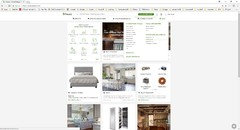
    From there, I can navigate to all the other gardenweb forums by using the menu on the left side of the page. See pic below

    Some have posted that it makes a difference if you are logged in or not. I am always logged in.

  • 8 years ago

    Emily H, the Houzz moderator who helped us with the transition to Houzz, posted in Home Decorating a few weeks ago and the only real advice she had was if you are logged into GW, don't log out. I have never logged out and don't see the Houzz version of the kitchen forum.

  • 8 years ago

    I cannot those access GW links because I use android. PC allows a link to click as shown above. 2 different screens for sure. But really what I want is a filter to offer only a stream of GW posts, because this idea of combining a site wide Houzz posts has no thesis and contaminates the gardening posts with architecture.

  • 8 years ago

    That happened to me on one computer, but not on the others, and not on my phone. It doesn't seem to matter which browser I use. So it's not consistent. If you can find the GW kitchen forum, bookmark it - that has been my only workaround.

  • 8 years ago

    I have the Kitchens forum bookmarked, but that makes no difference for me. The only way I can find the old GW format is to first close Firefox to dump cookies, then log in under another forum with the old format (I use the Kitchen Table, but any forum seems to work.) I just posted on another thread yesterday--if I forget and click my Kitchens bookmark before logging in under another forum, I enter the twilight zone (new format). I have to close Firefox to dump the cookies (my computer is set to dump cookies when I close Firefox, or you can reboot to dump cookies), then log in on a different forum. At that point I can use my Kitchens bookmark, and it takes me to the old set-up.

    I've been told that this method does not work for everyone.

  • 8 years ago

    This may seem like a stupid question but I'm asking it anyway.

    Is this post in Houzz or in GW's Kitchen Forum? I thought I was participating on GW but this post has me wondering.

    The kitchen forum does look different than it was earlier this year but I've been away for many months so I just thought there had been a format change.

    WTH would they have 2 kitchen forums anyway? That's just downright confusing!

  • 8 years ago

    I went to the link czarinalex provided. It has a different look but all the topics/questions are the same. Now I'm even more confused!

  • 8 years ago

    It is in both :-) The two platforms are interconnected to a large degree. AFAIK, all the Home forums will appear under both but only a couple of the Garden forums (Landcscape Design for sure.....uncertain of what others) will link directly to Houzz.

    With my browser (Opera under Windows 10) I can move freely between the two, although I dislike Houzz's formatting so tend to stay only on the GW side of the fence!!

  • 8 years ago

    Thanks, gardengal!

  • 8 years ago

    I can get to the GW section of Houzz, easily. Doesn’t matter if I log out or not. I go to Home forums, then Kitchens.


    Ive never had any issues accessing either section. However, if you use the Houzz app to get here, then you always will get redirected to the Houzz section.

  • PRO
    8 years ago

    Clear the cache on your computer and then start right in GW <ths.gardenweb.com>

  • 8 years ago
    last modified: 8 years ago

    I use the navigation under Advice-->Home...as shown here. I've never needed to clear a cache or delete cookies. Not once.

  • 8 years ago

    Okay so thanks everyone for all your advice!!! I think here's what happened and here's what works:

    - I cleared my mac's history and cache. Must have been the trigger.

    - Here's the solution (for me): I closed all the windows relating to houzz or gardenweb and cleared my history on the mac. Then I typed in ths.gardenweb.com (which is the site that lists all the gardenweb forums) and then I clicked on "sign in" in the top corner and logged in. Then if I click on "kitchens" it takes me to the gw forum. Note that the first time I tried going to ths.gardenweb.com, I didn't log on first, and clicking on "kitchens" took me back the Houzz forum.

    Thanks again for the solutions!

  • PRO
    8 years ago

    Glad it worked!

  • 8 years ago

    Clearing cache doesn't always work. You're lucky if it worked for you.

  • 8 years ago

    But it seems you have to sign into Houzz and Not gardenweb.com

  • 8 years ago

    Macswim, Gardenweb is now PART of Houzz. You should not need to sign in to the site but once. Bookmark it, and then all you need to do is open the bookmarked url. You can access every part of the site, both sections.

  • 8 years ago
    last modified: 8 years ago

    Well, not exactly Chess. I'm really glad that works for you, but it doesn't work for a lot of people. I can sometimes get into GW by signing in from a page with no Houzz equivalent, but not always. Some people have no trouble with keeping on the GW side of things and others can never get to the GW format. It seems to be pretty random as to what works/doesn't work for different people/devices.

    BTW, I have noticed that not all houzz content in a given area appears in the GW format. Posts with polls usually don't, for one example.

    If you stay logged in, just be aware that houzz is as tracky as FB so you forfeit any browser privacy if you go to other sites with houzz cookies in your browser, and even the houzz GW cookie is like that.