
Search results for "Cooking units" in Home Design Ideas


 FMA Interior Design, Inc.
Chicago Lakewood Balmoral 1893 Farmhouse expands into contemporary living.
A stunning collaboration between Mindy Wieland of W3 architectural design & Fred M Alsen of fma Interior Design.
Contemporary Kitchen featuring Greenfield Cabinetry.
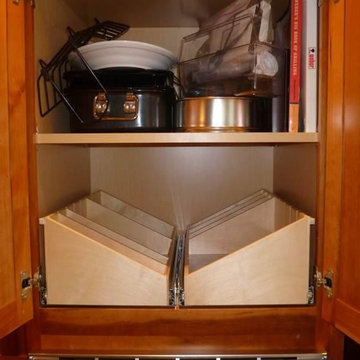
 Elizabeth Beach Hacking, ShelfGenie Designer
Hi! I'm Elizabeth Beach Hacking of ShelfGenie MA (S. Shore, N. Shore, Metro West & Cape Cod). Call me at:646-944-8599 to find out how we can retrofit your different cabinets with space saving Glide-Outs. Receive $100 off your custom order, just by mentioning Houzz.
Find the right local pro for your project

 Villalona Design
Mid-sized arts and crafts l-shaped enclosed kitchen photo in Boston with an undermount sink, recessed-panel cabinets, light wood cabinets, granite countertops, green backsplash, stone slab backsplash, stainless steel appliances, a peninsula and green countertops


 Urban Oasis Outdoor Living
Inspiration for a mid-sized timeless backyard concrete patio kitchen remodel with no cover


 Marshall Construction
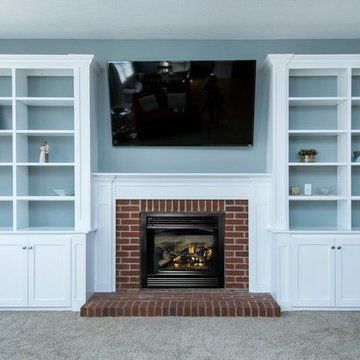
Near total kitchen gut: new all-wood cabinetry, new counters, new backsplashes, new appliances, and new wall paint.
Example of a large trendy u-shaped ceramic tile and beige floor enclosed kitchen design in Dallas with an undermount sink, shaker cabinets, white cabinets, quartzite countertops, gray backsplash, porcelain backsplash, stainless steel appliances, an island and beige countertops
Example of a large trendy u-shaped ceramic tile and beige floor enclosed kitchen design in Dallas with an undermount sink, shaker cabinets, white cabinets, quartzite countertops, gray backsplash, porcelain backsplash, stainless steel appliances, an island and beige countertops

 Bella Tile and Stone
Mid-sized transitional l-shaped medium tone wood floor and brown floor enclosed kitchen photo with an undermount sink, shaker cabinets, white cabinets, quartz countertops, white backsplash, subway tile backsplash, colored appliances, an island and gray countertops

 The Cousins
This remodeled kitchen and adjoining bathroom of this ground floor apartment have been given an airy, contemporary look that opens up the small apartment and provides ample space to work and entertain. With floor-to-ceiling cabinets and island storage, this kitchen maximizes every square inch of space, and does so without sacrificing style. The adjoining bathroom continues the sleek, light look of the kitchen for a seamless modern style throughout the space.

 safe ZOnea
If you’re active on GardenWeb sharing plant photos, asking for advice, tracking seasonal progress you already understand how much detail goes into gardening. Soil pH, rainfall, emerging leaves, bloom counts, fertilizer schedules it adds up fast. But all that rich information often remains buried in posts, lists or memory. What if you could visualize that data and turn it into clear quick insights? That’s where a graph maker becomes a game-changer for your gardening workflow.
1. Why garden data belongs on a graph
On GardenWeb, you’ll find forums for everything from perennial care, vegetable gardening, patios, herbs, even cooking and craft projects. While plant lovers share observations and ask questions, many track progress manually in spreadsheets or memory. A graph maker flips that around:
Instead of a list of numbers (e.g., “Soil test: pH 6.4 in May, 6.1 in October”), you get a line graph showing the decline over time.
Instead of guessing which plant bloomed most, you see a bar chart comparing counts across plants.
Instead of manually calculating average rainfall effect, you plot scatter points of bloom count vs. rainfall.
By turning your data into visuals, you’re not just recording—you’re analysing, learning and improving. For GardenWeb users this means smarter decisions: Which fertilizer actually improves bloom count? Which shady spot recovers slower? A graph maker gives clarity.
2. What is a graph maker and how to use one
A graph maker is a web tool or software that lets you input raw data (numbers, dates, categories) and output visual charts like line graphs, bar charts, scatter plots, etc. It might allow you to import a spreadsheet, select chart type, customize colours, label axes, and export the image for your blog, forum post or personal log.
Here’s how you could apply it for gardening:
Log blooms per week for each rose plant.
Using the graph maker, choose line graph to track changes over weeks.
Label your y-axis “Number of Blooms”, x-axis “Week of Year”.
Add colour lines for each plant for easy comparison.
Export as PNG and embed it in a GardenWeb forum post: “See bloom trend for my ‘Peace’ vs ‘Knock Out’ roses”.
This isn’t just pretty-to-look-at: it makes the trend obvious, invites discussion (“Hey, your ‘Knock Out’ line dips after week 28—what changed?”) and helps you refine your routine.
3. Use these specific scenarios on GardenWeb
A. Soil pH and plant health tracking
After multiple tests you have pH values over time and bloom results. Upload both datasets into the graph maker, produce a dual-axis line graph: soil pH on one axis, bloom count on the other. Post your findings in the “Soil, Fertility & Nutrients” forum and get feedback.
B. Seasonal pest or disease appearance
Record number of aphids spotted each month and whether you used treatment. A bar chart via the graph maker can show pre- and post-treatment figures. Then ask the “Insect & Disease Control” forum for advice based on your visual data.
C. Yield comparison between varieties
You grow two zucchini varieties. You keep weekly yield in pounds. Use the graph maker for a side-by-side bar chart. Share in the “Vegetable Gardening” forum: “Which was better this year? See the chart”.
D. Rainfall vs growth rate
You log weekly rainfall and growth (in cm) of your tomato plants. Use scatter plot in graph maker. If a pattern emerges, you’re ready to post: “Is my growth plateau due to drought? Chart shows a clear correlation.”
4. Why this elevates your GardenWeb contributions
When you post with a chart made by a graph maker, you’re doing more than asking or showing off. You’re investigating. You’re analysing. You invite the community to give feedback on data, not just anecdotes. That elevates the discussion. Instead of “My plant died, any ideas?” you post “See this graph of pH drop and bloom count—what might be the limiting factor?” High-quality visuals raise your post’s value and garner more thoughtful responses.
Plus, your posts become useful references for others: someone else can say, “Cool graphic, can you share your data sheet?” You build credibility and help the forum become a learning hub—not just a Q&A board.
5. Tips for using a graph maker effectively in the GardenWeb context
Keep it simple: One chart, one insight. Don’t overcrowd.
Label clearly: Titles, axis labels, units (e.g., cm/week, mg/L, °F).
Use readable colours: Avoid faint tones that vanish on mobile.
Annotate when needed: Add notes like “Fertiliser switched week 12” or “Shade cloth added”.
Provide context in your post: Don’t leave the chart alone—write a few sentences explaining what it shows and what you’re seeking.
Embed carefully: Make sure your image displays properly in GardenWeb; check mobile view.
Share raw data: If possible link to your spreadsheet so others can replicate or comment.
Be open to feedback: The chart invites questions; embrace them.
6. Possible pitfalls and how to avoid them
Bad data = bad chart: If your measurements aren’t consistent, your graph will mislead. Use standardized data collection.
Too much complexity: Multi-axis charts, too many variables—confusing. Stick to one or two variables.
Overlooking mobile viewers: Many GardenWeb users browse via phones. Use large fonts and simple visuals.
Ignoring the narrative: Chart alone won’t answer. Explain what it means and what you need.
Outdated charts: If you update your data annually, keep your visuals current or label them clearly as “2024 data”.
7. Final thoughts
On GardenWeb you’ll find a vibrant community of gardeners, DIYers, cooks and design lovers.Using a graph maker for your posts and progress turns your experience from casual hobby-logging into smart data-driven gardening. You’ll not only learn more—your peers will learn more, too.
So next time you log your plant growth, record your yield, test your soil or track pests—don’t just note it. Plot it. Use a graph maker. Share it in the forum. Let your garden tell the story, and let the community help you write the next chapter.

 Double J Construction Inc dba Double J Renovations
Paul Sivley Photography
Drop-in bathtub - traditional multicolored tile and ceramic tile drop-in bathtub idea in Boise with a drop-in sink, raised-panel cabinets, light wood cabinets, tile countertops and a one-piece toilet
Drop-in bathtub - traditional multicolored tile and ceramic tile drop-in bathtub idea in Boise with a drop-in sink, raised-panel cabinets, light wood cabinets, tile countertops and a one-piece toilet

 Sunset Gems Studio
Arts and crafts kitchen photo in Cincinnati with dark wood cabinets and raised-panel cabinets
Sponsored
Columbus, OH
Free consultation for landscape design!

Peabody Landscape Group
Franklin County's Reliable Landscape Design & Contracting

 Denise Quade Design
A rollout was placed under an adjustable shelf that holds taller countertop appliances that aren't used frequently. The rollout provides easy to access storage for the attachments for the appliances that are stored above.


 Colorado HomeCraft
Ric Forest
Open concept kitchen - small transitional l-shaped light wood floor and beige floor open concept kitchen idea in Denver with shaker cabinets, white cabinets, gray backsplash, subway tile backsplash, stainless steel appliances, an island, an undermount sink and wood countertops
Open concept kitchen - small transitional l-shaped light wood floor and beige floor open concept kitchen idea in Denver with shaker cabinets, white cabinets, gray backsplash, subway tile backsplash, stainless steel appliances, an island, an undermount sink and wood countertops

 John Herder Building
A true western home, with all the soft touches the owner desired.
Mid-sized mountain style u-shaped concrete floor eat-in kitchen photo in Phoenix with a farmhouse sink, raised-panel cabinets, medium tone wood cabinets, granite countertops, black backsplash, stone tile backsplash, paneled appliances and an island
Mid-sized mountain style u-shaped concrete floor eat-in kitchen photo in Phoenix with a farmhouse sink, raised-panel cabinets, medium tone wood cabinets, granite countertops, black backsplash, stone tile backsplash, paneled appliances and an island
Sponsored
Plain City, OH

The Creative Kitchen Company
Columbus Area Kitchen Remodeling and Refacing Professional

 Berry Outdoor Living, Inc.
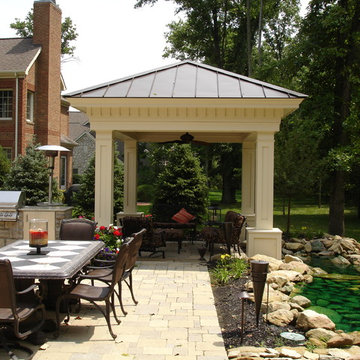
An Outdoor Kitchen truly becomes a social gathering area. Our most common outdoor kitchens are simply a cooking space with a built in grill and some expanded counter space. However, some kansas city outdoor kitchens also include a bar, whether raised, or counter height, a refrigerator, a set of drawers and even an outdoor kitchen with a kegerator and flat-screen tv. As a Landscape Contractor that merges old and new construction into the landscape design, it's difficult to describe, but people just want to spend time in the new area, whether at the bar of the outdoor kitchen, fire pit, patio, or covered porch. When a space becomes a large part of the homeowners' daily life, that's when I know a project has been completed with excellence.
For a space to be relaxing, it must feel easy. A quality landscape design must allow the space to feel like it flows from the adjoining room inside the home out. When accomplished correctly, the patio and outdoor living space feels like an extension of the home, or another "room" of the home and feels wrapped with fresh, low-maintenance landscaping.
Whether traditional or modern, simple, or decked-out, an outdoor kitchen becomes a wonderful hub for entertaining and outdoor living!

 Northshore Renovations
Inspiration for a transitional master gray tile and marble tile pebble tile floor and brown floor freestanding bathtub remodel in New Orleans with gray walls

 J. Dougherty & Son / JDS Supply
Mid-sized elegant 3/4 ceramic tile alcove shower photo in Philadelphia with white walls
155