Software
Houzz Logo Print
renovationdiaries

15 years ago
last modified: 15 years ago
How do I embed images on a wordpress blog?

Comments (35)

  • 15 years ago
    last modified: 15 years ago
    If you right click on any photo on the site, there are two options for embedded codes depending on how large you would like the photo to be on your site. Just copy and paste the code on your blog and you should be all set.
  • 15 years ago
    Hi- this doesnt seem to be working. Any other tips?
  • 15 years ago
    If you could send us an email (support at houzz dot com) then we can further help you with this problem. thanks
  • 14 years ago
    Did this get solved? I am having the same issue.
    I copy and paste the image code into my wordpress post and when I publish all that shows is the cose--no picture....
  • 14 years ago
    Thank you for your question, isimplifystuff. We will look into this and find a solution to this issue with Wordpress.
  • PRO
    14 years ago
    In case of Wordpress there are two options in the post area; click on the Html option and you need to paste code in that area. The most simplest option is to click on the image insert option and post it via image url.
  • PRO
    13 years ago
    It is misleading to give directions to embed with Wordpress as there doesn't seem to be a way to do it with or without shortcodes. The last response I found was July '11 and Wordpress doesn't support Houzz embeds.
  • 13 years ago
    Wordpress.com recently added support for Houzz shortcodes. Click the embed button on any Houzz photo and you will find the shortcode as the third option in the embed box.
  • PRO
    13 years ago
    I did that and found the shortcode but it doesn't work when you add it to a Wordpress post or page. The Houzz instructions call for using the text widget but that works only for the sidebar not a post. It should work without a shortcode just as a link (it's easy to embed Hulu.com links on Wordpress, for example)
    From what I understand all the shortcode does is allow you to alter the size of the image that displays.
  • PRO
    13 years ago
    When you copy the code that Houzz gives you to embed an article and paste it into the Wordpress page or post it just shows up as a link - no image. Your example is correct but that link is all you see once you save and publish the page.

    Usually you can copy a photo and then attach a link to it, but it's not possible to copy photos off Houzz and doing that does not create the same look as an embedded article.

    If you go to the Wordpress.org or .com help pages they give instructions for embedding various video and photo links but nothing that works for article/photo like Houzz. For example, again, if you embed a Hulu.com video, the actual image of the video "player" gets embedded into your post or page.
  • 13 years ago
    This is how my test post looks like from earlier (see attached) and here's the link to the test blog: http://jianhouzz1.wordpress.com/2012/07/19/17/

    You should be able to see the picture embedded and a link that goes to the photo.

    Can you post the specific Houzz photo that you're trying to embed? Apologies in advance if this isn't helping but I'd really like to see this work for you.
  • PRO
    13 years ago
    This is the link that I used. I clicked on the embed link on this page ( https://www.houzz.com/magazine/the-right-hardware-jewelry-for-your-home-stsetivw-vs~489790?vm=thumbs)
    and got this code to paste.
    [houzz= https://www.houzz.com/magazine/the-right-hardware-jewelry-for-your-home-stsetivw-vs~489790 w=300]
    That's the link I pasted into my Wordpress post. It created a link only with no image.

    Here's my Wordpress site page with the link which I linked to an image I created as a workaround.
    http://www.secretsofastager.com/update-your-hardware-for-a-quick-inexpensive-fix/
  • PRO
    13 years ago
    Interesting, that link is creating the image here but I don't get it on my Wordpress blog.
  • 13 years ago
    Ah I see the issue...

    The Houzz Shortcodes only work on wordpress.com (as in myblog.wordpress.com) hosted sites. (the domain isn't important but after visiting your blog, I saw that you are running WP self installed and self hosted)

    Since your site is self hosted, you can use the HTML embed code and paste it via the HTML view (tab right above the textarea) Post Editor.

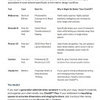
    See attached screenshots. Hope this helps!
  • PRO
    13 years ago
    Ok I just tried that and it works. I probably should have tried pasting the HTML but it didn't occur to me.

    If you could add that workaround for Wordpress.org sites to the help or FAQ's I'm sure it would be appreciated. Thank you!
  • PRO
    13 years ago
    Please do a workaround for Wordpress.org. I'm currently struggling with this issue. I'm using a fabulous theme called AndrinaLite that allows you to add features on the home/front page. I've just spent almost 2 hours trying just about everything listed above and some other workarounds. So far nothing. So I'll try pasting in the html code via the Editor. I hate messing with the editor b/c I'm afraid of mucking up something.
  • PRO
    13 years ago
    I am trying to do this on my own self hosted wordpress blog, but even with using the full code and the HTML editor, when I save a preview all I get is the code- no images. (see attached screen shots)
    Any ideas?
    thanks-
  • PRO
    13 years ago
    last modified: 13 years ago
    I had this happen and when I switched to the HTML editor tab on Wordpress and pasted in the code, it worked (as opposed to using the Visual tab) I remember I just kept playing around with it and refreshing until it showed up. I got it to work one time and next time I tried it, it didn't work, so I checked the first line of code to make sure they were the same and had copied over correctly.

    I can't post a link here but if you go to my self hosted Wordpress site secretsofastager dot com and click on the blog page, you should see entries where I've embedded Houzz articles. If you can view the source code you may see a difference in code?
  • PRO
    13 years ago
    I will double check the code copied correctly - thanks for the hint. This is so frustrating!
  • PRO
    13 years ago
    Yeah, I wouldn't call em shortcodes if you cannot use them on wordpress.com. I know I am not the only one that spent an hour trying to embed a shortcode on my site.
  • 13 years ago
    Hi Vahallan Papers,

    Are you running a Wordpress.com site or a self-hosted installation (find out here: http://en.support.wordpress.com/com-vs-org/)?

    The shortcodes work on Wordpress.com sites because the developers at Wordpress.com kindly implemented special code to recognize Houzz links on their own servers. If your site is running on your own server, it unfortunately won't have that extra code to do the detection.

    If your site is running on Wordpress.com, I'd love to get some more detail on the image or ideabook you're trying to embed thru the shortcode so that we can see if there's an issue with that specific image/ideabook.
  • 12 years ago
    last modified: 12 years ago
    Now i embed a photo in my blog but image size is smaller on houzz.
    Please help me.
    Thank alot !
  • PRO
    12 years ago
    I have no problem embedding Houzz articles on my Wordpress self hosted site or my blogger blog using the Embed link and copying and pasting the code given in the top box (not the bottom one for Wordpress.com) of the Houzz embed window.
    You can choose the size of the embedded image at this point also. Hope this helps.
  • 12 years ago
    When I add a photo to my wordpress posts, it does not pick it up when posting to facebook. Instead it picks up my logo. I want to EMBED the image so that when I post to facebook it sees the image I want to go with that article. Is that possible?
  • 12 years ago
    When I embed an image from Houzz, it messes up my spacing on my blog post. Anyone else have this issue? I cannot add white space between photos unless I add text.
  • PRO
    12 years ago
    My site is a self- hosted wordpress site. After adding the code for the Houzz badge, the badge is added, but the code is visible. I am not sure how to fix it. I placed the code by adding a "text" widget. My site is swankysuburbia.com. I also could not figure out why I was not allowed to use the name Swanky Suburbia as my profile name. The name doesn't seem to be used. I even tried several variations.
  • 12 years ago
    why does houzz make it so difficult to share their photos - can't post it on Worpress, can't copy and save, can't pin - this is why I don't use Houzz for clients...so frustrating
  • 11 years ago
    last modified: 11 years ago
    My question is very DUH, but HOW does one include Houzz photos in a Houzz post, from idea book for example ? Right click or the "+" button don't show this option.
    Or does the short code embed work for this as well ?

    My only solution when i needed it was to select in a screenshot then upload to the post but there is obviously a more direct way and i'm just not getting it (grrrrr)

    It must be blindingly obvious as i see many do it, but i can't for the life of me find any FAQ on this, only infos that are already obvious to me.
  • PRO
    11 years ago
    Hi Magada - To include photos in a discussion post, just copy and paste the url into your post and it will appear automatically. (Totally not a DUH question!) :)
  • 11 years ago
    O-M-G ! i tried just about everything except that, was searching all over for an IMG code and it was as simple as THAT.
    Thanks Emily, and you're very kind but i still feel DUH about it lol.
    Maybe this could go in the FAQ ?
  • 11 years ago
    last modified: 11 years ago
    @Stephanie Blackford - Houzz created ideabooks so that pros and their clients can easily save photos, make notes on them and collaborate - your clients can also add photos or make notes within your shared ideabooks - more powerful than any other tool out there. We also provide easy embed codes to use for blogs/Wordpress. Is there a reason you haven't created a professional profile for your business? We provide pros on Houzz with lots of how-to tips, just mouse over "your Houzz" at the top right of the page, choose "edit profile", then click "create professional profile" at the top of the content area. Let us know if you need more help, but we do provide the most photo sharing and collaboration options all built into the platform.
  • PRO
    10 years ago

    Any ideas on how to align multiple slideshow embeds into the same line? As you can see on http://www.DrakeHomesIowa.com/portfolio/, I've tried multiple ideas and can't seem to get the slideshows to line up with three in each row. Thanks!

  • 6 years ago
    last modified: 6 years ago

    Can I use houzz embed photos for my blog? Beneath the photo ..it came as see more photos ..how to aviod this line.And ,how can I give photo credit and link as per my idea in writing caption. Thanks!

  • PRO
    2 years ago

    We used to do this all the time, and it seems like the capacity has been removed?