Software
Houzz Logo Print
peonybush

Microwave drawer--What's the problem?

14 years ago

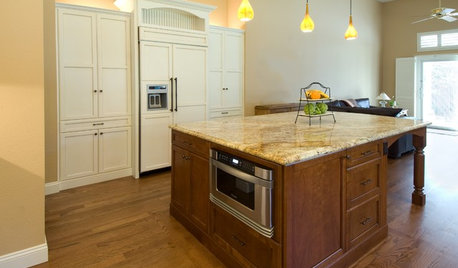
The Sharp microwave drawer was installed in the island today. I can manually open and close it but it's supposed to have a soft touch open and close. Is this something I have to program or is it supposed to work out of the box. What's up with this?

Anybody else have this issue?

I was not home when it was installed so I'm guessing the GC & electrician were not aware of this feature. I fired off an email to Sharp support but they told me to call M-Fri during business hrs.

Comments (14)

  • 14 years ago

    What happens when you push the "open" and "close" buttons? If you lightly bump the door, does it not go on it own to until it is shut?

  • 14 years ago

    Mine shuts by either of two methods.

    1. Push the "close" button and stand back.

    2. Give the open drawer a soft bump with my hand or hip and it closes on it's own.

    I take it yours isn't behaving like this? Which model do you have?

  • 14 years ago

    nini--There isn't an open or close button that I can see. No luck on a bump to the door..it just stays there.

    breezy--it's the 30" KB-6002L. From what I'm reading in the manual there must be a motor inside that operates this feature. I did disable the Demo mode and control lock thinking that might be the problem, but no luck.
    Hope I didn't get a dud!

  • 14 years ago

    Wow! Yours doesn't have auto open/close. I didn't realize that they all aren't auto. I didn't see anything about soft touch in the manual, but I did find this from the KB-6002L operation manual...

    "Open and close the Microwave Drawer by gently pulling and pushing with even pressure near the middle of the drawer handle."

    Does yours work when you do this?

  • 14 years ago

    I have an older model (KB-6025M) with no "Open" or "Close" button either. I simply give it a gentle tug and it opens by itself. Give it gentle nudge, and it closes by itself. Both motions are smooth. Close is soft-close to prevent sloshing. Open is a "soft-open".

    There is an option that I have occasionally set that reprograms two of the buttons to be "Open" and "Close" buttons so I can use auto open/close.

    On mine, you press the "Setup" button three times (I think it's 3) until the screen says OPEN/ CLOSE... Then press the "Start" button. You can then use the "Control" button + "Keep Warm" button to auto-open and the "Control" button + "Defrost" button to auto-close. The smooth opening & closing is the same as with the manual open/close

    However, if you lose power, even briefly (seconds), the buttons all reset to the factory settings. We lose power for a couple of seconds quite frequently and I got tired of resetting the buttons. It's just as easy to use the manual process (gentle tug/gentle nudge).

  • 14 years ago

    I just checked the documentation for your model - it's the same documentation as mine (for models KB-6025M, KB-6024M, KB-6002L).

    Your MW drawer should work the same as mine...including the reprogramming of the buttons.

  • 14 years ago

    This is good to know I would definitely want the open/close button if I end up with one. I was all set to pull the trigger and order from e-bay a refurbished Sharp Drawer Microwave but here is my question to you that have them. Is it true you need 26 inches depth to install these? I only have 17-18 inches of depth. I was sort of shocked to see how deep they are. I was going to put it in my island at one end but there are drawers behind it and I would lose all of that space. So, how much depth of cabinet do you need for installation of a microwave drawer? I could either do the 24" or the 30" as far as width goes but it's that depth!! Why on earth would it be so deep? I haven't been able to find any other model with the specs I could use (drawer type). Our micro actually caught on fire after 14 years of use. It struck an arc into the housing. The plate that covered it (I think it's a mica plate that causes mircrowave) wore through and it caught the things behind it on fire. Smelly, interesting experience!

  • 14 years ago

    gr8day: As mine is resting comfortably on the living room floor, it was easy for me to check! It is 22" from the rear edge of the trim to the back of the unit. THe power cord has a little cavity from which it emerges, so you could physically install it in a cab that is exactly 22" deep. (I don't know if venting clearances are required.)

  • 14 years ago

    Here's what I actually found out last night reading the fine print online...the 30" is actually a manual drawer. I'm not happy about that but it's already installed and guess I will have to live with it.
    The 24" drawer has the automatic "soft open/close". If I had paid better attention to the specs, I would have reconfigured placement of this. I needed the larger one because it was going in the island where there are larger drawers.
    So---if this is an important feature for you, go with the 24".
    You can find pdf specs online for both drawers showing exact measurements for different types of overlays too

  • 14 years ago

    Check...the last time I looked, you sacrifice the Melt and Soften buttons to get the Open and Close buttons. The melt/soft buttons were more important to me than buttons that are not really necessary.

  • 14 years ago

    Very interesting, Peonybush. (I love Peonies btw.). I would have assumed that all Sharp drawers had the auto feature now. Sorry yours wasn't what you were exepecting, but it sounds like you'll be helping others know what to get in the future.

    BTW, I thought I'd be creeped out by the auto feature. Turns out I really like it most of the time. It stills moves too slow for me on occasion, but that's my own impatience talking.

    Good luck with the rest of your kitchen!

  • 14 years ago

    breezy--I assumed all had the auto feature as well after we saw a couple of them installed at appliance stores. Should have read the specs better before ordering...sad part is I had to wait almost a month for it to come (backorder). I usually research everything ad nauseaum but missed the boat on this one...Oh well, my bad. DH says he doesn't mind. I moving on to something else to worry about. Backsplash is next on the agenda!
    (only about 3 more months till peony time)!

  • 14 years ago

    Thanks Angie DIY for the info on the depth. That sadly eliminates this model for us. I was all set to go for it. Rats! This was a very informative thread. On e-bay there are all sorts of model numbers for what appears to be the same thing and you could easily think you were getting one thing and end up with another. That was the reason I didn't order it. Thanks again GW'ers. Great info. I actually became aware of the great depth of it when I watched an episode of the new show The Vanilla Ice Project (love that show) on HGTV. They had to completely reconfigure a cabinet because of the drawer micro being so deep. It wasn't a Sharp though but made me go back and double check my measurements. Don't know how I missed that, I too research ad nauseum but I still seem to make just as many mistakes...so much to know and watch out for. We are homing in on the finish line so I won't be pestering everyone for much longer but want to thank everyone so much for all the help. It has saved me from some regrettable errors just wish I had found GW sooner to avoid the ones I already made.