Software
Houzz Logo Print
webuser_851869560

Ethernet Wiring

6 years ago

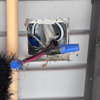
I have a new home with ethernet ports run throughout the house but the wire terminates in the basement. the ends in the basement did not come with ethernet tips installed. They were just straight wire. I am trying to figure out how to wire them. I have a wire crimping tool. But the main question is should I be following the same wiring diagram as what’s in the wall. Attached is a reference or what I see in my wall outlets.


Comments (4)

  • 6 years ago

    You match the configuration at the other end (and likely what was used throughout the house). It doesn't matter if you use A or B, just that they match.

    A little reading and pin-out here.

  • 6 years ago

    That connector isn't possibly wired right, in my opinion. You want to keep the pairs twisted to no more than a half-inch from their termination.


    So you've got a pile of cables just dangling? You've got two options. You can either terminate them in a patch panel and then use patch cords to interconnect them to whatever you need to. The other is to put plugs on the end and then connect them to the devices directly. Which makes more sense depends really on what you are planning as equipment in the basement. (Well there's a third option that you can make junctions on a 110 block but I'd not really recommend that in most circumstances).


    The crimper will install the plugs, but if you want to terminate in other jacks or a patch panel, you'll need a punch down tool with a 110 blade.


    There are plenty of videos and other documentation on the web for this. The two big things to watch is maintaining wiring twist and making sure you get the pairs (colors of the wires) in the right place.

  • 6 years ago
    last modified: 6 years ago

    It's up to you. My preference is to terminate everything in an RJ45 jackbay in a central location (service closet or cellar). That way you can connect anything to anything.

    When I set up my house with Cat5E 15+ years ago, I terminated some runs in a jackbay. At the time I was put off by the cost, but I got a great deal on a bunch of RJ45 wall jacks, so I mounted them on a board and called that my jackbay.

    Others, which I didn't expect to change or use for other purposes very often, I left hanging in the cellar with plugs on them.

    In the end, I found that I seldom needed to use the jackbay for anything but connecting runs to a switch. However, it did make for a neater installation, and it was nice to have when I put a computer in one room with a KVM extender to a different room.

    I'll still use a jackbay when I have to do it again.

    As for wiring your cables, see where it says A and B on the punchdown block in your photo? That refers to 568A and 568B, the two standard wiring methods for Ethernet connections. It looks like yours is wired 568A, so that's what you should probably use throughout your house - although it really doesn't matter when you make up a cable, as long as you do both ends of the cable the same way.

    FWIW, doing one end of a cable 568A and the other 568B magically gives you a crossover cable. You need a crossover cable to connect DTE to DTE or DCE to DCE, such as when you connect 2 computers or 2 switches directly with a cable. Hope that makes sense.

    Just decide which you're going to use, A or B. Then look at the chart on the page below, to make sure you have the wires in the right order when you shove 'em into the backs of the plugs, then crimp.

    Here's an outstanding how-to pdf explaining 568A and 568B Ethernet wiring.

    I almost forgot: get yourself an RJ45 tester. Always test your cables and runs before even trying them. It'll save you countless hours and much hair that you'd otherwise rip out when you don't quite get a good crimp on a plug, or just miss cutting the insulation when you punch down.

    The one I have is a no-name cheapie. It works OK, but the switch turned out to be somewhat fragile, and I'm not rough on my tools. I see similar ones for around $10 on the big e-commerce website, but I suggest spending more for a better quality name-brand tester.

  • 6 years ago
    last modified: 6 years ago

    Home Depot (and maybe Lowes) have a jack strip you mount on the wall that can be used to terminate six ethernet cables in a row of jacks. I used this one from Leviton, which has a punchdown connection similar to what you have on the back of your wall jacks. https://www.leviton.com/en/products/47605-c5b I used 568A standard because this seems to be the most common for residential use, but 568B would have also worked.

    My jack strip is in my basement near the point where all the Ethernet cables terminated, and where my cable modem is located. I also plugged in an inexpensive 8 port Gigabit Ethernet switch and used Ethernet patch cords to connect the all jacks to my switch. I then ran a patch cord from the switch over to my cable modem. Now all my ethernet jacks are live and connected to the internet through the cable modem.

    Bruce

Sponsored
Whisler Home Improvement
Average rating: 5 out of 5 stars9 Reviews
Franklin County's Committed Home Improvement Professionals