Software
Houzz Logo Print
amandav1985

Cables/cable box/HDMI

12 years ago
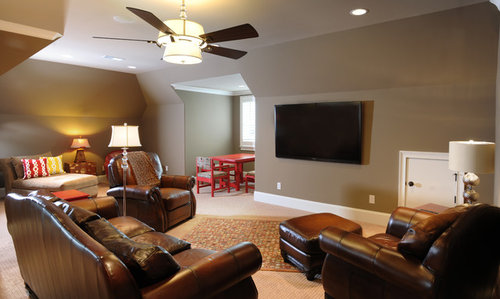
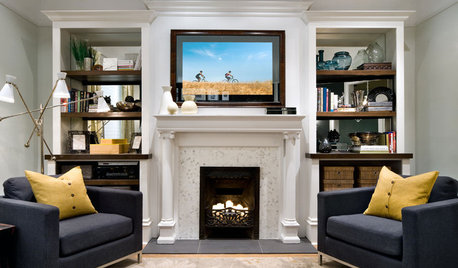
Hi, is this another instance where you have hidden the cable box and necessary TV equipment behind the actual TV? I love the clean look and have no idea how this all works. By the way, the entire home is gorgeous!
Bonus Room #1 · More Info

Comments (3)

  • PRO
    12 years ago
    amandav1985, one solution to hiding the cable box and TV equipment is TVCoverUps. Framed art(including your own) or mirror adds to the room's decor with the hidden TV and Entertainment Consoles beneath.
    See how EASY it really is:
  • 12 years ago
    last modified: 12 years ago
    Amanda, yes, the cable box and wires are all tucked in behind the TV, between the TV and the wall, resting on wall mount. This picture is actually a very good example of how this can be done with any wall-mounted TV. I say that because this TV is an ultra-slim 70" LED on a stationary (non-tilting) wall mount. What that means is that the TV hugs the wall very tight. So, if it can be done with this TV, it can be done with any wall-mounted TV.

    It is really simple. The only thing you need is a power and cable outlet somewhere in the wall behind where you are going to mount the TV. I knew where I was going to put this TV when we built the house, so I had them put it there for me. However, If you don't already have this, pay an electrician or A/V specialist to come and put one where you need it.

    You will plug the TV and your cable box into this power outlet behind the TV, so those wires are now hidden. The cable box will also plug into the coaxial cable jack that you have in the wall next to the power outlet (both behind the TV). So, now, the coaxial cable is hidden too. The only thing you have left to do is slide the cable box behind the TV, between the TV and the wall.

    You will drop it in behind the TV from the top center of the TV. I usually put mine in with the back of the box facing up (toward the ceiling) and the front of the box down (toward the floor). I do that because it is easier to access the wires that way without having to pull the box all the way out and also because it makes it easier to drop the box down by holding onto the secured wires. The box will eventually come to rest on the wall mount behind the TV. Tuck dangling wires behind the TV and you are good to go.

    The last thing you will need is an infrared (IR) repeater. Some cable operators will provide these to you for free. But if not, I have bought several from "IRBlaster.info". I have bought several of the USB Powered IR Repeater Kits. Here is a direct link:

    http://www.irblaster.info/ir_repeater.html

    They are $18 each plus shipping and work great. They will work with just about any cable box that has a USB port on it. You stick the IR emitter on the front of your cable box where it accepts the signal from your remote control (experiment with this to find it), and you stick the IR receiver (eye) on the front of your TV. Again, tuck the excess cable behind the TV and you are done.

    One last pointer about finding the spot on the front of your cable box where it accepts your remote control signal. Most cable boxes have a black glass-like front on them. If you take a flashlight and shine it across the front of the cable box, you will see one or several darker colored spots that appear. Those are the spots where the box receives the remote signal. Set all the rest up and then experiment with placing the IR emitter over those spots until you find the sweet spot.

    If you have further questions about this, email me at "bpbenda@gmail.com". I can email you some photos that might better depict this setup. I hope this information is helpful. Thanks and best wishes, Brian.
  • 9 years ago

    As a follow-up to this explanation, if your cable box is RF-ready (meaning not IR and also meaning that you don't have to point the controller directly at the box for it to receive the signal), then you can obviously ignore the part about IR above. Given the choice, always use RF if your box is compatible with such.