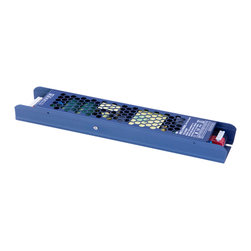


Troubleshooting Your LED Power Supply
If you are having problems with your LED power supply, there are a few things you can do to troubleshoot the issue. First, check to make sure that the power supply is properly plugged into the wall and the LED light strip. Next, check the power supply for any signs of damage. If the power supply is damaged, you will need to replace it. Finally, try resetting the power supply by unplugging it from the wall and plugging it back in. If you are still having problems, contact the manufacturer for assistance.
Common problems with LED power supplies
One of the most common problems with LED power supply is that they can fail to provide enough power to the LEDs. This can be caused by a variety of factors, including incorrect wiring, faulty components, or a bad power supply. If you are having problems with your LED power supply, here are some common troubleshooting tips.
1. Check the Wiring
The first thing you should do if your LED power supply is not providing enough power is to check the wiring. Make sure that all of the connections are tight and that there are no loose wires. Also, check to see if the power supply is properly grounded.
2. Check the Components
If the wiring is not the problem, then the next step is to check the components. Make sure that all of the components are in good working order. If you find a defective component, replace it with a new one.
3. Check the Power Supply
If the wiring and components are all in good working order, then the problem is likely with the power supply. The first thing you should do is check the voltage output of the power supply. If the voltage is too low, then the power supply will not be able to provide enough power to the LEDs.
If the voltage output is fine, then the next thing to check is the current output of the power supply. The current output should be high enough to provide enough power to the LEDs. If the current output is too low, then the power supply will not be able to provide enough power to the LEDs.
4. Replace the Power Supply
If you have checked the wiring, components, and power supply, and you still can't find the problem, then the best course of action is to replace the power supply.
5. Contact an Electrician
If you are still having problems after following all of these troubleshooting tips, then you should contact an electrician. An electrician will be able to diagnose the problem and make the necessary repairs.
5 Tips for Choosing an LED Power Supply
When it comes to choosing an LED power supply, there are a few things you need to keep in mind. Here are 5 tips to help you choose the right one:
1. Make sure the power supply is compatible with your LEDs.
2. Choose a power supply with the correct wattage for your needs.
3. Consider the features offered by different power supplies.
4. Compare the price of different power supplies.
5. Read reviews of power supplies before making your final decision.
Tips for avoiding LED power supply problems
LEDs are becoming more and more popular as a means of lighting up a space. They are more energy efficient than traditional light bulbs and can last a lot longer. However, they do require a power supply, and if you're not careful, you can run into some problems. Here are some tips for avoiding LED power supply problems:
1. Make sure you're using the right power supply. LEDs require a constant current power supply, not a constant voltage power supply. If you're using the wrong kind of power supply, the LEDs will flicker or not work at all.
2. Make sure the power supply is rated for the correct voltage and current. LEDs require a certain amount of voltage and current in order to work properly. If the power supply is not rated for the correct voltage and current, the LEDs will not work properly.
3. Make sure the power supply is properly connected. LEDs require a positive and a negative connection in order to work. If the power supply is not properly connected, the LEDs will not work.
4. Make sure the power supply is turned on. This may seem like a no-brainer, but if the power supply is not turned on, the LEDs will not work.
5. Make sure the power supply is not overloaded. If the power supply is overloaded, it can cause the LEDs to flicker or not work at all.
following these tips, you can avoid LED power supply problems and ensure that your LEDs work properly.
Conclusion
As we’ve seen, there are a few things that can go wrong with your LED power supply. By troubleshooting your power supply, you can narrow down the problem and find a solution.
If your power supply is not working, the first thing you should check is the fuse. If the fuse is blown, replace it and try again. If the fuse is not the problem, check the power supply itself for any loose connections.
If your power supply is working but your LEDs are not, the problem is likely with the LEDs themselves. Check the connections to make sure they are secure. If they are, the problem may be with the LED drivers.
LED drivers are responsible for converting the DC power from the power supply into the AC power that the LEDs need. If the drivers are not working properly, the LEDs will not work.
If you’ve checked the fuse, the power supply, and the LEDs and you still can’t find the problem, the issue may be with the controller. The controller is responsible for sending the signal to the power supply to turn on and off.
If you’re still having trouble, the best thing to do is consult with an expert. An expert can help you troubleshoot the problem and find a solution.
Common problems with LED power supplies
One of the most common problems with LED power supply is that they can fail to provide enough power to the LEDs. This can be caused by a variety of factors, including incorrect wiring, faulty components, or a bad power supply. If you are having problems with your LED power supply, here are some common troubleshooting tips.
1. Check the Wiring
The first thing you should do if your LED power supply is not providing enough power is to check the wiring. Make sure that all of the connections are tight and that there are no loose wires. Also, check to see if the power supply is properly grounded.
2. Check the Components
If the wiring is not the problem, then the next step is to check the components. Make sure that all of the components are in good working order. If you find a defective component, replace it with a new one.
3. Check the Power Supply
If the wiring and components are all in good working order, then the problem is likely with the power supply. The first thing you should do is check the voltage output of the power supply. If the voltage is too low, then the power supply will not be able to provide enough power to the LEDs.
If the voltage output is fine, then the next thing to check is the current output of the power supply. The current output should be high enough to provide enough power to the LEDs. If the current output is too low, then the power supply will not be able to provide enough power to the LEDs.
4. Replace the Power Supply
If you have checked the wiring, components, and power supply, and you still can't find the problem, then the best course of action is to replace the power supply.
5. Contact an Electrician
If you are still having problems after following all of these troubleshooting tips, then you should contact an electrician. An electrician will be able to diagnose the problem and make the necessary repairs.
5 Tips for Choosing an LED Power Supply
When it comes to choosing an LED power supply, there are a few things you need to keep in mind. Here are 5 tips to help you choose the right one:
1. Make sure the power supply is compatible with your LEDs.
2. Choose a power supply with the correct wattage for your needs.
3. Consider the features offered by different power supplies.
4. Compare the price of different power supplies.
5. Read reviews of power supplies before making your final decision.
Tips for avoiding LED power supply problems
LEDs are becoming more and more popular as a means of lighting up a space. They are more energy efficient than traditional light bulbs and can last a lot longer. However, they do require a power supply, and if you're not careful, you can run into some problems. Here are some tips for avoiding LED power supply problems:
1. Make sure you're using the right power supply. LEDs require a constant current power supply, not a constant voltage power supply. If you're using the wrong kind of power supply, the LEDs will flicker or not work at all.
2. Make sure the power supply is rated for the correct voltage and current. LEDs require a certain amount of voltage and current in order to work properly. If the power supply is not rated for the correct voltage and current, the LEDs will not work properly.
3. Make sure the power supply is properly connected. LEDs require a positive and a negative connection in order to work. If the power supply is not properly connected, the LEDs will not work.
4. Make sure the power supply is turned on. This may seem like a no-brainer, but if the power supply is not turned on, the LEDs will not work.
5. Make sure the power supply is not overloaded. If the power supply is overloaded, it can cause the LEDs to flicker or not work at all.
following these tips, you can avoid LED power supply problems and ensure that your LEDs work properly.
Conclusion
As we’ve seen, there are a few things that can go wrong with your LED power supply. By troubleshooting your power supply, you can narrow down the problem and find a solution.
If your power supply is not working, the first thing you should check is the fuse. If the fuse is blown, replace it and try again. If the fuse is not the problem, check the power supply itself for any loose connections.
If your power supply is working but your LEDs are not, the problem is likely with the LEDs themselves. Check the connections to make sure they are secure. If they are, the problem may be with the LED drivers.
LED drivers are responsible for converting the DC power from the power supply into the AC power that the LEDs need. If the drivers are not working properly, the LEDs will not work.
If you’ve checked the fuse, the power supply, and the LEDs and you still can’t find the problem, the issue may be with the controller. The controller is responsible for sending the signal to the power supply to turn on and off.
If you’re still having trouble, the best thing to do is consult with an expert. An expert can help you troubleshoot the problem and find a solution.
Project Year: 2023
Project Cost: $1,000 - $2,500